

 UAU Ready
Description
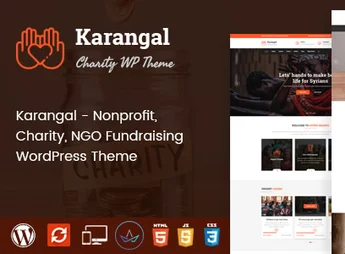
Karangal is a WordPress theme developed specifically for charity organizations, NGOs, foundations, and social projects that need a professional and engaging digital presence. Focused on fundraising and community engagement, it offers comprehensive tools to showcase causes, manage donation campaigns, and connect volunteers, all in a modern, welcoming, and fully responsive design.
Main Features
- Campaign and Donation System
Integration with fundraising plugins that allows creating individual causes with goals, progress bars, and real-time contribution history. - Drag and Drop Visual Builder
Full page editing by dragging and dropping, without the need for programming knowledge to create sections and rearrange content. - Ready-to-Import Demos
Various pre-configured layouts aimed at different types of causes, importable with one click to quickly launch the site. - Event and Volunteer Management
Dedicated pages for event promotion, activity calendars, and registration forms for new volunteers. - Responsive and Optimized Design
Automatic adaptation to smartphones, tablets, and desktops, with clean code and fast loading for better search engine positioning. - WooCommerce Compatibility
Ability to create a solidarity store to sell products, t-shirts, and materials that help finance the institution’s projects.
Benefits of Karangal
- Increased Fundraising
Persuasive visual elements and strategically placed donation buttons encourage visitors to contribute to the cause. - Time and Resource Savings
With ready demos and simplified setup, the organization can launch the site without hiring expensive technical teams. - Institutional Credibility
A professional look conveys seriousness and transparency, decisive factors to gain donors’ and partners’ trust. - Easy Maintenance
Content updates, news, and new campaigns can be made by any team member, even without prior experience.
Who Is It For?
- NGOs, charity associations, and nonprofit foundations
- Churches, social projects, and community volunteer groups
- Agencies and freelancers who develop websites for the third sector
Karangal brings together everything a charitable institution needs to expand its reach on the internet: ease of management, visual appeal, and resources focused on fundraising. It is a complete solution to transform good intentions into concrete results, bringing people willing to help closer to causes that really make a difference.
Frequently asked questions
Is Karangal – Charity WordPress Theme GPL-licensed?
Yes. Karangal – Charity WordPress Theme is distributed under the GPL (GNU General Public License). You may legally use, modify and redistribute it on as many sites as you want.
Can I use Karangal – Charity WordPress Theme on multiple sites?
Yes. You can install Karangal – Charity WordPress Theme on as many sites as you want. Only automatic updates through Ultrapack Auto Updater have a limit: from 3 to 80 sites, depending on the plan.
How much does Karangal – Charity WordPress Theme cost at Ultrapack?
Karangal – Charity WordPress Theme costs US$2.99 as a single purchase, and it is also included in the subscription plans starting at US$12/mo (VIP I).
Does Karangal – Charity WordPress Theme include updates?
Yes. The current version of Karangal – Charity WordPress Theme is 2.4, published at Ultrapack on Aug 8, 2026. Subscribers update straight from the WordPress dashboard with UAU (Ultrapack Auto Updater).
Is Karangal – Charity WordPress Theme scanned before publication?
Yes. Every version of Karangal – Charity WordPress Theme goes through a malware scan (ClamAV and YARA rules, at UltraHub) before it is published.
What changed in this version
Version 2.4 2023-01-08
- 1) All Plugins are up to date.
Version 2.3 2022-10-26
- 1) Kingcomposer data not showing issue has been fixed.
Version 2.2 2022-10-12
- 1) Compatible with PHP 8.0 or Higher versions.
- 2) All Plugins are up to date.
Version 2.1 2022-03-11
- 1) kingcomposer not installing issue fixed.
Version 2.0 2022-02-08
- 1) All the plugins are updated.
Release notes published by the developer.
How to install
Automatic updates: this item is updated by the Ultrapack Auto Updater. With it installed, the new version shows up in your dashboard like any other WordPress update (how to set it up).
The file on this page is the developer’s full package, with documentation, demos and plugins. Do not upload that file to WordPress. The theme comes ready inside it, as a ZIP of its own, and that is the one you upload.
- Download the file
elements-karangal-charity-wordpress-theme.zipand extract it on your computer. - Look inside the extracted files for the file
karangal-wp-full/karangal.zip. - In the WordPress dashboard, go to Appearance > Themes > Add New > Upload Theme.
- Select that file and click Install Now.
- Click Activate.
- There is nothing to zip. The ZIP inside the package is already in the format WordPress accepts.
- Uploading the whole package is the most common mistake when installing a theme: WordPress answers that no valid theme was found, and nothing is installed.
- The rest of the package belongs to the author: documentation, demo files and, in some themes, the plugins it asks for during setup.
Stuck on a step? Open a ticket telling us which one you stopped at.


