 UAU Ready
Description
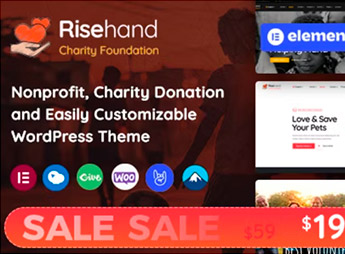
RiseHand is a WordPress theme that enables the creation of sites for NGOs, social projects, and fundraising campaigns, featuring an integrated donation system and volunteer area. It is tailored for organizations that aim to professionalize their digital presence with welcoming design and functionality focused on resource collection and community mobilization.
Key Features of RiseHand
- Donation system
Contribution form with fixed or flexible amounts, ideal for recurring and one-time campaigns. - Volunteer area
Dedicated page for registration, listing of vacancies, and enrollment management. - Fundraising counter
Real-time visual progress in campaigns, motivating donors and providing transparency. - Integrated blog
News and impact story section with layout optimized for engagement. - Project gallery
Card grid with images, descriptions, and action buttons for each initiative.
Benefits of RiseHand
- Enhanced credibility
Clear demonstration of goals and outcomes strengthens donor trust. - Easier fundraising
Fast and secure donation flow reduces friction and increases conversions. - Community mobilization
Volunteer tools expand the support network without manual effort. - Professional presence
Responsive and institutional design conveys seriousness and purpose.
Who Should Use RiseHand?
- NGOs and non-profit associations that need a website with donation system and accountability.
- Social and community projects that wish to recruit volunteers and promote campaigns.
- Fundraisers and philanthropic organizations seeking a modern platform for online fundraising.
How to Download RiseHand
RiseHand is available for download here on Ultrapack. After downloading the theme’s .zip file, go to the WordPress Dashboard under Appearance > Themes, click Add New > Upload Theme, select the .zip, and activate. The theme will be ready for immediate use with all features included.
Combining welcoming design with practical donation and volunteer functionality, RiseHand provides a solid foundation for third-sector organizations to communicate with transparency and efficiency. Whether to announce goals, engage supporters, or manage campaigns, the theme transforms WordPress into a comprehensive resource-raising and social mobilization tool.
Frequently asked questions
Is RiseHand – Charity & Donation WordPress Theme GPL-licensed?
Yes. RiseHand – Charity & Donation WordPress Theme is distributed under the GPL (GNU General Public License). You may legally use, modify and redistribute it on as many sites as you want.
Can I use RiseHand – Charity & Donation WordPress Theme on multiple sites?
Yes. You can install RiseHand – Charity & Donation WordPress Theme on as many sites as you want. Only automatic updates through Ultrapack Auto Updater have a limit: from 3 to 80 sites, depending on the plan.
How much does RiseHand – Charity & Donation WordPress Theme cost at Ultrapack?
RiseHand – Charity & Donation WordPress Theme costs US$2.99 as a single purchase, and it is also included in the subscription plans starting at US$12/mo (VIP I).
Does RiseHand – Charity & Donation WordPress Theme include updates?
Yes. The current version of RiseHand – Charity & Donation WordPress Theme is 1.2.7, published at Ultrapack on Jan 15, 2025. Subscribers update straight from the WordPress dashboard with UAU (Ultrapack Auto Updater).
Is RiseHand – Charity & Donation WordPress Theme scanned before publication?
Yes. Every version of RiseHand – Charity & Donation WordPress Theme goes through a malware scan (ClamAV and YARA rules, at UltraHub) before it is published.
How to install
Automatic updates: this item is updated by the Ultrapack Auto Updater. With it installed, the new version shows up in your dashboard like any other WordPress update (how to set it up).
The file on this page is already the theme, ready to upload to WordPress.
- Download the file
themeforest-51500552-risehand-charity-donation-wordpress-theme.zip. - In the WordPress dashboard, go to Appearance > Themes > Add New > Upload Theme.
- Select the file
themeforest-51500552-risehand-charity-donation-wordpress-theme.zipand click Install Now. - Click Activate.
- If WordPress answers that no valid theme was found, the file is the developer’s full package and the theme is in a folder inside it. Extract the file on your computer, look for the folder that has
style.cssandscreenshot.png(in this item, the folderrisehand), zip that folder only and upload it again.
Stuck on a step? Open a ticket telling us which one you stopped at.