 UAU Ready
Description
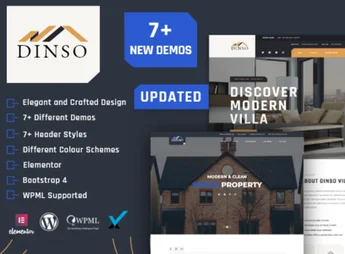
Dinso is a WordPress theme designed specifically to promote a single real estate development, whether it is a residential condominium, an apartment building, or a newly launched commercial tower. Unlike portals that list hundreds of properties, it focuses the visitor’s full attention on a single property, presenting floor plans, galleries, available units, location, and contact forms in an elegant and persuasive way.
Key Features
- Single Property Focus
Structure designed to present a specific development with dedicated pages for overview, highlights, floor plans, and availability. - Unit and Floor Plan Management
Add apartment types with square footage, number of bedrooms, bathrooms, parking spaces, and floor plan images. - Drag and Drop Visual Builder
Build and edit pages by dragging and dropping, with no need to write code to rearrange sections. - Galleries and Visual Tour
Sliders, lightboxes, filterable galleries, and video support to showcase common areas, the exterior, model units, and property views. - Contact and Scheduling Forms
Integrated lead capture with customizable fields for information requests, visits, and unit reservations. - Responsive Design and Integrated Map
Layout adaptable to mobile phones and tablets, with an interactive map showing the location, neighborhood, and nearby points of interest.
Benefits of Dinso
- Higher Lead Conversion
By eliminating distractions from extensive catalogs, visitors follow a direct funnel to the contact form. - Fast Website Launch
Ready-made demos and sample content import make it possible to launch the development page quickly. - Professional Presentation
The sophisticated look conveys credibility and enhances the perceived value of the property even before an in-person visit. - Update Independence
The sales team updates prices, sold units, and new photos without relying on a developer.
Who Is It For?
- Construction companies and developers launching residential or commercial developments
- Real estate agents and agencies responsible for the exclusive sale of a condominium or building
- Real estate marketing agencies that create campaign microsites for clients in the sector
With Dinso, every detail of the development receives the attention it deserves: from floor plans to leisure areas, from the prime location to sales terms. It is the ideal solution for anyone who needs a dedicated digital showcase capable of generating qualified leads and keeping up with a real estate launch from start to finish.
Frequently asked questions
Is Dinso – Single Property & Apartment WordPress Theme GPL-licensed?
Yes. Dinso – Single Property & Apartment WordPress Theme is distributed under the GPL (GNU General Public License). You may legally use, modify and redistribute it on as many sites as you want.
Can I use Dinso – Single Property & Apartment WordPress Theme on multiple sites?
Yes. You can install Dinso – Single Property & Apartment WordPress Theme on as many sites as you want. Only automatic updates through Ultrapack Auto Updater have a limit: from 3 to 80 sites, depending on the plan.
How much does Dinso – Single Property & Apartment WordPress Theme cost at Ultrapack?
Dinso – Single Property & Apartment WordPress Theme costs US$2.99 as a single purchase, and it is also included in the subscription plans starting at US$12/mo (VIP I).
Does Dinso – Single Property & Apartment WordPress Theme include updates?
Yes. The current version of Dinso – Single Property & Apartment WordPress Theme is 2.2, published at Ultrapack on Aug 2, 2026. Subscribers update straight from the WordPress dashboard with UAU (Ultrapack Auto Updater).
Is Dinso – Single Property & Apartment WordPress Theme scanned before publication?
Yes. Every version of Dinso – Single Property & Apartment WordPress Theme goes through a malware scan (ClamAV and YARA rules, at UltraHub) before it is published.
How to install
Automatic updates: this item is updated by the Ultrapack Auto Updater. With it installed, the new version shows up in your dashboard like any other WordPress update (how to set it up).
The file on this page is the developer’s full package, with documentation, demos and plugins. Do not upload that file to WordPress. The theme comes ready inside it, as a ZIP of its own, and that is the one you upload.
- Download the file
elements-dinso-single-property-apartment-wordpress-them.zipand extract it on your computer. - Look inside the extracted files for the file
dinso.zip. - In the WordPress dashboard, go to Appearance > Themes > Add New > Upload Theme.
- Select that file and click Install Now.
- Click Activate.
- There is nothing to zip. The ZIP inside the package is already in the format WordPress accepts.
- Uploading the whole package is the most common mistake when installing a theme: WordPress answers that no valid theme was found, and nothing is installed.
- The rest of the package belongs to the author: documentation, demo files and, in some themes, the plugins it asks for during setup.
Stuck on a step? Open a ticket telling us which one you stopped at.