 UAU Ready
Description
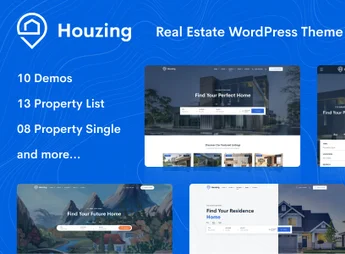
Houzing is a solution focused on presenting real estate properties with a structure designed to display advertisements, property details, and contact information in an organized environment. The layout facilitates navigation between listings, internal pages, and search areas, helping to make the consultation more practical and objective.
Main Features
- Property listings Allows displaying properties on organized pages, focusing on clear visualization of the available options.
- Advanced search Includes filters to refine results with greater accuracy, making it easier to find properties according to specific criteria.
- Detail pages Presents complete information for each property, gathering description, images, attributes, and relevant data.
- Property submission Provides resources for registering properties, making the publishing process more centralized.
- Agent profiles Offers dedicated areas to showcase brokers or teams responsible for the listings.
- Image galleries Helps display properties visually, highlighting interiors, facades, and other important points.
- Responsive layout Maintains navigation adapted to different screen sizes, improving access on desktops and mobile devices.
Benefits of Houzing
- Organization of offers: brings together properties, filters, and internal pages in a structure that is easier to consult.
- Clearer presentation: improves the way to display information, images, and important data for each listing.
- Focused navigation flow: helps visitors find properties with fewer steps during the search.
Who is it For?
- Real estate agencies that want to present their properties in a well-organized digital catalog.
- Agents who need to advertise properties with more comprehensive pages.
- Real estate projects that require search, filters, and detailed listing display.
Houzing serves well projects that need to structure property presentation more clearly, gathering listings, detailed pages, and search features all in one place. It is a useful alternative for those looking to build a real-estate site with simple navigation and a focus on listing display.
Frequently asked questions
Is Houzing – Real Estate WordPress Theme GPL-licensed?
Yes. Houzing – Real Estate WordPress Theme is distributed under the GPL (GNU General Public License). You may legally use, modify and redistribute it on as many sites as you want.
Can I use Houzing – Real Estate WordPress Theme on multiple sites?
Yes. You can install Houzing – Real Estate WordPress Theme on as many sites as you want. Only automatic updates through Ultrapack Auto Updater have a limit: from 3 to 80 sites, depending on the plan.
How much does Houzing – Real Estate WordPress Theme cost at Ultrapack?
Houzing – Real Estate WordPress Theme costs US$2.99 as a single purchase, and it is also included in the subscription plans starting at US$12/mo (VIP I).
Does Houzing – Real Estate WordPress Theme include updates?
Yes. The current version of Houzing – Real Estate WordPress Theme is 1.0.44, published at Ultrapack on Aug 19, 2026. Subscribers update straight from the WordPress dashboard with UAU (Ultrapack Auto Updater).
Is Houzing – Real Estate WordPress Theme scanned before publication?
Yes. Every version of Houzing – Real Estate WordPress Theme goes through a malware scan (ClamAV and YARA rules, at UltraHub) before it is published.
What are the requirements for the theme Houzing – Real Estate WordPress Theme?
Requires WordPress 4.1 or higher. Tested up to WordPress 4.5.
How to install
Automatic updates: this item is updated by the Ultrapack Auto Updater. With it installed, the new version shows up in your dashboard like any other WordPress update (how to set it up).
The file on this page is the developer’s full package, with documentation, demos and plugins. Do not upload that file to WordPress. The theme comes ready inside it, as a ZIP of its own, and that is the one you upload.
- Download the file
elements-houzing-real-estate-wordpress-theme.zipand extract it on your computer. - Look inside the extracted files for the file
houzing_theme.zip. - In the WordPress dashboard, go to Appearance > Themes > Add New > Upload Theme.
- Select that file and click Install Now.
- Click Activate.
Requirements: Requires WordPress 4.1 or higher. Tested up to WordPress 4.5.
- There is nothing to zip. The ZIP inside the package is already in the format WordPress accepts.
- Uploading the whole package is the most common mistake when installing a theme: WordPress answers that no valid theme was found, and nothing is installed.
- The rest of the package belongs to the author: documentation, demo files and, in some themes, the plugins it asks for during setup.
Stuck on a step? Open a ticket telling us which one you stopped at.