UAU Ready
Description
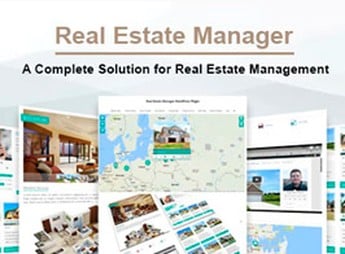
Quarter enables the creation of professional, responsive sites for real estate agencies, independent brokers, and large developers, featuring a property gallery, advanced search with location and price filters, an interactive map, and smart contact forms. The theme offers multiple listing layouts, individual property pages with slideshows and custom fields, client testimonials, highlight sections and grid galleries, as well as integration with social media and SEO optimization, all configurable via the WordPress dashboard without the need for coding.
Key Features of Quarter
- Property Gallery
Displays listings in a grid with filters for price, location, and type. - Individual Property Page
Shows a slideshow, custom fields, and detailed information for each listing. - Interactive Map
Integrates maps to locate properties and ease geographic visualization. - Smart Contact Forms
Allows visitors to send messages directly through the site without hassle. - Customization via Dashboard
Changes colors, fonts, and layouts via the WordPress customizer without editing code.
Benefits of Quarter
- Greater Visibility of Listings
Showcases each property with prominence and an attractive gallery for potential buyers. - Easy Navigation
Visitors quickly find what they seek with filters and smart search. - Time Savings in Creation
Configures the site without coding and publishes in a few hours. - Professional Image
Conveys credibility and organization to clients and partners.
Who is Quarter Recommended For?
- Real estate agencies wishing to have a comprehensive site to list and promote their properties.
- Independent brokers looking for an organized, attractive online presence.
- Developers needing to present launches and projects in a professional manner.
How to Download Quarter
Quarter is available for download here on Ultrapack. After downloading the .zip file, install via Appearance > Themes > Add New > Upload Theme, choose the .zip, and activate it. The theme is complete and ready for immediate installation.
Focused on the real estate market, Quarter offers a solid foundation to build a site that highlights each property with visual quality and practical features such as smart search and an interactive map. The result is a professional portal that attracts buyers and tenants without requiring technical knowledge.
Frequently asked questions
Is Quarter – Real Estate WordPress Theme GPL-licensed?
Yes. Quarter – Real Estate WordPress Theme is distributed under the GPL (GNU General Public License). You may legally use, modify and redistribute it on as many sites as you want.
Can I use Quarter – Real Estate WordPress Theme on multiple sites?
Yes. You can install Quarter – Real Estate WordPress Theme on as many sites as you want. Only automatic updates through Ultrapack Auto Updater have a limit: from 3 to 80 sites, depending on the plan.
How much does Quarter – Real Estate WordPress Theme cost at Ultrapack?
Quarter – Real Estate WordPress Theme costs US$2.99 as a single purchase, and it is also included in the subscription plans starting at US$12/mo (VIP I).
Does Quarter – Real Estate WordPress Theme include updates?
Yes. The current version of Quarter – Real Estate WordPress Theme is 2.0.2, published at Ultrapack on Jun 12, 2023. Subscribers update straight from the WordPress dashboard with UAU (Ultrapack Auto Updater).
Is Quarter – Real Estate WordPress Theme scanned before publication?
Yes. Every version of Quarter – Real Estate WordPress Theme goes through a malware scan (ClamAV and YARA rules, at UltraHub) before it is published.
How to install
Automatic updates: this item is updated by the Ultrapack Auto Updater. With it installed, the new version shows up in your dashboard like any other WordPress update (how to set it up).
The file on this page is the developer’s full package, with documentation, demos and plugins. Do not upload that file to WordPress. The theme comes ready inside it, as a ZIP of its own, and that is the one you upload.
- Download the file
elements-quarter-real-estate-wordpress-theme.zipand extract it on your computer. - Look inside the extracted files for the file
quarter-package/quarter.zip. - In the WordPress dashboard, go to Appearance > Themes > Add New > Upload Theme.
- Select that file and click Install Now.
- Click Activate.
- There is nothing to zip. The ZIP inside the package is already in the format WordPress accepts.
- Uploading the whole package is the most common mistake when installing a theme: WordPress answers that no valid theme was found, and nothing is installed.
- The rest of the package belongs to the author: documentation, demo files and, in some themes, the plugins it asks for during setup.
Stuck on a step? Open a ticket telling us which one you stopped at.