UAU Ready
Description
Key Features of Miti
- Integrated Elementor Builder
Drag and drop Elementor widgets to create visually engaging store pages. - Native WooCommerce Integration
Manage catalog, cart, checkout, and orders directly within the theme. - Demo Templates by Niche
Import full layouts for fashion, electronics, furniture, and other markets. - Dokan Support
Turn your store into a multi-vendor marketplace without complications. - Customizer and Personalization
Adjust colors, typography, and layout without writing a single line of code.
Benefits of Miti
- Online store in a few hours
Import a demo, replace content, and have a functional store quickly. - Responsive and modern design
Optimized layout for mobile phones and tablets, essential for sales conversion. - Developer-free maintenance
Change pages and products visually with the Elementor editor. - Marketplace scalability
Expand to multiple vendors using Dokan without switching platforms.
Who is Miti for?
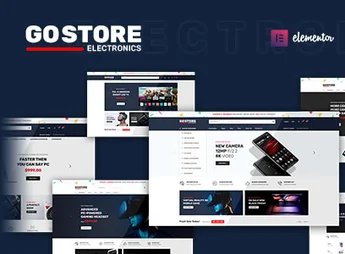
- Those who sell fashion, electronics, or furniture and want an eye-catching store without programming.
- Anyone who wants to create a marketplace with multiple vendors, taking advantage of Dokan integration.
- Shop owners already using WooCommerce who seek a flexible theme with Elementor to customize every detail.
How to Download Miti
Miti is available for download here on Ultrapack. After downloading the .zip file, install it via Appearance > Themes > Add New > Upload Theme, select the .zip, and activate. The theme includes demos and ready-to-use options.
With Miti, fashion, electronics, and furniture shop owners gain a complete tool to build WooCommerce stores visually, without relying on developers. The combination of Elementor, industry-specific demos, and Dokan compatibility makes the theme a practical choice for those seeking professionalism and speed in e-commerce creation. Whether for a niche store or a marketplace with dozens of vendors, Miti provides the ideal foundation to scale your online business.
Frequently asked questions
Is Miti – Elementor Fashion WooCommerce Theme GPL-licensed?
Yes. Miti – Elementor Fashion WooCommerce Theme is distributed under the GPL (GNU General Public License). You may legally use, modify and redistribute it on as many sites as you want.
Can I use Miti – Elementor Fashion WooCommerce Theme on multiple sites?
Yes. You can install Miti – Elementor Fashion WooCommerce Theme on as many sites as you want. Only automatic updates through Ultrapack Auto Updater have a limit: from 3 to 80 sites, depending on the plan.
How much does Miti – Elementor Fashion WooCommerce Theme cost at Ultrapack?
Miti – Elementor Fashion WooCommerce Theme costs US$2.99 as a single purchase, and it is also included in the subscription plans starting at US$12/mo (VIP I).
Does Miti – Elementor Fashion WooCommerce Theme include updates?
Yes. The current version of Miti – Elementor Fashion WooCommerce Theme is 1.1.6, published at Ultrapack on Dec 13, 2022. Subscribers update straight from the WordPress dashboard with UAU (Ultrapack Auto Updater).
Is Miti – Elementor Fashion WooCommerce Theme scanned before publication?
Yes. Every version of Miti – Elementor Fashion WooCommerce Theme goes through a malware scan (ClamAV and YARA rules, at UltraHub) before it is published.
How to install
Automatic updates: this item is updated by the Ultrapack Auto Updater. With it installed, the new version shows up in your dashboard like any other WordPress update (how to set it up).
The file on this page is already the theme, ready to upload to WordPress.
- Download the file
themeforest-33655588-miti-elementor-woocommerce-wordpress-theme.zip. - In the WordPress dashboard, go to Appearance > Themes > Add New > Upload Theme.
- Select the file
themeforest-33655588-miti-elementor-woocommerce-wordpress-theme.zipand click Install Now. - Click Activate.
- If WordPress answers that no valid theme was found, the file is the developer’s full package and the theme is in a folder inside it. Extract the file on your computer, look for the folder that has
style.cssandscreenshot.png(in this item, the foldermiti), zip that folder only and upload it again.
Stuck on a step? Open a ticket telling us which one you stopped at.