

Description
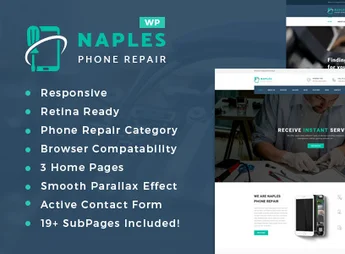
Naples is a WordPress theme developed especially for technical assistance, cell phone, tablet, and computer repair shops. With a modern layout focused on conversion, it combines repair scheduling, service presentation, online quotes, and an online store into a single solution. Ideal for those who need a professional digital presence and local customer acquisition.
Main Features
- Repair Request Form
Integrated system that allows the customer to describe the device’s issue, select the device, and request a quote directly through the website. - WooCommerce Integration
Sell parts, accessories, and refurbished devices with fully compatible cart, checkout, and inventory management. - Visual Drag & Drop Builder
Build and edit pages by dragging elements, without writing a single line of code. - Ready-to-Import Demos
Various pre-configured layouts that can be installed with one click, making the site ready in minutes. - Fully Responsive Design
Automatic adaptation for phones, tablets, and desktops, ensuring good readability and navigation on any screen. - Service and Pricing Pages
Specific templates to display price tables, repair types, timeframes, and warranties in a clear and organized manner.
Benefits of Naples
- More quotes generated
The repair form transforms visitors into qualified contacts without relying on phone or WhatsApp. - Time savings on deployment
With the demos and visual builder, the site goes live from scratch in very little time. - Professional credibility
Clean and organized visual that conveys trust to those leaving a valuable device in your hands. - Additional revenue from the store
WooCommerce integration allows selling accessories and parts alongside repair services.
Who Is It Recommended For?
- Cell phone, tablet, and notebook technical assistance
- Computer stores and maintenance services
- Independent technicians and small electronic repair companies
With Naples, your repair shop gets a complete, modern site ready to receive daily repair requests. It’s the right combination of professional service presentation, easy management, and sales tools, all in a theme designed from start to finish for the electronic repair sector.
Frequently asked questions
Is Naples – Phone Repair Shop WordPress Theme GPL-licensed?
Yes. Naples – Phone Repair Shop WordPress Theme is distributed under the GPL (GNU General Public License). You may legally use, modify and redistribute it on as many sites as you want.
Can I use Naples – Phone Repair Shop WordPress Theme on multiple sites?
Yes. You can install Naples – Phone Repair Shop WordPress Theme on as many sites as you want. Only automatic updates through Ultrapack Auto Updater have a limit: from 3 to 80 sites, depending on the plan.
How much does Naples – Phone Repair Shop WordPress Theme cost at Ultrapack?
Naples – Phone Repair Shop WordPress Theme costs US$2.99 as a single purchase, and it is also included in the subscription plans starting at US$12/mo (VIP I).
Does Naples – Phone Repair Shop WordPress Theme include updates?
Yes. The current version of Naples – Phone Repair Shop WordPress Theme is 2.4, published at Ultrapack on Aug 4, 2026. Subscribers update straight from the WordPress dashboard with UAU (Ultrapack Auto Updater).
Is Naples – Phone Repair Shop WordPress Theme scanned before publication?
Yes. Every version of Naples – Phone Repair Shop WordPress Theme goes through a malware scan (ClamAV and YARA rules, at UltraHub) before it is published.
How to install
Updates: manual. When a new version comes out, download it on this same page and upload it over the old one; WordPress asks whether you want to replace the current version.
The file on this page is the developer’s full package, with documentation, demos and plugins. Do not upload that file to WordPress. The theme comes ready inside it, as a ZIP of its own, and that is the one you upload.
- Download the file
elements-naples-phone-repair-shop-wordpress-theme.zipand extract it on your computer. - Look inside the extracted files for the file
naples-wp-full/naples.zip. - In the WordPress dashboard, go to Appearance > Themes > Add New > Upload Theme.
- Select that file and click Install Now.
- Click Activate.
- There is nothing to zip. The ZIP inside the package is already in the format WordPress accepts.
- Uploading the whole package is the most common mistake when installing a theme: WordPress answers that no valid theme was found, and nothing is installed.
- The rest of the package belongs to the author: documentation, demo files and, in some themes, the plugins it asks for during setup.
Stuck on a step? Open a ticket telling us which one you stopped at.


