 UAU Ready
Description
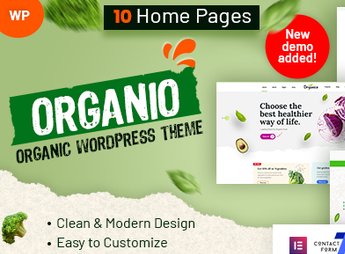
Built on WooCommerce, Organio enables the creation of complete e-commerce sites for the organic food sector, featuring a layout focused on natural products, visual categories, a responsive cart, and native integration with multiple payment gateways. The theme targets rural producers, farmers’ market vendors, and retailers who want to sell fruits, vegetables, grains, supplements, and organic items without intermediaries.
Key Features of Organio
- Layout focused on organics
Visual structure highlighting images of fruits, vegetables, and natural packaging. - Agricultural category sections
Ready blocks for grains, leafy greens, supplements, and seasonal items. - Native WooCommerce integration
Full support for cart, checkout, product variations, and inventory. - Code-free customization
Color, font, and layout adjustments via the theme panel without editing files. - Full responsiveness
Store adapted to mobile, tablet, and desktop with touch-friendly navigation.
Benefits of Organio
- Ready-to-sell storefront
Reduced setup time with pre-styled store, category, and product pages. - Natural visual identity
Style that conveys freshness and product purity, attracting niche consumers. - Simplified navigation
Mega menu and category filters help customers find items quickly. - Scalable without complexity
Solid foundation for adding new products and variations without visual redevelopment.
Who is Organio For?
- Sellers of fruits, beans, vegetables, and grains packaged directly to consumers.
- Rural producers who want to create their own virtual store without relying on marketplaces.
- Retailers in the natural sector who need a ready theme to display supplements and bulk items.
How to Download Organio
Organio is available for download here on Ultrapack. After downloading the .zip file, install it in Appearance > Themes > Add New > Upload Theme, select the .zip and activate. The file is complete and ready for immediate installation.
With direct integration to WooCommerce and a design crafted for the organic market, Organio eliminates the need to build every page from scratch. It is the ideal foundation for anyone who wants to launch a natural products store online with a professional look and a smooth purchasing experience.
Frequently asked questions
Is Organio – Organic Food Store WordPress GPL-licensed?
Yes. Organio – Organic Food Store WordPress is distributed under the GPL (GNU General Public License). You may legally use, modify and redistribute it on as many sites as you want.
Can I use Organio – Organic Food Store WordPress on multiple sites?
Yes. You can install Organio – Organic Food Store WordPress on as many sites as you want. Only automatic updates through Ultrapack Auto Updater have a limit: from 3 to 80 sites, depending on the plan.
How much does Organio – Organic Food Store WordPress cost at Ultrapack?
Organio – Organic Food Store WordPress costs US$2.99 as a single purchase, and it is also included in the subscription plans starting at US$12/mo (VIP I).
Does Organio – Organic Food Store WordPress include updates?
Yes. The current version of Organio – Organic Food Store WordPress is 1.6.1, published at Ultrapack on Mar 11, 2026. Subscribers update straight from the WordPress dashboard with UAU (Ultrapack Auto Updater).
Is Organio – Organic Food Store WordPress scanned before publication?
Yes. Every version of Organio – Organic Food Store WordPress goes through a malware scan (ClamAV and YARA rules, at UltraHub) before it is published.
How to install
Automatic updates: this item is updated by the Ultrapack Auto Updater. With it installed, the new version shows up in your dashboard like any other WordPress update (how to set it up).
The file on this page is the developer’s full package, with documentation, demos and plugins. Do not upload that file to WordPress. The theme comes ready inside it, as a ZIP of its own, and that is the one you upload.
- Download the file
elements-organio-organic-food-store-wordpress.zipand extract it on your computer. - Look inside the extracted files for the file
Organio_FullPackage/Theme Install/organio.zip. - In the WordPress dashboard, go to Appearance > Themes > Add New > Upload Theme.
- Select that file and click Install Now.
- Click Activate.
- There is nothing to zip. The ZIP inside the package is already in the format WordPress accepts.
- Uploading the whole package is the most common mistake when installing a theme: WordPress answers that no valid theme was found, and nothing is installed.
- The rest of the package belongs to the author: documentation, demo files and, in some themes, the plugins it asks for during setup.
- The package also includes the plugin the theme uses, in
revslider.zip. Upload this file in Plugins > Add New > Upload Plugin after activating the theme.
Stuck on a step? Open a ticket telling us which one you stopped at.