

 UAU Ready
Description
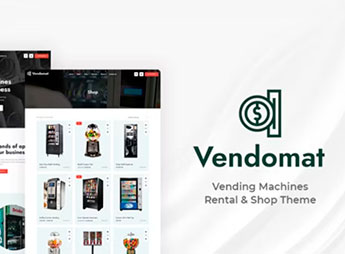
Vendomat structures WordPress sites specialized in vending machines, combining responsive layout, integrated inventory system, and full compatibility with WooCommerce, eliminating external solutions for single product stock control. The theme is designed for retailers selling packaged products, drinks, snacks, and individual items at high-traffic physical locations such as malls, airports, and schools, matching a professional look with real-time digital stock management and a user-friendly interface that presents the catalog clearly and attractively.
Main Features of Vendomat
- Layout optimized for kiosks
Displays the product catalog visually and responsively, ideal for touchscreen screens and mobile devices. - Integrated stock management
Controls quantities of individual products with automatic updates after each sale in WooCommerce. - Integration with WooCommerce
Synchronizes orders, stock, and payments directly with the market’s standard e-commerce platform. - Category and filter system
Organizes drinks, snacks, and items by sections with quick search to enhance customer experience. - Intuitive administration panel
Register products, adjust prices, and view sales reports in real time without complications.
Benefits of Vendomat
- Greater control over physical stock
Monitor sales in real time and restock only when necessary, reducing waste. - Fluid purchasing experience
Customers find products quickly in a clean and easy-to-navigate interface, increasing satisfaction. - Reduction of losses and stockouts
Low stock alerts prevent products from running out, maintaining constant availability. - Scalability for multiple locations
Manage several machines or kiosks from a single centralized panel, simplifying operation.
Who Is Vendomat Intended For?
- Those who sell packaged products (drinks, snacks, chips) in vending machines and want a site to display online stock.
- You who operate kiosks or vending machines in malls, gyms, and schools and need digital inventory control.
- Those who want to migrate their vending business to the digital environment, unifying physical and online sales in the same system.
How to Download Vendomat
Vendomat is available for download here at Ultrapack. After downloading the .zip file, install it at Appearance > Themes > Add New > Upload theme, select the .zip and activate. The theme will be ready for immediate use with pre-configured layouts for vending machines.
Combining a modern look aimed at vending machines with a solid e-commerce structure, Vendomat allows vending sector retailers to offer a complete digital experience. Whether to showcase catalogs online, manage stock across multiple locations, or integrate digital payments, the theme unifies physical and virtual presence in a single WordPress ecosystem, simplifying operation and expanding business reach.
Frequently asked questions
Is Vendomat – Vending Machines WooCommerce Theme GPL-licensed?
Yes. Vendomat – Vending Machines WooCommerce Theme is distributed under the GPL (GNU General Public License). You may legally use, modify and redistribute it on as many sites as you want.
Can I use Vendomat – Vending Machines WooCommerce Theme on multiple sites?
Yes. You can install Vendomat – Vending Machines WooCommerce Theme on as many sites as you want. Only automatic updates through Ultrapack Auto Updater have a limit: from 3 to 80 sites, depending on the plan.
How much does Vendomat – Vending Machines WooCommerce Theme cost at Ultrapack?
Vendomat – Vending Machines WooCommerce Theme costs US$2.99 as a single purchase, and it is also included in the subscription plans starting at US$12/mo (VIP I).
Does Vendomat – Vending Machines WooCommerce Theme include updates?
Yes. The current version of Vendomat – Vending Machines WooCommerce Theme is 1.3, published at Ultrapack on Jul 13, 2024. Subscribers update straight from the WordPress dashboard with UAU (Ultrapack Auto Updater).
Is Vendomat – Vending Machines WooCommerce Theme scanned before publication?
Yes. Every version of Vendomat – Vending Machines WooCommerce Theme goes through a malware scan (ClamAV and YARA rules, at UltraHub) before it is published.
How to install
Automatic updates: this item is updated by the Ultrapack Auto Updater. With it installed, the new version shows up in your dashboard like any other WordPress update (how to set it up).
The file on this page is the developer’s full package, with documentation, demos and plugins. Do not upload that file to WordPress. The theme comes ready inside it, as a ZIP of its own, and that is the one you upload.
- Download the file
elements-vendomat-vending-machines-woocommerce-theme.zipand extract it on your computer. - Look inside the extracted files for the file
vendomat_package/theme/vendomat.zip. - In the WordPress dashboard, go to Appearance > Themes > Add New > Upload Theme.
- Select that file and click Install Now.
- Click Activate.
- There is nothing to zip. The ZIP inside the package is already in the format WordPress accepts.
- Uploading the whole package is the most common mistake when installing a theme: WordPress answers that no valid theme was found, and nothing is installed.
- The rest of the package belongs to the author: documentation, demo files and, in some themes, the plugins it asks for during setup.
- The package also includes the plugin the theme uses, in
js_composer.zip. Upload this file in Plugins > Add New > Upload Plugin after activating the theme.
Stuck on a step? Open a ticket telling us which one you stopped at.



