

 UAU Ready
Description
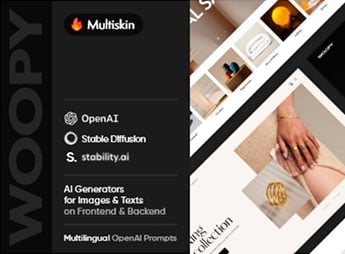
Woopy sets up complete virtual stores on WooCommerce for different retail segments, with dozens of ready-made layouts for fashion, furniture, electronics, footwear, and other physical and digital product niches. This set of templates serves those who sell clothing, accessories, furniture, technology products, or varied items and want to launch a store with a professional look and pre-configured product pages.
Woopy’s Main Features
- Various store layouts
Each demo brings a ready-made home page for a different product segment. - Integration with WooCommerce
The theme displays a cart, checkout, and product pages fully compatible with the store. - Product filters
Visitors filter the catalog by price, color, size, and category. - Detailed product page
Shows image gallery, variations, and reviews directly on the item’s page. - Responsive layout
The store automatically adapts to the screens of cell phones, tablets, and computers.
Woopy’s Benefits
- Fast store launch
Ready-made layouts reduce setup time before selling online. - More conversions into sales
Filters and detailed product pages help the visitor decide to make a purchase. - Flexibility between niches
The same theme caters to different segments without needing to change platforms. - Good mobile experience
Shoppers browse and finalize purchases easily on any device.
Who is Woopy for?
- Those who sell clothing, footwear, or fashion accessories.
- Those who market furniture and decorative items.
- Those who sell electronics or technology products.
- Those who manage a store with a varied catalog of products.
How to Download Woopy
Woopy is available for download here on Ultrapack. After obtaining the file, access Appearance > Themes > Add New > Upload Theme in the WordPress panel to install the theme. Then, choose the demo closest to your segment and import the content.
Changing niches or testing a new type of product becomes simpler when the theme already brings varied layouts ready to import. This avoids restarting the store design from scratch each time the catalog changes direction.
Frequently asked questions
Is Woopy – Multipurpose Store WooCommerce WordPress Shop Theme GPL-licensed?
Yes. Woopy – Multipurpose Store WooCommerce WordPress Shop Theme is distributed under the GPL (GNU General Public License). You may legally use, modify and redistribute it on as many sites as you want.
Can I use Woopy – Multipurpose Store WooCommerce WordPress Shop Theme on multiple sites?
Yes. You can install Woopy – Multipurpose Store WooCommerce WordPress Shop Theme on as many sites as you want. Only automatic updates through Ultrapack Auto Updater have a limit: from 3 to 80 sites, depending on the plan.
How much does Woopy – Multipurpose Store WooCommerce WordPress Shop Theme cost at Ultrapack?
Woopy – Multipurpose Store WooCommerce WordPress Shop Theme costs US$2.99 as a single purchase, and it is also included in the subscription plans starting at US$12/mo (VIP I).
Does Woopy – Multipurpose Store WooCommerce WordPress Shop Theme include updates?
Yes. The current version of Woopy – Multipurpose Store WooCommerce WordPress Shop Theme is 1.10.0, published at Ultrapack on Mar 3, 2026. Subscribers update straight from the WordPress dashboard with UAU (Ultrapack Auto Updater).
Is Woopy – Multipurpose Store WooCommerce WordPress Shop Theme scanned before publication?
Yes. Every version of Woopy – Multipurpose Store WooCommerce WordPress Shop Theme goes through a malware scan (ClamAV and YARA rules, at UltraHub) before it is published.
How to install
Automatic updates: this item is updated by the Ultrapack Auto Updater. With it installed, the new version shows up in your dashboard like any other WordPress update (how to set it up).
The file on this page is the developer’s full package, with documentation, demos and plugins. Do not upload that file to WordPress. The theme comes ready inside it, as a ZIP of its own, and that is the one you upload.
- Download the file
elements-woopy.zipand extract it on your computer. - Look inside the extracted files for the file
Woopy_v1.10.0/woopy.zip. - In the WordPress dashboard, go to Appearance > Themes > Add New > Upload Theme.
- Select that file and click Install Now.
- Click Activate.
- There is nothing to zip. The ZIP inside the package is already in the format WordPress accepts.
- Uploading the whole package is the most common mistake when installing a theme: WordPress answers that no valid theme was found, and nothing is installed.
- The rest of the package belongs to the author: documentation, demo files and, in some themes, the plugins it asks for during setup.
Stuck on a step? Open a ticket telling us which one you stopped at.


