 UAU Ready
Description
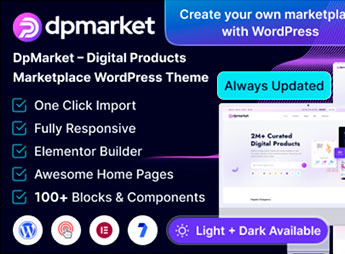
DpMarket turns a WordPress site into a multi-vendor marketplace for digital products, with a configurable commission per sale and a dedicated dashboard for each vendor, built on top of WooCommerce for stores that sell by catalog. It serves anyone who wants to open a marketplace for e-books, courses, templates, or software licenses and needs each vendor to register products, receive orders, and track commissions without depending on the site administrator for every step.
Main Features of DpMarket
- Vendor dashboard
Lets each vendor register products, prices, and images from their own dashboard. - Commission per sale
Automatically calculates the store’s commission on each completed order. - Multi-vendor catalog
Brings together products from multiple vendors in a single search showcase. - Per-vendor store page
Creates a dedicated page for each vendor to display their products and reviews. - WooCommerce integration
Uses the cart, checkout, and payments the store’s WooCommerce already has in place.
Benefits of DpMarket
- Commission income
Generates revenue for the administrator on every sale made by third parties. - Less manual work
Leaves product registration and management up to each vendor. - Larger catalog
Expands the variety of digital products without the store having to create everything itself. - WooCommerce compatibility
Takes advantage of extensions and payment methods already configured in the current store.
Who Is DpMarket For?
- Anyone who wants to open a marketplace for e-books, courses, or templates with multiple vendors.
- Stores that already sell digital products and want to open space for partners to sell as well.
- Content creators who resell licenses for third-party software or plugins.
- Anyone who manages a community of creators and needs to centralize sales and commissions on a single site.
How to Download DpMarket
DpMarket is available for download here on Ultrapack. After downloading the file, upload the theme under Appearance > Themes > Add New > Upload Theme and activate it to unlock the vendor dashboard in WooCommerce.
A multi-vendor marketplace changes the way the site grows: instead of depending only on its own catalog, it starts adding up what each vendor registers. This matters when it comes to defining commission rules, product approval, and communication between store and vendors.
Frequently asked questions
Is DpMarket – Digital Marketplace Multi-Vendor WooCommerce Theme Multipurpose GPL-licensed?
Yes. DpMarket – Digital Marketplace Multi-Vendor WooCommerce Theme Multipurpose is distributed under the GPL (GNU General Public License). You may legally use, modify and redistribute it on as many sites as you want.
Can I use DpMarket – Digital Marketplace Multi-Vendor WooCommerce Theme Multipurpose on multiple sites?
Yes. You can install DpMarket – Digital Marketplace Multi-Vendor WooCommerce Theme Multipurpose on as many sites as you want. Only automatic updates through Ultrapack Auto Updater have a limit: from 3 to 80 sites, depending on the plan.
How much does DpMarket – Digital Marketplace Multi-Vendor WooCommerce Theme Multipurpose cost at Ultrapack?
DpMarket – Digital Marketplace Multi-Vendor WooCommerce Theme Multipurpose costs US$2.99 as a single purchase, and it is also included in the subscription plans starting at US$12/mo (VIP I).
Does DpMarket – Digital Marketplace Multi-Vendor WooCommerce Theme Multipurpose include updates?
Yes. The current version of DpMarket – Digital Marketplace Multi-Vendor WooCommerce Theme Multipurpose is 1.0.1, published at Ultrapack on Oct 26, 2024. Subscribers update straight from the WordPress dashboard with UAU (Ultrapack Auto Updater).
Is DpMarket – Digital Marketplace Multi-Vendor WooCommerce Theme Multipurpose scanned before publication?
Yes. Every version of DpMarket – Digital Marketplace Multi-Vendor WooCommerce Theme Multipurpose goes through a malware scan (ClamAV and YARA rules, at UltraHub) before it is published.
How to install
Automatic updates: this item is updated by the Ultrapack Auto Updater. With it installed, the new version shows up in your dashboard like any other WordPress update (how to set it up).
The file on this page is the developer’s full package, with documentation, demos and plugins. Do not upload that file to WordPress. The theme comes ready inside it, as a ZIP of its own, and that is the one you upload.
- Download the file
elements-dpmarket-digital-marketplace-multi-vendor-theme.zipand extract it on your computer. - Look inside the extracted files for the file
dpmarket.zip. - In the WordPress dashboard, go to Appearance > Themes > Add New > Upload Theme.
- Select that file and click Install Now.
- Click Activate.
- There is nothing to zip. The ZIP inside the package is already in the format WordPress accepts.
- Uploading the whole package is the most common mistake when installing a theme: WordPress answers that no valid theme was found, and nothing is installed.
- The rest of the package belongs to the author: documentation, demo files and, in some themes, the plugins it asks for during setup.
Stuck on a step? Open a ticket telling us which one you stopped at.