 UAU Ready
Description
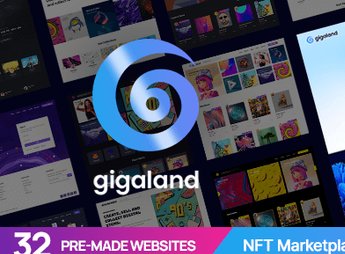
Gigaland allows you to create NFT marketplaces on WordPress, with a token listing panel, connected wallet area, and integrated auction flow for creators and collectors. The theme covers author pages, collections, blockchain-based categories, and cryptocurrency checkout, serving digital galleries, crypto art projects, and communities that sell tokenized assets directly from the browser.
Key Features
- Ready NFT Listings
Structures item pages with media, description, bid history, and token properties. - Digital Wallet Integration
Enables login and payments via wallets compatible with the blockchain ecosystem. - Auction and Direct Offer Flow
Adds screens for real-time bids, countdowns, and automatic bid completion. - Creator and Collector Profile
Creates a personal area with collections, created items, favorites, and a wallet linked to the user. - Integrated Visual Builder
Allows building internal pages with ready blocks, without manually editing code. - Collection and Category Layouts
Organizes grids filtered by blockchain, price range, rarity, and media type.
Benefits of Gigaland
- Rapid Marketplace Deployment
Reduces development weeks by importing ready demos focused on NFTs. - Crypto-Native Visual Identity
Conveys credibility to the Web3 audience with a dark layout and technical typography. - Catalog Scalability
Supports growth of creators and collections without losing organization of listing pages. - Community Engagement
Encourages auctions, offers, and public profiles that keep collectors active on the platform.
Who Is It Intended For?
- Artists and creators who sell tokenized works as NFTs.
- Projects of crypto collections and generative art studios.
- Web3 communities and DAOs needing their own marketplace.
- Agencies that develop platforms for blockchain sector clients.
Designed for the Web3 ecosystem, Gigaland brings together the visual and structural elements that an NFT marketplace requires to operate: a token showcase, creator profiles, auction flow, and digital wallet integration. It functions as a ready base for anyone who wants to enter the digital asset market without having to build the entire interface from scratch, maintaining a visual standard aligned with the crypto audience.
Frequently asked questions
Is Gigaland – NFT Marketplace WordPress Theme GPL-licensed?
Yes. Gigaland – NFT Marketplace WordPress Theme is distributed under the GPL (GNU General Public License). You may legally use, modify and redistribute it on as many sites as you want.
Can I use Gigaland – NFT Marketplace WordPress Theme on multiple sites?
Yes. You can install Gigaland – NFT Marketplace WordPress Theme on as many sites as you want. Only automatic updates through Ultrapack Auto Updater have a limit: from 3 to 80 sites, depending on the plan.
How much does Gigaland – NFT Marketplace WordPress Theme cost at Ultrapack?
Gigaland – NFT Marketplace WordPress Theme costs US$2.99 as a single purchase, and it is also included in the subscription plans starting at US$12/mo (VIP I).
Does Gigaland – NFT Marketplace WordPress Theme include updates?
Yes. The current version of Gigaland – NFT Marketplace WordPress Theme is 1.0.1, published at Ultrapack on Feb 9, 2026. Subscribers update straight from the WordPress dashboard with UAU (Ultrapack Auto Updater).
Is Gigaland – NFT Marketplace WordPress Theme scanned before publication?
Yes. Every version of Gigaland – NFT Marketplace WordPress Theme goes through a malware scan (ClamAV and YARA rules, at UltraHub) before it is published.
How to install
Automatic updates: this item is updated by the Ultrapack Auto Updater. With it installed, the new version shows up in your dashboard like any other WordPress update (how to set it up).
The file on this page is the developer’s full package, with documentation, demos and plugins. Do not upload that file to WordPress. The theme comes ready inside it, as a ZIP of its own, and that is the one you upload.
- Download the file
elements-gigaland-nft-marketplace-wordpress-theme.zipand extract it on your computer. - Look inside the extracted files for the file
Gigaland_FullPackage/Theme Install/gigaland.zip. - In the WordPress dashboard, go to Appearance > Themes > Add New > Upload Theme.
- Select that file and click Install Now.
- Click Activate.
- There is nothing to zip. The ZIP inside the package is already in the format WordPress accepts.
- Uploading the whole package is the most common mistake when installing a theme: WordPress answers that no valid theme was found, and nothing is installed.
- The rest of the package belongs to the author: documentation, demo files and, in some themes, the plugins it asks for during setup.
Stuck on a step? Open a ticket telling us which one you stopped at.