

 UAU Ready
Description
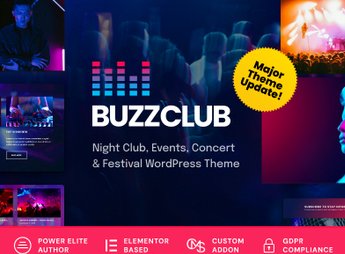
Buzz Club is a WordPress theme designed for nightclubs, festival promoters, and DJs, featuring a complete event schedule system, an artist gallery with biographies and photos, audio and video players, and ready-to-import demos with one click. With it, you can organize show schedules, promote lineups, enable online ticket sales, and customize colors and typography using the integrated visual builder—without needing a developer.
Key Features of Buzz Club
- Schedule Management
System for registering, editing, and displaying events with date, time, and location. - Artist Gallery
Dedicated page for each artist with biography, photos, social media, and music player. - Audio and Video Player
Integrated players for promoting sets, music, and promotional videos directly on the website. - Ticketing Integration
Connection with ticket sales platforms for online purchases without leaving the website. - Responsive Nighttime Layout
Dark and dynamic design that adapts to desktops, tablets, and smartphones.
Benefits of Buzz Club
- Effective Promotion
Centralize the entire schedule and attract audiences with real-time updated information. - Brand Professionalization
Website with an impactful look that conveys credibility for nightclubs and festivals. - Management Autonomy
Update lineups, schedules, and prices without relying on a developer or designer. - Greater Audience Reach
Social media and SEO integration to attract more visitors and fans.
Who Is Buzz Club For?
- Nightclubs that need a modern website to promote events and sell tickets online.
- Music festival promoters who want to manage lineups and schedules centrally.
- DJs and bands that want a professional website to showcase their schedule, portfolio, and contact information.
How to Download Buzz Club
Buzz Club is available for download here on Ultrapack. After downloading the .zip file, install it under Appearance > Themes > Add New > Upload Theme, select the .zip, and activate it. The file is complete and ready for immediate installation.
Combining event management tools, a multimedia gallery, and ticket sales integration, Buzz Club serves the music and nightlife entertainment market on WordPress. Its modular structure and ready-made demos allow you to build a professional website in minutes without requiring technical knowledge. The result is a digital presence that engages audiences and simplifies the operation of your event or nightclub.
Frequently asked questions
Is Buzz Club – Night Club, DJ & Music Festival Event WordPress Theme GPL-licensed?
Yes. Buzz Club – Night Club, DJ & Music Festival Event WordPress Theme is distributed under the GPL (GNU General Public License). You may legally use, modify and redistribute it on as many sites as you want.
Can I use Buzz Club – Night Club, DJ & Music Festival Event WordPress Theme on multiple sites?
Yes. You can install Buzz Club – Night Club, DJ & Music Festival Event WordPress Theme on as many sites as you want. Only automatic updates through Ultrapack Auto Updater have a limit: from 3 to 80 sites, depending on the plan.
How much does Buzz Club – Night Club, DJ & Music Festival Event WordPress Theme cost at Ultrapack?
Buzz Club – Night Club, DJ & Music Festival Event WordPress Theme costs US$2.99 as a single purchase, and it is also included in the subscription plans starting at US$12/mo (VIP I).
Does Buzz Club – Night Club, DJ & Music Festival Event WordPress Theme include updates?
Yes. The current version of Buzz Club – Night Club, DJ & Music Festival Event WordPress Theme is 2.2.3, published at Ultrapack on Aug 26, 2026. Subscribers update straight from the WordPress dashboard with UAU (Ultrapack Auto Updater).
Is Buzz Club – Night Club, DJ & Music Festival Event WordPress Theme scanned before publication?
Yes. Every version of Buzz Club – Night Club, DJ & Music Festival Event WordPress Theme goes through a malware scan (ClamAV and YARA rules, at UltraHub) before it is published.
What are the requirements for the theme Buzz Club – Night Club, DJ & Music Festival Event WordPress Theme?
Requires WordPress 4.4 or higher and PHP 5.4 or higher.
How to install
Automatic updates: this item is updated by the Ultrapack Auto Updater. With it installed, the new version shows up in your dashboard like any other WordPress update (how to set it up).
The file on this page is the developer’s full package, with documentation, demos and plugins. Do not upload that file to WordPress. The theme comes ready inside it, as a ZIP of its own, and that is the one you upload.
- Download the file
elements-buzz-club-night-club-dj-music-wordpress-theme.zipand extract it on your computer. - Look inside the extracted files for the file
buzzclub.zip. - In the WordPress dashboard, go to Appearance > Themes > Add New > Upload Theme.
- Select that file and click Install Now.
- Click Activate.
Requirements: Requires WordPress 4.4 or higher and PHP 5.4 or higher.
- There is nothing to zip. The ZIP inside the package is already in the format WordPress accepts.
- Uploading the whole package is the most common mistake when installing a theme: WordPress answers that no valid theme was found, and nothing is installed.
- The rest of the package belongs to the author: documentation, demo files and, in some themes, the plugins it asks for during setup.
- The package also includes the plugins the theme uses, each in its own ZIP:
LayerSlider.zipandrevslider.zip. Upload each one in Plugins > Add New > Upload Plugin after activating the theme.
Stuck on a step? Open a ticket telling us which one you stopped at.


