

 UAU Ready
Description
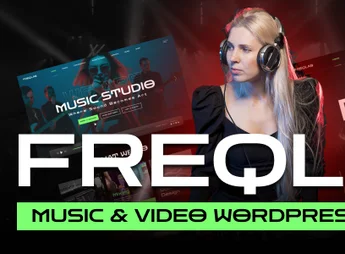
Freqlab is a cutting-edge WordPress theme built specifically for the music and video industry. Created for musicians, bands, producers, and videographers, it delivers a visually striking, fully customizable platform to showcase your work. With a focus on Full Site Editing, Freqlab pairs modern design with powerful tools to build an unforgettable, immersive online presence for your sound and your image.
Key Features
- Full Site Editing (FSE): Complete control over your site layout, from header to footer, using the block editor.
- AI-Powered Demo Content: Create and import demo content with the help of artificial intelligence for a fast start.
- Built-In Music Player: Feature your tracks and albums with a sleek, functional audio player across the entire site.
- Optimized Video Portfolio: Show off your music videos and visual projects in stunning galleries and layouts.
- WooCommerce Integration: Sell merch, digital albums, concert tickets, and more right from your site.
- Fully Responsive Design: Ensures a flawless experience for your fans on desktops, tablets, and smartphones.
Freqlab Benefits
- Total Creative Freedom: Change every part of your site visually, without writing a single line of code, thanks to the power of Full Site Editing.
- Fast, Efficient Launch: Use the AI content assistant to fill your site with relevant text and images in minutes, dramatically speeding up the development process.
- Immersive Multimedia Experience: Engage your audience with a continuous music player and professional video galleries, turning your site into a true entertainment hub for your fans.
- Monetize Your Art with Ease: Turn your passion into profit. Native WooCommerce compatibility lets you build a complete online store for your products and services.
Who Is It For?
- Musicians, solo artists, and bands
- Music producers, DJs, and recording studios
- Videographers and audiovisual content creators
With Freqlab, you get the ultimate tool for building a powerful digital presence that resonates with your artistic identity and captivates your audience.
Frequently asked questions
Is Freqlab – Music & Video WordPress Theme GPL-licensed?
Yes. Freqlab – Music & Video WordPress Theme is distributed under the GPL (GNU General Public License). You may legally use, modify and redistribute it on as many sites as you want.
Can I use Freqlab – Music & Video WordPress Theme on multiple sites?
Yes. You can install Freqlab – Music & Video WordPress Theme on as many sites as you want. Only automatic updates through Ultrapack Auto Updater have a limit: from 3 to 80 sites, depending on the plan.
How much does Freqlab – Music & Video WordPress Theme cost at Ultrapack?
Freqlab – Music & Video WordPress Theme costs US$2.99 as a single purchase, and it is also included in the subscription plans starting at US$12/mo (VIP I).
Does Freqlab – Music & Video WordPress Theme include updates?
Yes. The current version of Freqlab – Music & Video WordPress Theme is 1.0.0, published at Ultrapack on Mar 12, 2026. Subscribers update straight from the WordPress dashboard with UAU (Ultrapack Auto Updater).
Is Freqlab – Music & Video WordPress Theme scanned before publication?
Yes. Every version of Freqlab – Music & Video WordPress Theme goes through a malware scan (ClamAV and YARA rules, at UltraHub) before it is published.
How to install
Automatic updates: this item is updated by the Ultrapack Auto Updater. With it installed, the new version shows up in your dashboard like any other WordPress update (how to set it up).
The file on this page is the developer’s full package, with documentation, demos and plugins. Do not upload that file to WordPress. The theme comes ready inside it, as a ZIP of its own, and that is the one you upload.
- Download the file
elements-freqlab-music-video-wordpress-theme.zipand extract it on your computer. - Look inside the extracted files for the file
Freqlab_Theme/Theme Files/freqlab.zip. - In the WordPress dashboard, go to Appearance > Themes > Add New > Upload Theme.
- Select that file and click Install Now.
- Click Activate.
- There is nothing to zip. The ZIP inside the package is already in the format WordPress accepts.
- Uploading the whole package is the most common mistake when installing a theme: WordPress answers that no valid theme was found, and nothing is installed.
- The rest of the package belongs to the author: documentation, demo files and, in some themes, the plugins it asks for during setup.
Stuck on a step? Open a ticket telling us which one you stopped at.


