 UAU Ready
Description
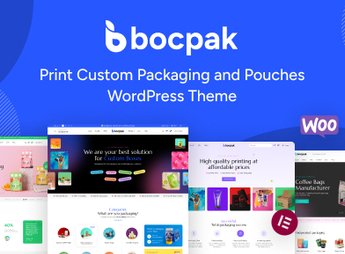
Bocpak organizes the display of customizable packaging and pouch products, integrating visual galleries with zoom, color and size variations, and WooCommerce features such as cart and checkout optimized for print-on-demand. Designed for those who sell packaging, pouches and personalized accessories, the theme eliminates the need for code editing by structuring catalog, product pages, checkout and visual customization areas from ready demos, with panels to adjust colors, typography and layout for granular control over the store identity.
Key Features of Bocpak
- Product gallery with zoom
Displays high-resolution images with interactive zoom for customization details. - Color and size variations
Allows configuring color and size options for each packaging product. - WooCommerce integration
Optimized checkout for customizable products with cart and shipping calculation. - Ready-to-import demos
Installs catalog, product and checkout pages with one click. - Customization panel
Adjust colors, typography and layout without code, providing granular control.
Benefits of Bocpak
- Store ready in minutes
Import a demo and have a functional personalized packaging store immediately. - No developer required
Customize the entire store’s look directly from the panel, without CSS or PHP. - Optimized shopping experience
Checkout adapted for personalized products reduces friction and cart abandonment. - Organized catalog
Category structure and filters facilitate navigation for the end customer.
Who Bocpak is Recommended For?
- Those selling packaging, pouches and personalized accessories online.
- The individual who wants to set up a print-on-demand store focused on packaging.
- Anyone needing a ready WooCommerce theme focused on visual customization.
How to Download Bocpak
Bocpak is available for download here on Ultrapack. After downloading the .zip file, install it in Appearance > Themes > Add New > Upload Theme, choose the .zip and activate. The file is complete and ready for immediate installation.
Developed for merchants who sell packaging, pouches and personalized items, Bocpak combines visual galleries with zoom, product variations and WooCommerce integration to create a professional storefront without complications. The ready demos and customization panel ensure that you focus on the business, not on programming.
Frequently asked questions
Is Bocpak – Print Custom Packaging and Pouches WordPress Theme GPL-licensed?
Yes. Bocpak – Print Custom Packaging and Pouches WordPress Theme is distributed under the GPL (GNU General Public License). You may legally use, modify and redistribute it on as many sites as you want.
Can I use Bocpak – Print Custom Packaging and Pouches WordPress Theme on multiple sites?
Yes. You can install Bocpak – Print Custom Packaging and Pouches WordPress Theme on as many sites as you want. Only automatic updates through Ultrapack Auto Updater have a limit: from 3 to 80 sites, depending on the plan.
How much does Bocpak – Print Custom Packaging and Pouches WordPress Theme cost at Ultrapack?
Bocpak – Print Custom Packaging and Pouches WordPress Theme costs US$2.99 as a single purchase, and it is also included in the subscription plans starting at US$12/mo (VIP I).
Does Bocpak – Print Custom Packaging and Pouches WordPress Theme include updates?
Yes. The current version of Bocpak – Print Custom Packaging and Pouches WordPress Theme is 1.1.2, published at Ultrapack on Jan 24, 2025. Subscribers update straight from the WordPress dashboard with UAU (Ultrapack Auto Updater).
Is Bocpak – Print Custom Packaging and Pouches WordPress Theme scanned before publication?
Yes. Every version of Bocpak – Print Custom Packaging and Pouches WordPress Theme goes through a malware scan (ClamAV and YARA rules, at UltraHub) before it is published.
How to install
Automatic updates: this item is updated by the Ultrapack Auto Updater. With it installed, the new version shows up in your dashboard like any other WordPress update (how to set it up).
The file on this page is already the theme, ready to upload to WordPress.
- Download the file
themeforest-52653264-bocpak-print-custom-packaging-and-pouches-wordpress-theme.zip. - In the WordPress dashboard, go to Appearance > Themes > Add New > Upload Theme.
- Select the file
themeforest-52653264-bocpak-print-custom-packaging-and-pouches-wordpress-theme.zipand click Install Now. - Click Activate.
- If WordPress answers that no valid theme was found, the file is the developer’s full package and the theme is in a folder inside it. Extract the file on your computer, look for the folder that has
style.cssandscreenshot.png(in this item, the folderbocpak), zip that folder only and upload it again.
Stuck on a step? Open a ticket telling us which one you stopped at.