 UAU Ready
Description
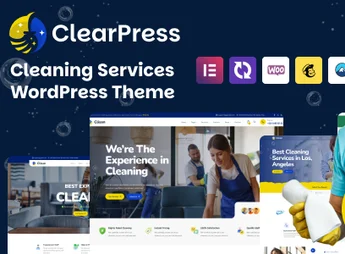
ClearPress is a theme designed for cleaning companies, maintenance services, and specialists in building sanitation, with a layout focused on presenting service packages, a quotation form, and an online scheduling area. The construction is built on Elementor, with importable demos for residential, commercial, glass cleaning, and building maintenance, allowing color, typography, and block adjustments without editing code.
Main Features of ClearPress
- Built on Elementor
Visual drag-and-drop editor to build inner pages and home sections. - Ready-made cleaning demos
Preconfigured layouts covering residential, commercial, glass cleaning, and maintenance. - Structured services page
Templates to list cleaning packages with descriptions, estimated price and icons for each modality. - Integrated quotation form
Request field with service selection, area to be sanitized and direct team contact. - Scheduling and contact area
Blocks for date, time and address, connected to the new client acquisition flow. - Before and after gallery
Image grid to showcase post-project cleaning and commercial maintenance results. - Editable header and footer
Theme panel lets you adjust menu, contact phone and main call-to-action without code. - Responsive layout
Automatic adaption for mobile, tablet and desktop, keeping contact buttons always visible.
Benefits of ClearPress
- Site up in days
Ready demo import accelerates publishing for companies still lacking a digital presence. - More quotation requests
Forms and CTAs spread across pages centralize qualified contacts in a single flow. - Professional visual identity
Clean visual conveys credibility to residential clients and corporate contractors. - Autonomy to update services
Internal team adjusts packages, prices and photos without relying on outside developers.
Who is ClearPress suitable for?
- Residential and commercial cleaning companies that want to present packages and capture quotes via the site.
- Building maintenance, pest control, and glass cleaning service providers that need an organized digital presence.
- Those working with post-construction cleaning, upholstery sanitation, or conservation seeking a ready-made site to showcase operations.
How to download ClearPress
ClearPress is available for download here at Ultrapack. After downloading the .zip file, install it under Appearance, Themes, Add New, Upload Theme, select the file and activate the theme in the WordPress dashboard. Then import the desired demo via ClearPress’s own panel and adjust services, contacts and gallery.
Recommended for cleaning and maintenance companies that need to convey professionalism from the first visit, ClearPress combines a quotation form, service showcase and contact area in one visual package. The Elementor-based construction ensures team autonomy for content adjustments, launching new packages and responding to local demand without technical rework.
Frequently asked questions
Is ClearPress – Cleaning Services WordPress Theme GPL-licensed?
Yes. ClearPress – Cleaning Services WordPress Theme is distributed under the GPL (GNU General Public License). You may legally use, modify and redistribute it on as many sites as you want.
Can I use ClearPress – Cleaning Services WordPress Theme on multiple sites?
Yes. You can install ClearPress – Cleaning Services WordPress Theme on as many sites as you want. Only automatic updates through Ultrapack Auto Updater have a limit: from 3 to 80 sites, depending on the plan.
How much does ClearPress – Cleaning Services WordPress Theme cost at Ultrapack?
ClearPress – Cleaning Services WordPress Theme costs US$2.99 as a single purchase, and it is also included in the subscription plans starting at US$12/mo (VIP I).
Does ClearPress – Cleaning Services WordPress Theme include updates?
Yes. The current version of ClearPress – Cleaning Services WordPress Theme is 1.0.1, published at Ultrapack on Jan 7, 2026. Subscribers update straight from the WordPress dashboard with UAU (Ultrapack Auto Updater).
Is ClearPress – Cleaning Services WordPress Theme scanned before publication?
Yes. Every version of ClearPress – Cleaning Services WordPress Theme goes through a malware scan (ClamAV and YARA rules, at UltraHub) before it is published.
How to install
Automatic updates: this item is updated by the Ultrapack Auto Updater. With it installed, the new version shows up in your dashboard like any other WordPress update (how to set it up).
The file on this page is the developer’s full package, with documentation, demos and plugins. Do not upload that file to WordPress. The theme comes ready inside it, as a ZIP of its own, and that is the one you upload.
- Download the file
elements-clearpress-cleaning-services-wordpress-theme.zipand extract it on your computer. - Look inside the extracted files for the file
ClearPress_FullPackage/Theme Install/clearpress.zip. - In the WordPress dashboard, go to Appearance > Themes > Add New > Upload Theme.
- Select that file and click Install Now.
- Click Activate.
- There is nothing to zip. The ZIP inside the package is already in the format WordPress accepts.
- Uploading the whole package is the most common mistake when installing a theme: WordPress answers that no valid theme was found, and nothing is installed.
- The rest of the package belongs to the author: documentation, demo files and, in some themes, the plugins it asks for during setup.
Stuck on a step? Open a ticket telling us which one you stopped at.