

 UAU Ready
Description
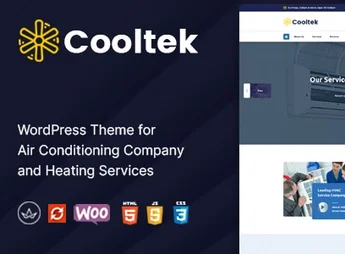
Cooltek is a premium WordPress theme developed especially for air-conditioning, refrigeration, heating, and HVAC services companies in general. With modern design and a focus on conversion, it brings together everything a technical business needs to present services, display quotes, schedule visits, and win the client’s confidence right from the first access to the site.
Key Features
- Ready-to-Import Demos
Install full layouts focused on air-conditioning, refrigeration, and technical maintenance with just one click. - Drag & Drop Visual Builder
Edit pages, sections, and blocks directly in the browser without the need to write a line of code. - Service and Quote System
Dedicated pages for each service offered, with integrated quote request forms. - Advanced Scheduling and Forms
Compatible with contact and scheduling plugins to automatically receive technical visit requests. - Fully Responsive Design
Perfect adaptation to phones, tablets, and desktops, ensuring a great experience on any screen. - Compatibility with WooCommerce
Sell equipment, parts, filters, and maintenance plans directly through your site.
Cooltek Benefits
- More Quote Requests
Call-to-action buttons and strategically placed forms increase the number of qualified contacts. - Professional Credibility
Areas for testimonials, technical staff, and completed projects convey trust to the visitor. - Rapid Deployment
With importable demos, the site goes live from scratch in a few hours, saving time and development costs. - Good Performance and SEO
Optimized code and fast loading favor search engine positioning.
Who Is It Recommended For?
- Air-conditioning and HVAC system installation and maintenance companies
- Independent technicians and service providers for refrigeration and air-conditioning
- Retailers and distributors of equipment, parts, and maintenance plans
With Cooltek, your HVAC company gains a professional, fast site ready to convert visitors into customers. From first contact to service scheduling, every detail has been designed to showcase your technical work and simplify communication with those who truly need your solution.
Frequently asked questions
Is CoolTek – Air Conditioning Services WordPress Theme GPL-licensed?
Yes. CoolTek – Air Conditioning Services WordPress Theme is distributed under the GPL (GNU General Public License). You may legally use, modify and redistribute it on as many sites as you want.
Can I use CoolTek – Air Conditioning Services WordPress Theme on multiple sites?
Yes. You can install CoolTek – Air Conditioning Services WordPress Theme on as many sites as you want. Only automatic updates through Ultrapack Auto Updater have a limit: from 3 to 80 sites, depending on the plan.
How much does CoolTek – Air Conditioning Services WordPress Theme cost at Ultrapack?
CoolTek – Air Conditioning Services WordPress Theme costs US$2.99 as a single purchase, and it is also included in the subscription plans starting at US$12/mo (VIP I).
Does CoolTek – Air Conditioning Services WordPress Theme include updates?
Yes. The current version of CoolTek – Air Conditioning Services WordPress Theme is 2.3, published at Ultrapack on Aug 7, 2026. Subscribers update straight from the WordPress dashboard with UAU (Ultrapack Auto Updater).
Is CoolTek – Air Conditioning Services WordPress Theme scanned before publication?
Yes. Every version of CoolTek – Air Conditioning Services WordPress Theme goes through a malware scan (ClamAV and YARA rules, at UltraHub) before it is published.
What are the requirements for the theme CoolTek – Air Conditioning Services WordPress Theme?
Requires PHP 7.0 or higher. Tested up to WordPress 6.2.
What changed in this version
Version 2.3 2023-05-04
- 1) Review issues are fixed.
Version 2.2 2023-02-05
- 1) Compatible Till PHP 8.0 version.
- 2) All Plugins are up to date.
- 2023-01-07 - version - 2.1
- 1) All plugins are up to date.
Version 2.0 2022-05-11
- 1) All plugins are up to date.
Version 1.9 2022-03-11
- 1) kingcomposer not installing issue fixed.
Version 1.8 2022-02-06
- 1) All plugins are up to date.
Release notes published by the developer.
How to install
Automatic updates: this item is updated by the Ultrapack Auto Updater. With it installed, the new version shows up in your dashboard like any other WordPress update (how to set it up).
The file on this page is the developer’s full package, with documentation, demos and plugins. Do not upload that file to WordPress. The theme comes ready inside it, as a ZIP of its own, and that is the one you upload.
- Download the file
elements-cooltek-air-conditioning-services-wp-theme.zipand extract it on your computer. - Look inside the extracted files for the file
cooltek-wp-full/cooltek.zip. - In the WordPress dashboard, go to Appearance > Themes > Add New > Upload Theme.
- Select that file and click Install Now.
- Click Activate.
Requirements: Requires PHP 7.0 or higher. Tested up to WordPress 6.2.
- There is nothing to zip. The ZIP inside the package is already in the format WordPress accepts.
- Uploading the whole package is the most common mistake when installing a theme: WordPress answers that no valid theme was found, and nothing is installed.
- The rest of the package belongs to the author: documentation, demo files and, in some themes, the plugins it asks for during setup.
- The package also includes the plugin the theme uses, in
revslider.zip. Upload this file in Plugins > Add New > Upload Plugin after activating the theme.
Stuck on a step? Open a ticket telling us which one you stopped at.


