

 UAU Ready
Description
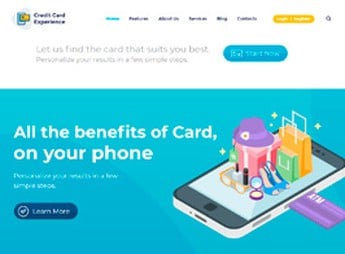
Built on Visual Composer, Credit Card Experience allows building complete websites for credit card companies and online banks, with pre-designed templates for financial pages, client areas, credit simulators, and installment calculators. Aimed at financial institutions, fintechs, and brokers, it eliminates the need to code application forms, account statements, and campaign landing pages.
Main Features of Credit Card Experience
- Pages for financial products
Ready-made templates for cards, loans, insurance, and investments, with highlight sections and forms. - Client area
Login panel and statement with design optimized for online banking services. - Credit simulator
Visual blocks for calculating installments and rates, draggable in the builder. - Integrated blog
News and articles section with layout designed for financial content. - Capture forms
Application and contact fields with validation and email submission.
Benefits of Credit Card Experience
- Professional presentation
Your site conveys trust with layouts specific to the financial sector. - Speed in creation
Build complete pages without writing code using the visual builder. - Customer experience
Intuitive navigation and client area facilitate digital engagement. - Visual customization
Change colors, fonts, and element arrangement without touching CSS.
Who Is Credit Card Experience Intended For?
- Banks and credit unions looking to modernize their institutional websites.
- Fintechs and financial service startups seeking a professional template.
- Insurance and investment brokers needing product pages and lead capture.
How to Download Credit Card Experience
Credit Card Experience is available for download here at Ultrapack. After downloading the .zip file, install it via Appearance > Themes > Add New > Upload Theme, select the .zip, and activate it. The theme comes with ready demos that can be imported directly from the dashboard, easing the initial setup.
With a solid base in Visual Composer and focus on the financial sector, Credit Card Experience brings pre-formatted pages, client area, and simulators to speed up the development of banking and credit card sites, maintaining full control over visual customization.
Frequently asked questions
Is Credit Card Experience | Loan Company and Online Banking WordPress Theme GPL-licensed?
Yes. Credit Card Experience | Loan Company and Online Banking WordPress Theme is distributed under the GPL (GNU General Public License). You may legally use, modify and redistribute it on as many sites as you want.
Can I use Credit Card Experience | Loan Company and Online Banking WordPress Theme on multiple sites?
Yes. You can install Credit Card Experience | Loan Company and Online Banking WordPress Theme on as many sites as you want. Only automatic updates through Ultrapack Auto Updater have a limit: from 3 to 80 sites, depending on the plan.
How much does Credit Card Experience | Loan Company and Online Banking WordPress Theme cost at Ultrapack?
Credit Card Experience | Loan Company and Online Banking WordPress Theme costs US$2.99 as a single purchase, and it is also included in the subscription plans starting at US$12/mo (VIP I).
Does Credit Card Experience | Loan Company and Online Banking WordPress Theme include updates?
Yes. The current version of Credit Card Experience | Loan Company and Online Banking WordPress Theme is 1.2.15, published at Ultrapack on Feb 26, 2025. Subscribers update straight from the WordPress dashboard with UAU (Ultrapack Auto Updater).
Is Credit Card Experience | Loan Company and Online Banking WordPress Theme scanned before publication?
Yes. Every version of Credit Card Experience | Loan Company and Online Banking WordPress Theme goes through a malware scan (ClamAV and YARA rules, at UltraHub) before it is published.
How to install
Automatic updates: this item is updated by the Ultrapack Auto Updater. With it installed, the new version shows up in your dashboard like any other WordPress update (how to set it up).
The file on this page is the developer’s full package, with documentation, demos and plugins. Do not upload that file to WordPress. The theme comes ready inside it, as a ZIP of its own, and that is the one you upload.
- Download the file
elements-credit-card-experience.zipand extract it on your computer. - Look inside the extracted files for the file
creditcsrd_v.1.2.15/creditcard.zip. - In the WordPress dashboard, go to Appearance > Themes > Add New > Upload Theme.
- Select that file and click Install Now.
- Click Activate.
- There is nothing to zip. The ZIP inside the package is already in the format WordPress accepts.
- Uploading the whole package is the most common mistake when installing a theme: WordPress answers that no valid theme was found, and nothing is installed.
- The rest of the package belongs to the author: documentation, demo files and, in some themes, the plugins it asks for during setup.
- The file
plugins.zipis not an installable plugin: it's a package. Extract this file and upload each plugin inside it to Plugins > Add New > Upload Plugin.
Stuck on a step? Open a ticket telling us which one you stopped at.


