 UAU Ready
Description
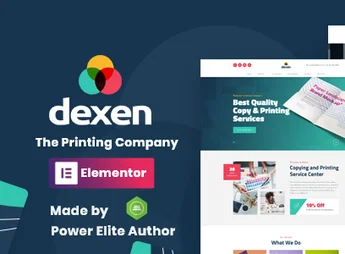
Dexen is a premium WordPress theme designed specifically for print shops, digital printing companies, screen printing, and product customization businesses. With modern layouts and a visual system that highlights printed work portfolios, it offers a complete foundation for showcasing services, quotes, and online catalogs—serving everything from quick small print shops to medium-sized visual communication industries.
Main Features
- Ready-to-Use Print Shop Demos
A set of starter and inner pages already assembled for digital printing, offset, and customization, importable with a few clicks. - Drag and Drop Visual Builder
Integration with page editors via drag and drop, allowing changes to sections, colors and blocks without touching code. - Work Portfolio System
Filterable galleries by category to display business cards, banners, packaging, T-shirts, and other services produced. - WooCommerce Compatibility
Sell printed products directly through the site, with cart, checkout, size, paper, and finish variations. - Custom Quote Forms
Configurable fields for quote requests, artwork file uploads, and direct contact with the sales team. - Responsive Design & SEO Optimized
Fluid structure that adapts to phones and tablets, clean markup and loading optimized for good search-engine performance.
Benefits of Dexen
- Instant Professional Presence
Eliminates months of development by delivering a complete site aligned with the graphic sector from installation. - More Quote Requests
CTA blocks and well-positioned forms shorten the path between visit and order. - Content Management Autonomy
Internal team updates services, pricing, and portfolio without relying on agencies or programmers. - Visual Credibility
Careful typography, balanced spacing, and image highlights reinforce the perceived quality of printing services.
Who Is It Recommended For?
- Rapid print shops, offset and digital that want to attract clients online
- Visual communication, screen printing, plotter, and gift customization companies
- Agencies and freelancers who build sites for the graphic and printing sector
With Dexen, your print shop gets a site matching the quality of your work: organized, attractive, and ready to convert visitors into quotes. The combination of ready demos, e-commerce integration, and full customization freedom makes this theme a solid choice for anyone looking to professionalize their digital presence without technical hassle.
Frequently asked questions
Is Dexen – Printing Company WordPress Theme GPL-licensed?
Yes. Dexen – Printing Company WordPress Theme is distributed under the GPL (GNU General Public License). You may legally use, modify and redistribute it on as many sites as you want.
Can I use Dexen – Printing Company WordPress Theme on multiple sites?
Yes. You can install Dexen – Printing Company WordPress Theme on as many sites as you want. Only automatic updates through Ultrapack Auto Updater have a limit: from 3 to 80 sites, depending on the plan.
How much does Dexen – Printing Company WordPress Theme cost at Ultrapack?
Dexen – Printing Company WordPress Theme costs US$2.99 as a single purchase, and it is also included in the subscription plans starting at US$12/mo (VIP I).
Does Dexen – Printing Company WordPress Theme include updates?
Yes. The current version of Dexen – Printing Company WordPress Theme is 2.2, published at Ultrapack on Aug 2, 2026. Subscribers update straight from the WordPress dashboard with UAU (Ultrapack Auto Updater).
Is Dexen – Printing Company WordPress Theme scanned before publication?
Yes. Every version of Dexen – Printing Company WordPress Theme goes through a malware scan (ClamAV and YARA rules, at UltraHub) before it is published.
How to install
Automatic updates: this item is updated by the Ultrapack Auto Updater. With it installed, the new version shows up in your dashboard like any other WordPress update (how to set it up).
The file on this page is the developer’s full package, with documentation, demos and plugins. Do not upload that file to WordPress. The theme comes ready inside it, as a ZIP of its own, and that is the one you upload.
- Download the file
elements-dexen-printing-company-wordpress-theme.zipand extract it on your computer. - Look inside the extracted files for the file
dexen.zip. - In the WordPress dashboard, go to Appearance > Themes > Add New > Upload Theme.
- Select that file and click Install Now.
- Click Activate.
- There is nothing to zip. The ZIP inside the package is already in the format WordPress accepts.
- Uploading the whole package is the most common mistake when installing a theme: WordPress answers that no valid theme was found, and nothing is installed.
- The rest of the package belongs to the author: documentation, demo files and, in some themes, the plugins it asks for during setup.
Stuck on a step? Open a ticket telling us which one you stopped at.