

 UAU Ready
Description
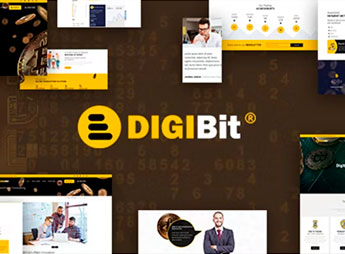
DigiBit is a WordPress theme for cryptocurrencies that allows you to create mining sites, ICOs, and crypto asset tracking, with a layout focused on financial data and charts, recommended for blockchain startups, exchanges and investors looking for a professional and functional online presence. It offers ready-to-import demo pages, roadmap and timeline sections for projects, integration with cryptocurrency price plugins and market widgets that display real-time prices, as well as customization options via the WordPress Customizer without coding and visual animation support.
Key Features of DigiBit
- Cryptocurrency Layout
Modern design with sections dedicated to mining, ICO, and financial charts. - Importable Demos
Demo pages ready for blockchain, exchange, and investment fund projects. - Customization Panel
WordPress Customizer with color, typography, and layout control without code. - Quotation Widgets
Visual blocks to display prices of Bitcoin, Ethereum, and other cryptocurrencies. - Project Sections
Areas dedicated to roadmap, whitepaper, and team for professional presentation.
Benefits of DigiBit
- Instant Credibility
Convey trust to investors and partners with a professional design. - Fast Launch
Import ready demos and get the site live in minutes. - Updated Data
Market widgets show real-time prices without manual effort. - Visual Autonomy
Customize colors and fonts directly in the panel, no developer needed.
Who is DigiBit Recommended For?
- Blockchain startups looking to launch an ICO or present their project professionally.
- Mining companies needing an informative site with price quotes and operational metrics.
- Crypto-asset funds and investors wishing to display portfolio, results and market analysis.
How to Download DigiBit
DigiBit is available for download here on Ultrapack. After downloading the .zip file, install it in Appearance > Themes > Add New > Upload Theme, select the .zip, and activate. The theme comes with ready demos that can be imported directly from the panel.
With DigiBit, you build a complete site for the cryptocurrency market without hiring developers. The theme gathers specific demo pages, financial widgets and total visual control, ideal for startups, exchanges and mining projects aiming for a professional and up-to-date online presence with real-time market data.
Frequently asked questions
Is DigiBit – Bitcoin Trading WordPress Theme GPL-licensed?
Yes. DigiBit – Bitcoin Trading WordPress Theme is distributed under the GPL (GNU General Public License). You may legally use, modify and redistribute it on as many sites as you want.
Can I use DigiBit – Bitcoin Trading WordPress Theme on multiple sites?
Yes. You can install DigiBit – Bitcoin Trading WordPress Theme on as many sites as you want. Only automatic updates through Ultrapack Auto Updater have a limit: from 3 to 80 sites, depending on the plan.
How much does DigiBit – Bitcoin Trading WordPress Theme cost at Ultrapack?
DigiBit – Bitcoin Trading WordPress Theme costs US$2.99 as a single purchase, and it is also included in the subscription plans starting at US$12/mo (VIP I).
Does DigiBit – Bitcoin Trading WordPress Theme include updates?
Yes. The current version of DigiBit – Bitcoin Trading WordPress Theme is 3.1, published at Ultrapack on Aug 19, 2026. Subscribers update straight from the WordPress dashboard with UAU (Ultrapack Auto Updater).
Is DigiBit – Bitcoin Trading WordPress Theme scanned before publication?
Yes. Every version of DigiBit – Bitcoin Trading WordPress Theme goes through a malware scan (ClamAV and YARA rules, at UltraHub) before it is published.
What are the requirements for the theme DigiBit – Bitcoin Trading WordPress Theme?
Tested up to WordPress 6.9.1.
How to install
Automatic updates: this item is updated by the Ultrapack Auto Updater. With it installed, the new version shows up in your dashboard like any other WordPress update (how to set it up).
The file on this page is the developer’s full package, with documentation, demos and plugins. Do not upload that file to WordPress. The theme comes ready inside it, as a ZIP of its own, and that is the one you upload.
- Download the file
elements-digibit-cryptocurrency-mining-wordpress-theme.zipand extract it on your computer. - Look inside the extracted files for the file
digibit-3.1.zip. - In the WordPress dashboard, go to Appearance > Themes > Add New > Upload Theme.
- Select that file and click Install Now.
- Click Activate.
Requirements: Tested up to WordPress 6.9.1.
- There is nothing to zip. The ZIP inside the package is already in the format WordPress accepts.
- Uploading the whole package is the most common mistake when installing a theme: WordPress answers that no valid theme was found, and nothing is installed.
- The rest of the package belongs to the author: documentation, demo files and, in some themes, the plugins it asks for during setup.
- The file
premium-plugins.zipis not an installable plugin: it's a package. Extract this file and upload each plugin inside it to Plugins > Add New > Upload Plugin.
Stuck on a step? Open a ticket telling us which one you stopped at.



