

 UAU Ready
Description
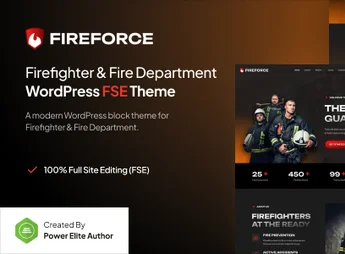
Fireforce is a modern and robust WordPress theme, built with Full Site Editing (FSE) technology, designed specifically for firefighter corps, fire departments, emergency services, and training academies. It offers a professional and reliable platform to communicate vital information, recruit volunteers, accept donations, and present your organization to the community with the seriousness it deserves.
Main Features
- Full Site Editing (FSE): Full control over your site’s layout, including headers and footers, directly in the block editor.
- Ready Block Patterns: Create complex pages in minutes with pre-designed sections for services, team, news, and events.
- Fully Responsive Design: Ensures your site looks impeccable and works perfectly on all devices, from desktops to mobiles.
- Intuitive Global Styles: Change colors, fonts, and spacing site-wide with just a few clicks, maintaining visual consistency.
- Performance Optimized: Clean, modern code that guarantees fast loading times, improving user experience and SEO.
- Ready for Donations and Store: Full compatibility with popular plugins like WooCommerce to sell products or receive donations online.
Benefits of Fireforce
- Build a Trusted Online Presence: Fireforce’s sober and professional design conveys the authority and seriousness required for an emergency service institution.
- Hassle-Free Updates: Thanks to the block editor, any authorized team member can update news, safety alerts, or event information without needing technical knowledge.
- Efficient Communication with the Community: Use dedicated sections for news, photo galleries, and event calendars to keep citizens informed and engaged with your department.
- Future-Proof Technology: As a block-based (FSE) theme, Fireforce aligns with WordPress’s latest direction, ensuring long-term compatibility and security.
Who Is It For?
- Municipal and Volunteer Firefighter Corps
- Emergency and Rescue Service Departments
- Firefighter and Public Safety Training Academies
With Fireforce, your department will have a powerful tool to create an impactful and functional website that reflects your commitment to community safety.
Frequently asked questions
Is Fireforce – Firefighter Department Gutenverse FSE WordPress Block Theme GPL-licensed?
Yes. Fireforce – Firefighter Department Gutenverse FSE WordPress Block Theme is distributed under the GPL (GNU General Public License). You may legally use, modify and redistribute it on as many sites as you want.
Can I use Fireforce – Firefighter Department Gutenverse FSE WordPress Block Theme on multiple sites?
Yes. You can install Fireforce – Firefighter Department Gutenverse FSE WordPress Block Theme on as many sites as you want. Only automatic updates through Ultrapack Auto Updater have a limit: from 3 to 80 sites, depending on the plan.
How much does Fireforce – Firefighter Department Gutenverse FSE WordPress Block Theme cost at Ultrapack?
Fireforce – Firefighter Department Gutenverse FSE WordPress Block Theme costs US$2.99 as a single purchase, and it is also included in the subscription plans starting at US$12/mo (VIP I).
Does Fireforce – Firefighter Department Gutenverse FSE WordPress Block Theme include updates?
Yes. The current version of Fireforce – Firefighter Department Gutenverse FSE WordPress Block Theme is 1.0.0, published at Ultrapack on Feb 27, 2026. Subscribers update straight from the WordPress dashboard with UAU (Ultrapack Auto Updater).
Is Fireforce – Firefighter Department Gutenverse FSE WordPress Block Theme scanned before publication?
Yes. Every version of Fireforce – Firefighter Department Gutenverse FSE WordPress Block Theme goes through a malware scan (ClamAV and YARA rules, at UltraHub) before it is published.
What are the requirements for the theme Fireforce – Firefighter Department Gutenverse FSE WordPress Block Theme?
Requires WordPress 6.2 or higher and PHP 7.4 or higher. Tested up to WordPress 6.6.
How to install
Automatic updates: this item is updated by the Ultrapack Auto Updater. With it installed, the new version shows up in your dashboard like any other WordPress update (how to set it up).
The file on this page is the developer’s full package, with documentation, demos and plugins. Do not upload that file to WordPress. The theme comes ready inside it, as a ZIP of its own, and that is the one you upload.
- Download the file
elements-fireforce-firefighter-department-wp-theme.zipand extract it on your computer. - Look inside the extracted files for the file
fireforce-bundle/fireforce.zip. - In the WordPress dashboard, go to Appearance > Themes > Add New > Upload Theme.
- Select that file and click Install Now.
- Click Activate.
Requirements: Requires WordPress 6.2 or higher and PHP 7.4 or higher. Tested up to WordPress 6.6.
- There is nothing to zip. The ZIP inside the package is already in the format WordPress accepts.
- Uploading the whole package is the most common mistake when installing a theme: WordPress answers that no valid theme was found, and nothing is installed.
- The rest of the package belongs to the author: documentation, demo files and, in some themes, the plugins it asks for during setup.
Stuck on a step? Open a ticket telling us which one you stopped at.


