

Description
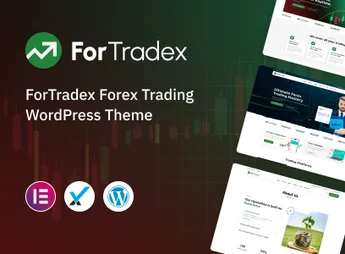
Fortradex is a WordPress theme designed specifically for Forex brokers, online trading platforms, and companies in the digital financial market. With a modern design and a focus on conversion, it offers all the elements needed to present trading services, account types, spreads, and market conditions professionally, conveying credibility and security to investors.
Key Features
- Ready-Made Broker Layouts
A set of pre-built homepages and internal pages aimed at Forex, CFD, and cryptocurrency brokers, ready for one-click import. - Quotes and Market Widgets
Elements dedicated to displaying price tables, currency pairs, charts, and real-time market data integrated into the content. - Elementor Visual Builder
Fully drag-and-drop editing, allowing you to customize sections, colors, typography, and blocks without writing a single line of code. - Account Type Pages
Specific structures for comparing account plans, leverage, minimum deposits, and trading conditions side by side. - Responsive and Optimized Design
Smooth adaptation for desktop, tablet, and smartphone, with fast loading and clean code designed for SEO. - Essential Integrations
Compatibility with registration forms, trading calculators, market analysis blogs, and lead generation tools.
Fortradex Benefits
- Immediate Credibility
The corporate aesthetics and sophisticated look convey trust to those evaluating where to invest their capital. - More Sign-Ups and Conversions
Strategically placed calls to action guide visitors toward opening an account or requesting a free demo. - Time and Resource Savings
It eliminates the need for custom development, putting a complete financial website online in just a few hours. - Management Autonomy
All content, rates, promotions, and article updates can be handled by the team itself, without relying on developers.
Who Is It For?
- Forex, CFD, and cryptocurrency brokers that need a professional digital presence
- Financial consultants, trading mentors, and investment content creators
- Agencies and developers serving clients in the financial and fintech sectors
With Fortradex, your brokerage gains a website worthy of the financial market: a solid look, clear navigation, and features designed to convert visitors into active traders. It is the ideal foundation for those who want to build a respected brand in the world of online trading, combining technology, aesthetics, and concrete results.
Frequently asked questions
Is ForTradex – Forex Broker & Trading WordPress Theme GPL-licensed?
Yes. ForTradex – Forex Broker & Trading WordPress Theme is distributed under the GPL (GNU General Public License). You may legally use, modify and redistribute it on as many sites as you want.
Can I use ForTradex – Forex Broker & Trading WordPress Theme on multiple sites?
Yes. You can install ForTradex – Forex Broker & Trading WordPress Theme on as many sites as you want. Only automatic updates through Ultrapack Auto Updater have a limit: from 3 to 80 sites, depending on the plan.
How much does ForTradex – Forex Broker & Trading WordPress Theme cost at Ultrapack?
ForTradex – Forex Broker & Trading WordPress Theme costs US$2.99 as a single purchase, and it is also included in the subscription plans starting at US$12/mo (VIP I).
Does ForTradex – Forex Broker & Trading WordPress Theme include updates?
Yes. The current version of ForTradex – Forex Broker & Trading WordPress Theme is 1.0, published at Ultrapack on Jul 28, 2026. Subscribers update straight from the WordPress dashboard with UAU (Ultrapack Auto Updater).
Is ForTradex – Forex Broker & Trading WordPress Theme scanned before publication?
Yes. Every version of ForTradex – Forex Broker & Trading WordPress Theme goes through a malware scan (ClamAV and YARA rules, at UltraHub) before it is published.
How to install
Updates: manual. When a new version comes out, download it on this same page and upload it over the old one; WordPress asks whether you want to replace the current version.
The file on this page is the developer’s full package, with documentation, demos and plugins. Do not upload that file to WordPress. The theme comes ready inside it, as a ZIP of its own, and that is the one you upload.
- Download the file
elements-fortradex-forex-broker-wordpress-theme.zipand extract it on your computer. - Look inside the extracted files for the file
fortradex-wp-full/fortradex.zip. - In the WordPress dashboard, go to Appearance > Themes > Add New > Upload Theme.
- Select that file and click Install Now.
- Click Activate.
- There is nothing to zip. The ZIP inside the package is already in the format WordPress accepts.
- Uploading the whole package is the most common mistake when installing a theme: WordPress answers that no valid theme was found, and nothing is installed.
- The rest of the package belongs to the author: documentation, demo files and, in some themes, the plugins it asks for during setup.
Stuck on a step? Open a ticket telling us which one you stopped at.


