

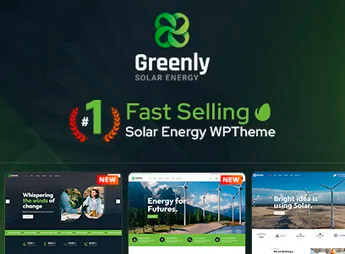
Description
With Greenly, you can create websites for renewable energy companies and environmental organizations, featuring sections ready for services, projects, and blog. The theme is designed for those in the sustainability sector who wish to have a professional online presence, with a clean layout and typography that conveys trust and alignment with the ecological mission.
Main Features of Greenly
- Green clean layout
Header and internal pages optimized to highlight sustainable services and success stories. - Pre-defined sections
Ready-to-go blocks for services, team, testimonials, and blog, adjustable with the visual builder. - Visual customization
Options panel allows changing colors, fonts, and layout without editing code. - Builder compatibility
Integration with drag-and-drop tools for creating internal pages and landing pages. - SEO and performance
Clean and lightweight code for fast loading, essential for institutional websites in the industry.
Benefits of Greenly
- Professional presence
Specific design for energy and sustainability transmits credibility to visitors. - Fast creation
Pre-built sections accelerate website assembly without the need for a developer. - Facilitated customization
Color and typography adjustments via the panel maintain consistency with the brand identity. - Intuitive navigation
Well-organized content makes it easy to understand services and projects.
Who is Greenly Suitable For?
- Renewable energy companies, including solar, seeking a modern institutional website aligned with their cause.
- Non-governmental organizations and environmental projects needing to promote initiatives and attract supporters.
- Sustainability consultants and professionals desiring to present their services and portfolio in a professional manner.
How to Download Greenly
Greenly is available for download here at Ultrapack. After downloading the .zip file, install it under Appearance > Themes > Add New > Upload Theme, select the .zip, and activate. The theme will be ready for immediate use with included demos.
Combining a clean design and a visual proposal aligned with the clean energy sector, Greenly offers the ideal base for businesses and organizations working with sustainability. Its pre-defined sections and easy customization allow for a professional website to be built without a developer, accelerating the digital presence of those seeking credibility in the sector.
Frequently asked questions
Is Greenly – Ecology & Solar Energy WordPress Theme GPL-licensed?
Yes. Greenly – Ecology & Solar Energy WordPress Theme is distributed under the GPL (GNU General Public License). You may legally use, modify and redistribute it on as many sites as you want.
Can I use Greenly – Ecology & Solar Energy WordPress Theme on multiple sites?
Yes. You can install Greenly – Ecology & Solar Energy WordPress Theme on as many sites as you want. Only automatic updates through Ultrapack Auto Updater have a limit: from 3 to 80 sites, depending on the plan.
How much does Greenly – Ecology & Solar Energy WordPress Theme cost at Ultrapack?
Greenly – Ecology & Solar Energy WordPress Theme costs US$2.99 as a single purchase, and it is also included in the subscription plans starting at US$12/mo (VIP I).
Does Greenly – Ecology & Solar Energy WordPress Theme include updates?
Yes. The current version of Greenly – Ecology & Solar Energy WordPress Theme is 9.1, published at Ultrapack on Oct 3, 2026. Subscribers update straight from the WordPress dashboard with UAU (Ultrapack Auto Updater).
Is Greenly – Ecology & Solar Energy WordPress Theme scanned before publication?
Yes. Every version of Greenly – Ecology & Solar Energy WordPress Theme goes through a malware scan (ClamAV and YARA rules, at UltraHub) before it is published.
How to install
Updates: manual. When a new version comes out, download it on this same page and upload it over the old one; WordPress asks whether you want to replace the current version.
The file on this page is the full package the author publishes on the marketplace: the theme, the documentation and sometimes the plugins it uses. Do not upload that file through the dashboard, because WordPress cannot find the theme inside it. What gets installed is the theme folder, which is in there.
- Download the file
themeforest-23183002-greenly-ecology-green-energy-wordpress-theme.zipand extract it on your computer. - If the extracted package contains another ZIP file named after the theme, extract that ZIP as well before looking for the theme folder.
- Look for the folder that has the
style.cssfile and thescreenshot.pngimage. That is the theme folder. - Zip that folder only. Do not use RAR.
- In the WordPress dashboard, go to Appearance > Themes > Add New > Upload Theme and upload the ZIP file you just created.
- Click Activate.
- Uploading the whole package is the most common mistake when installing a theme. WordPress answers that no valid theme was found, and nothing is installed.
- If after extracting you already find
style.cssandscreenshot.pngin the main folder, that folder is the theme folder. - The rest of the package belongs to the author: documentation, demo files and, in some themes, the plugins it asks for during setup.
Stuck on a step? Open a ticket telling us which one you stopped at.


