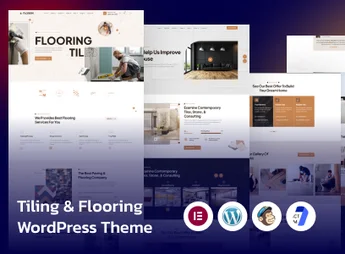
Description
Handyman is a theme designed for renovation companies, residential maintenance providers, and construction industry professionals, with layout focused on service presentation, project gallery, and budget request form. Built on WordPress, it organizes areas for client testimonials, team listing, and technical blog, catering to the commercial positioning of those working with plumbing, electrical, painting, carpentry, and minor works.
Main Features of the Handyman
- Layout for manual services
Visual structure designed for repair, renovation, and residential maintenance companies. - Project gallery
Dedicated area to display before-and-after of completed works and projects. - Detail service page
Allows describing each service type with icons, images, and prices. - Budget request form
Integrated field for request submission to capture qualified leads directly. - Responsive design
Lays out the template for tablets and smartphones without losing content readability.
Benefits of the Handyman
- Immediate visual credibility
Organizes portfolio and testimonials to build confidence with visitors. - Facilitated customer capture
Concentrates budget request submissions in a single central page form. - Clear service communication
Separates each specialty into own blocks, avoiding confusion about what services are offered. - Professional online presence
Replaces business cards and leaflets with a always-accessible digital showcase.
Who is the Handyman Suitable For?
- Those providing residential maintenance services like plumbing, electrical and painting.
- Small renovation companies, carpentry, and minor construction works firms.
- Independent repair professionals who want a website to showcase their past work.
- Installation and assembly companies that need a portfolio display and online budget request submissions.
How to Download the Handyman
The Handyman is available for download here on Ultrapack. After obtaining the .zip file, install it in Appearance > Themes > Add New > Upload Theme, select the package, and click activate. The theme customization options appear in the dashboard after activation, ready for immediate configuration.
Tailored for the manual services and construction sector, the Handyman visually represents the business proposal of companies working with repairs, renovations, and maintenance. The combination of portfolio, service page, and budget request form concentrates the essential commercial elements in a direct navigation, without requiring advanced customizations for those just setting up their digital presence.
Frequently asked questions
Is Handyman – Craftsman Business WordPress Theme GPL-licensed?
Yes. Handyman – Craftsman Business WordPress Theme is distributed under the GPL (GNU General Public License). You may legally use, modify and redistribute it on as many sites as you want.
Can I use Handyman – Craftsman Business WordPress Theme on multiple sites?
Yes. You can install Handyman – Craftsman Business WordPress Theme on as many sites as you want. Only automatic updates through Ultrapack Auto Updater have a limit: from 3 to 80 sites, depending on the plan.
How much does Handyman – Craftsman Business WordPress Theme cost at Ultrapack?
Handyman – Craftsman Business WordPress Theme costs US$2.99 as a single purchase, and it is also included in the subscription plans starting at US$12/mo (VIP I).
Does Handyman – Craftsman Business WordPress Theme include updates?
Yes. The current version of Handyman – Craftsman Business WordPress Theme is 1.5.0, published at Ultrapack on Apr 20, 2017. Subscribers update straight from the WordPress dashboard with UAU (Ultrapack Auto Updater).
Is Handyman – Craftsman Business WordPress Theme scanned before publication?
Yes. Every version of Handyman – Craftsman Business WordPress Theme goes through a malware scan (ClamAV and YARA rules, at UltraHub) before it is published.
How to install
Updates: manual. When a new version comes out, download it on this same page and upload it over the old one; WordPress asks whether you want to replace the current version.
The file on this page is already the theme, ready to upload to WordPress.
- Download the file
themeforest-12249679-handyman-craftsman-business-wordpress-theme-wordpress-theme.zip. - In the WordPress dashboard, go to Appearance > Themes > Add New > Upload Theme.
- Select the file
themeforest-12249679-handyman-craftsman-business-wordpress-theme-wordpress-theme.zipand click Install Now. - Click Activate.
- If WordPress answers that no valid theme was found, the file is the developer’s full package and the theme is in a folder inside it. Extract the file on your computer, look for the folder that has
style.cssandscreenshot.png, zip that folder only and upload it again.
Stuck on a step? Open a ticket telling us which one you stopped at.