

Description
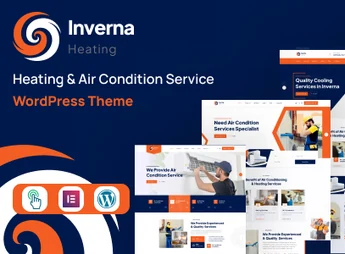
Inverna is a WordPress theme designed for HVAC companies, residential and commercial air conditioning installers, and heating and ventilation maintenance teams, featuring ready-made service pages and a contact form for quote requests. Built on Elementor, it allows you to build the entire website by dragging visual blocks and import the complete demo in one click, with unlimited color palettes, integration with Mailchimp, and Google Maps to display the service area.
Key Features of Inverna
- Integrated Elementor Builder
Edits sections, columns, and elements by dragging and dropping, without touching code. - One-Click Demo Import
Installs the full demo content and leaves the site structure ready. - Unlimited Color Schemes
Adjusts palette and applies custom CSS directly in the theme panel. - Contact Forms and Mailchimp
Receives quote requests and sends subscriptions to email lists. - Google Maps and Google Fonts
Displays the map of the service area and applies typographic fonts on pages.
Benefits of Inverna
- Site Live Quickly
A imported demo reduces the initial build to just text and image adjustments. - Less Dependence on Developers
Layout and color changes occur in the visual editor of the dashboard itself. - Comfortable Mobile Reading
A responsive layout keeps services and contacts accessible on small screens. - Organized Quote Capture
Forms and map consolidate service requests in one place.
Who Is Inverna Recommended For?
- Those who install and maintain residential and commercial air conditioning.
- Companies in heating, ventilation, and air conditioning that need to showcase services and receive service requests.
- Individuals handling home repairs who want a site with a services page and quote form.
- Those already using Elementor who prefer visual layout editing.
How to Download Inverna
The Inverna is available for download here on Ultrapack. After saving the .zip file, go to Appearance > Themes > Add New > Upload Theme, select the package and activate. Then the panel shows the theme options and demo import. The file is complete and ready for immediate installation.
For HVAC businesses, the theme’s value lies in providing the structure that this kind of site requires: services presentation, contact channel, and location on a map. With Elementor steering the editing and the demo serving as a starting point, the technical operation focuses on customizing text, colors, and images of completed work.
Frequently asked questions
Is Inverna – Heating & Air Condition Service WordPress Theme GPL-licensed?
Yes. Inverna – Heating & Air Condition Service WordPress Theme is distributed under the GPL (GNU General Public License). You may legally use, modify and redistribute it on as many sites as you want.
Can I use Inverna – Heating & Air Condition Service WordPress Theme on multiple sites?
Yes. You can install Inverna – Heating & Air Condition Service WordPress Theme on as many sites as you want. Only automatic updates through Ultrapack Auto Updater have a limit: from 3 to 80 sites, depending on the plan.
How much does Inverna – Heating & Air Condition Service WordPress Theme cost at Ultrapack?
Inverna – Heating & Air Condition Service WordPress Theme costs US$2.99 as a single purchase, and it is also included in the subscription plans starting at US$12/mo (VIP I).
Does Inverna – Heating & Air Condition Service WordPress Theme include updates?
Yes. The current version of Inverna – Heating & Air Condition Service WordPress Theme is 1.0.0, published at Ultrapack on Aug 24, 2026. Subscribers update straight from the WordPress dashboard with UAU (Ultrapack Auto Updater).
Is Inverna – Heating & Air Condition Service WordPress Theme scanned before publication?
Yes. Every version of Inverna – Heating & Air Condition Service WordPress Theme goes through a malware scan (ClamAV and YARA rules, at UltraHub) before it is published.
What are the requirements for the theme Inverna – Heating & Air Condition Service WordPress Theme?
Requires PHP 5.6 or higher. Tested up to WordPress 5.8.
How to install
Updates: manual. When a new version comes out, download it on this same page and upload it over the old one; WordPress asks whether you want to replace the current version.
The file on this page is the developer’s full package, with documentation, demos and plugins. Do not upload that file to WordPress. The theme comes ready inside it, as a ZIP of its own, and that is the one you upload.
- Download the file
elements-inverna-heating-air-condition-service-wordpres.zipand extract it on your computer. - Look inside the extracted files for the file
inverna-package/inverna.zip. - In the WordPress dashboard, go to Appearance > Themes > Add New > Upload Theme.
- Select that file and click Install Now.
- Click Activate.
Requirements: Requires PHP 5.6 or higher. Tested up to WordPress 5.8.
- There is nothing to zip. The ZIP inside the package is already in the format WordPress accepts.
- Uploading the whole package is the most common mistake when installing a theme: WordPress answers that no valid theme was found, and nothing is installed.
- The rest of the package belongs to the author: documentation, demo files and, in some themes, the plugins it asks for during setup.
Stuck on a step? Open a ticket telling us which one you stopped at.


