

Description
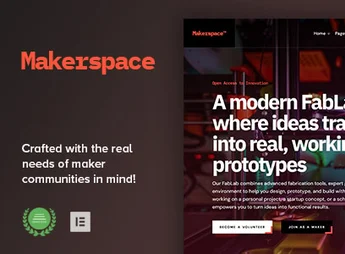
Makerspace is a modern and versatile WordPress theme, designed specifically for fablabs, community workshops, hackerspaces, and any collaborative creative space. It offers all the tools needed to build a vibrant online community, manage events, accept member registrations, and showcase projects, all with the flexibility of Full Site Editing and the block editor for complete customization.
Main Features
- Full Site Editing (FSE): Full control over your site’s layout, from header to footer, using WordPress’s native block editor.
- Event Management: Seamlessly integrate with The Events Calendar to create and promote workshops, classes, and community meetups.
- Subscription & Member System: Full compatibility with Paid Memberships Pro to manage access tiers and community subscriptions.
- WooCommerce Integration: Create an online store to sell products, project kits, or event tickets directly from your site.
- Donation Support: Accept donations and support your non-profit organization with GiveWP’s native plugin integration.
- Ready Block Patterns: Speed up page creation with a library of pre-designed block patterns for sections like teams, projects, and testimonials.
Benefits of Makerspace
- Community Building: The integrated tools for events and subscriptions help engage and expand your member and participant base effectively.
- Autonomy and Ease of Use: With Full Site Editing, you can visually customize every detail of your site without writing a single line of code.
- Simplified Monetization: Sell subscriptions, products, or receive donations with ready-to-use integrations, creating multiple revenue streams for your space.
- Professional Online Presence: Showcase your space, equipment, and projects with a clean and professional design that inspires creativity and confidence in visitors.
Who Is It For?
- Makerspaces, FabLabs, and Hackerspaces.
- Community workshops, craft studios, and creative studios.
- Schools and educational institutions with technology and manufacturing programs.
With Makerspace, you have the ideal platform to connect, create, and grow your community of innovators.
Frequently asked questions
Is Makerspace – FabLab & Community Workshop WordPress Theme GPL-licensed?
Yes. Makerspace – FabLab & Community Workshop WordPress Theme is distributed under the GPL (GNU General Public License). You may legally use, modify and redistribute it on as many sites as you want.
Can I use Makerspace – FabLab & Community Workshop WordPress Theme on multiple sites?
Yes. You can install Makerspace – FabLab & Community Workshop WordPress Theme on as many sites as you want. Only automatic updates through Ultrapack Auto Updater have a limit: from 3 to 80 sites, depending on the plan.
How much does Makerspace – FabLab & Community Workshop WordPress Theme cost at Ultrapack?
Makerspace – FabLab & Community Workshop WordPress Theme costs US$2.99 as a single purchase, and it is also included in the subscription plans starting at US$12/mo (VIP I).
Does Makerspace – FabLab & Community Workshop WordPress Theme include updates?
Yes. The current version of Makerspace – FabLab & Community Workshop WordPress Theme is 1.0, published at Ultrapack on Mar 13, 2026. Subscribers update straight from the WordPress dashboard with UAU (Ultrapack Auto Updater).
Is Makerspace – FabLab & Community Workshop WordPress Theme scanned before publication?
Yes. Every version of Makerspace – FabLab & Community Workshop WordPress Theme goes through a malware scan (ClamAV and YARA rules, at UltraHub) before it is published.
What are the requirements for the theme Makerspace – FabLab & Community Workshop WordPress Theme?
Requires PHP 5.6 or higher. Tested up to WordPress 6.7.
How to install
Updates: manual. When a new version comes out, download it on this same page and upload it over the old one; WordPress asks whether you want to replace the current version.
The file on this page is the developer’s full package, with documentation, demos and plugins. Do not upload that file to WordPress. The theme comes ready inside it, as a ZIP of its own, and that is the one you upload.
- Download the file
elements-makerspace-fablab-community-workshop-wordpress.zipand extract it on your computer. - Look inside the extracted files for the file
makerspace.zip. - In the WordPress dashboard, go to Appearance > Themes > Add New > Upload Theme.
- Select that file and click Install Now.
- Click Activate.
Requirements: Requires PHP 5.6 or higher. Tested up to WordPress 6.7.
- There is nothing to zip. The ZIP inside the package is already in the format WordPress accepts.
- Uploading the whole package is the most common mistake when installing a theme: WordPress answers that no valid theme was found, and nothing is installed.
- The rest of the package belongs to the author: documentation, demo files and, in some themes, the plugins it asks for during setup.
Stuck on a step? Open a ticket telling us which one you stopped at.


