Description
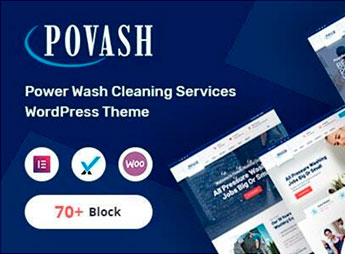
The Povash theme is designed for cleaning and maintenance service providers, combining portfolio sections, service gallery, and budget request forms in responsive layouts. Developed for power wash, car wash, residential cleaning, roof cleaning, renovation services, and general manual labor companies, the theme allows customizing colors, fonts, and block layout through a visual panel, eliminating the need for technical programming knowledge. It also includes a set of pre-built internal pages to expedite the site setup.
Main Features of Povash
- Service-themed sections
Pre-built blocks to display cleaning, washing, and maintenance services with descriptions and icons. - Portfolio gallery
Image and video grid to showcase completed works with category filtering. - Online budget request form
Customizable fields for clients to request quotes directly on the site with email notifications. - Responsive layout and RTL support
Mobile-friendly design and full compatibility with right-to-left languages. - Visual customization panel
Color, typography, and spacing options accessible through the customizer without editing code.
Povash Benefits
- Professionalism without code
Build a complete cleaning business website without hiring a developer, saving time and resources. - Attract more customers
Audible portfolio and budget request form facilitate visitor conversion into qualified leads. - Fit for any niche
Meets needs from car washes to roof cleaning services, with flexible sections for different areas. - Global audience support
Responsive layout and RTL support allow servicing customers in different regions and languages.
Who is Povash Suitable For?
- Those offering high-pressure washing services and seeking a professional website to capture clients.
- Residential and commercial cleaning professionals who want to showcase their portfolio and facilitate online budget requests.
- Building maintenance, renovation, and roof cleaning service providers who need a functional website without complications.
How to Download Povash
Povash is available for download here at Ultrapack. After downloading the .zip file, go to Appearance > Themes > Add New > Upload, select the .zip file, and activate. The theme includes all the described functionalities and is ready for immediate customization.
Povash consolidates portfolio, testimonials, and budget request sections into a responsive and easily customizable theme via the visual panel. Cleaning and maintenance companies can build their complete website in minutes, highlighting their services and attracting new leads without relying on a programmer. The pre-built structure eliminates redundant work and ensures consistent visual style across all pages. Additionally, RTL support expands the reach to Arabic-speaking markets, while the responsive design ensures a good experience on any device.
Frequently asked questions
Is Povash – Power Wash WordPress Theme + RTL GPL-licensed?
Yes. Povash – Power Wash WordPress Theme + RTL is distributed under the GPL (GNU General Public License). You may legally use, modify and redistribute it on as many sites as you want.
Can I use Povash – Power Wash WordPress Theme + RTL on multiple sites?
Yes. You can install Povash – Power Wash WordPress Theme + RTL on as many sites as you want. Only automatic updates through Ultrapack Auto Updater have a limit: from 3 to 80 sites, depending on the plan.
How much does Povash – Power Wash WordPress Theme + RTL cost at Ultrapack?
Povash – Power Wash WordPress Theme + RTL costs US$2.99 as a single purchase, and it is also included in the subscription plans starting at US$12/mo (VIP I).
Does Povash – Power Wash WordPress Theme + RTL include updates?
Yes. The current version of Povash – Power Wash WordPress Theme + RTL is 2.4.0, published at Ultrapack on Oct 23, 2024. Subscribers update straight from the WordPress dashboard with UAU (Ultrapack Auto Updater).
Is Povash – Power Wash WordPress Theme + RTL scanned before publication?
Yes. Every version of Povash – Power Wash WordPress Theme + RTL goes through a malware scan (ClamAV and YARA rules, at UltraHub) before it is published.
How to install
Updates: manual. When a new version comes out, download it on this same page and upload it over the old one; WordPress asks whether you want to replace the current version.
The file on this page is the developer’s full package, with documentation, demos and plugins. Do not upload that file to WordPress. The theme comes ready inside it, as a ZIP of its own, and that is the one you upload.
- Download the file
elements-povash-power-wash-wordpress-theme.zipand extract it on your computer. - Look inside the extracted files for the file
povashMain/povash.zip. - In the WordPress dashboard, go to Appearance > Themes > Add New > Upload Theme.
- Select that file and click Install Now.
- Click Activate.
- There is nothing to zip. The ZIP inside the package is already in the format WordPress accepts.
- Uploading the whole package is the most common mistake when installing a theme: WordPress answers that no valid theme was found, and nothing is installed.
- The rest of the package belongs to the author: documentation, demo files and, in some themes, the plugins it asks for during setup.
Stuck on a step? Open a ticket telling us which one you stopped at.