 UAU Ready
Description
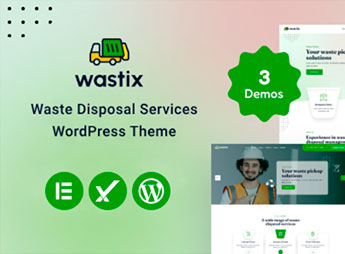
Wastix structures the website of waste collection, recycling, and solid waste management companies, with pages for a service list, service area, environmental certifications, and online collection requests. It serves those who provide solid waste disposal, selective collection, or environmental consulting services and need to inform accepted material types for residential and industrial use, collection schedule, coverage area, and contact method to request a quote.
Wastix Key Features
- Service list
Details each type of collection, recycling, or disposal offered by the company. - Coverage area
Shows the neighborhoods and cities served by the collection service on a map or list. - Collection request
Captures address, waste type, and estimated volume directly in the site’s form. - Certification seal
Displays environmental licenses and compliance certifications prominently on the homepage. - Sustainability blog
Gathers articles about recycling and proper disposal to educate the site’s visitors.
Wastix Benefits
- More collection requests
Makes it easier to request the service because the form is accessible on any page. - Trust through certification
Reinforces the company’s credibility by displaying visible licenses and environmental seals. - Mobile-friendly website
Adjusts the layout for small screens, where part of the audience makes the request. - No-code editing
Allows updating text, photos, and coverage areas directly from the WordPress dashboard.
Who Is Wastix For?
- Those who provide waste collection or general solid waste disposal services.
- Cooperatives and selective collection points that need to publicize their service area.
- Environmental consultancies that advise on proper waste disposal.
- Those who manage a landfill, eco-point, or recyclable material recycling center.
How to Download Wastix
Wastix is available for download here on Ultrapack. After downloading the file, upload it through Appearance > Themes > Add New > Upload Theme in the WordPress dashboard. The system installs the theme and leaves it ready for activation right after.
The division between services, coverage area, and certifications helps the visitor quickly decide whether that company serves their region. Replacing the sample images with real photos of the operation and collection vehicles reinforces credibility with those looking for this type of service.
Frequently asked questions
Is Wastix – Waste Disposal Services WordPress Theme GPL-licensed?
Yes. Wastix – Waste Disposal Services WordPress Theme is distributed under the GPL (GNU General Public License). You may legally use, modify and redistribute it on as many sites as you want.
Can I use Wastix – Waste Disposal Services WordPress Theme on multiple sites?
Yes. You can install Wastix – Waste Disposal Services WordPress Theme on as many sites as you want. Only automatic updates through Ultrapack Auto Updater have a limit: from 3 to 80 sites, depending on the plan.
How much does Wastix – Waste Disposal Services WordPress Theme cost at Ultrapack?
Wastix – Waste Disposal Services WordPress Theme costs US$2.99 as a single purchase, and it is also included in the subscription plans starting at US$12/mo (VIP I).
Does Wastix – Waste Disposal Services WordPress Theme include updates?
Yes. The current version of Wastix – Waste Disposal Services WordPress Theme is 1.0.0, published at Ultrapack on Oct 18, 2024. Subscribers update straight from the WordPress dashboard with UAU (Ultrapack Auto Updater).
Is Wastix – Waste Disposal Services WordPress Theme scanned before publication?
Yes. Every version of Wastix – Waste Disposal Services WordPress Theme goes through a malware scan (ClamAV and YARA rules, at UltraHub) before it is published.
What are the requirements for the theme Wastix – Waste Disposal Services WordPress Theme?
Requires PHP 5.0 or higher. Tested up to WordPress 7.0.
How to install
Automatic updates: this item is updated by the Ultrapack Auto Updater. With it installed, the new version shows up in your dashboard like any other WordPress update (how to set it up).
The file on this page is the developer’s full package, with documentation, demos and plugins. Do not upload that file to WordPress. The theme comes ready inside it, as a ZIP of its own, and that is the one you upload.
- Download the file
elements-wastix-waste-disposal-services-wordpress-theme.zipand extract it on your computer. - Look inside the extracted files for the file
wastixMain/wastix.zip. - In the WordPress dashboard, go to Appearance > Themes > Add New > Upload Theme.
- Select that file and click Install Now.
- Click Activate.
Requirements: Requires PHP 5.0 or higher. Tested up to WordPress 7.0.
- There is nothing to zip. The ZIP inside the package is already in the format WordPress accepts.
- Uploading the whole package is the most common mistake when installing a theme: WordPress answers that no valid theme was found, and nothing is installed.
- The rest of the package belongs to the author: documentation, demo files and, in some themes, the plugins it asks for during setup.
Stuck on a step? Open a ticket telling us which one you stopped at.