

 UAU Ready
Description
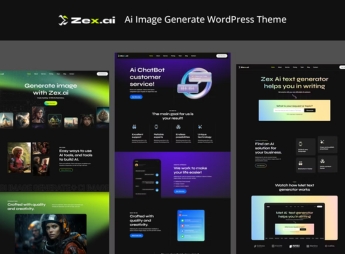
Zex generates images directly in WordPress through integrated artificial intelligence, combining textual prompts with AI models to create on-demand visuals, supporting various styles and adjustment of parameters such as resolution and ratio — the entire process happens within the dashboard, with no need for external tools. It is a tool recommended for content creators, designers, and marketing professionals who need original images without relying on image banks, significantly speeding up the creative flow and reducing production time.
Main Features of Zex
- AI Generation
Transforms textual descriptions into original images using artificial intelligence models. - Prompts Panel
Interface to enter, refine, and save generation commands with usage history. - Internal Library
Stores all created images, allowing reuse and direct download from media. - Parameter Control
Allows adjustment of resolution, ratio, and style before generating each image. - Visual Integration
Works inside the WordPress editor, displaying generated images in real time.
Benefits of Zex
- Time Saving
Generate images on demand in seconds, without searching image banks or external tools. - Exclusive Content
Create unique and personalized visuals that highlight your brand and avoid copyright issues. - Unified Workflow
The entire creation, editing, and publishing process stays within the same WordPress environment. - Creative Scalability
Produce a large volume of quality images for articles, pages, and social media.
Who Is Zex Recommended For?
- Those who create content for blogs, websites, and social networks and need original images without relying on paid stock.
- Designers and digital artists seeking to quickly generate visual ideas for creative projects.
- Agencies and marketing professionals who require large volumes of customized images for campaigns and ads.
How to Download Zex
Zex is available for download here on Ultrapack. After downloading the .zip file, install it under Appearance > Themes > Add New > Upload Theme, select the .zip, and activate it. The AI image generator will be accessible in the WordPress dashboard.
With Zex, any WordPress user transforms the site into a visual creation studio based on artificial intelligence. The theme eliminates dependency on image banks and external tools by integrating image generation directly into the editorial workflow. For creators who value originality and agility, Zex represents a practical and innovative solution.
Frequently asked questions
Is Zex – Ai Image Generate WordPress Theme GPL-licensed?
Yes. Zex – Ai Image Generate WordPress Theme is distributed under the GPL (GNU General Public License). You may legally use, modify and redistribute it on as many sites as you want.
Can I use Zex – Ai Image Generate WordPress Theme on multiple sites?
Yes. You can install Zex – Ai Image Generate WordPress Theme on as many sites as you want. Only automatic updates through Ultrapack Auto Updater have a limit: from 3 to 80 sites, depending on the plan.
How much does Zex – Ai Image Generate WordPress Theme cost at Ultrapack?
Zex – Ai Image Generate WordPress Theme costs US$2.99 as a single purchase, and it is also included in the subscription plans starting at US$12/mo (VIP I).
Does Zex – Ai Image Generate WordPress Theme include updates?
Yes. The current version of Zex – Ai Image Generate WordPress Theme is 1.0.0, published at Ultrapack on Aug 1, 2024. Subscribers update straight from the WordPress dashboard with UAU (Ultrapack Auto Updater).
Is Zex – Ai Image Generate WordPress Theme scanned before publication?
Yes. Every version of Zex – Ai Image Generate WordPress Theme goes through a malware scan (ClamAV and YARA rules, at UltraHub) before it is published.
What changed in this version
Version 1.0.0 2024.03.15
- First release.
Release notes published by the developer.
How to install
Automatic updates: this item is updated by the Ultrapack Auto Updater. With it installed, the new version shows up in your dashboard like any other WordPress update (how to set it up).
The file on this page is the developer’s full package, with documentation, demos and plugins. Do not upload that file to WordPress. The theme comes ready inside it, as a ZIP of its own, and that is the one you upload.
- Download the file
elements-zex-ai-image-generate-wordpress-theme.zipand extract it on your computer. - Look inside the extracted files for the file
zex_package/zex.zip. - In the WordPress dashboard, go to Appearance > Themes > Add New > Upload Theme.
- Select that file and click Install Now.
- Click Activate.
- There is nothing to zip. The ZIP inside the package is already in the format WordPress accepts.
- Uploading the whole package is the most common mistake when installing a theme: WordPress answers that no valid theme was found, and nothing is installed.
- The rest of the package belongs to the author: documentation, demo files and, in some themes, the plugins it asks for during setup.
Stuck on a step? Open a ticket telling us which one you stopped at.


