 UAU Ready
Description
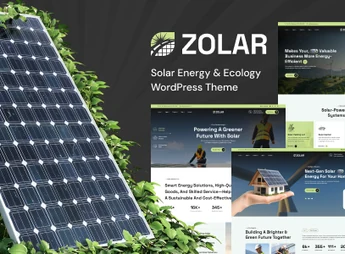
Zolar builds sites for solar energy companies built on Elementor, with over 35 custom shortcodes and demo import in one click to speed up page creation. The theme integrates WooCommerce for selling panels and photovoltaic equipment, Contact Form 7 for quote forms and WPML for multilingual sites, serving solar installers, renewable energy consultants and green equipment resellers who need to publish a full catalog without relying on coding.
Key Features of Zolar
- Integrated Elementor Builder
Builds headers, footers and inner pages with Elementor and Elementor Pro. - Custom Shortcodes
Includes more than 35 shortcodes to build sections without editing code. - One-click Demo Import
Installs the full layout, including RTL version, directly from the theme panel. - Real-time Product Search
Displays WooCommerce store results while the visitor types. - Sticky Cart (sticky add-to-cart)
Makes the purchase button visible while scrolling the product page.
Benefits of Zolar
- Fast setup in fewer steps
The demo import reduces the time between installation and store launch. - Scalable catalog
Infinite scroll and load more button avoid lengthy pagination in extended product lists. - Multilingual reach
WPML support lets you serve customers in multiple languages on a single installation. - Lead capture
The newsletter popup records interested visitors before they leave the site.
Who is Zolar Recommended For?
- Solar panel installers for residential and commercial projects.
- Renewable energy and energy efficiency consultants.
- Resellers of photovoltaic equipment, kits, and components.
How to Download Zolar
Zolar is available for download on Ultrapack. After downloading the .zip file, install it in Appearance > Themes > Add New > Upload Theme, select the file and activate. Once activated, the theme options and demo importer appear in the WordPress admin panel.
The use of Elementor as a building block places Zolar within an already familiar WordPress editing flow, reducing the learning curve for those who have never worked with the solar energy niche. With the WooCommerce catalog, quotation forms, and institutional content, the theme covers the full cycle of presenting and acquiring a renewable energy business.
Frequently asked questions
Is Zolar – Solar Energy WordPress Theme GPL-licensed?
Yes. Zolar – Solar Energy WordPress Theme is distributed under the GPL (GNU General Public License). You may legally use, modify and redistribute it on as many sites as you want.
Can I use Zolar – Solar Energy WordPress Theme on multiple sites?
Yes. You can install Zolar – Solar Energy WordPress Theme on as many sites as you want. Only automatic updates through Ultrapack Auto Updater have a limit: from 3 to 80 sites, depending on the plan.
How much does Zolar – Solar Energy WordPress Theme cost at Ultrapack?
Zolar – Solar Energy WordPress Theme costs US$2.99 as a single purchase, and it is also included in the subscription plans starting at US$12/mo (VIP I).
Does Zolar – Solar Energy WordPress Theme include updates?
Yes. The current version of Zolar – Solar Energy WordPress Theme is 1.0.7, published at Ultrapack on Aug 17, 2026. Subscribers update straight from the WordPress dashboard with UAU (Ultrapack Auto Updater).
Is Zolar – Solar Energy WordPress Theme scanned before publication?
Yes. Every version of Zolar – Solar Energy WordPress Theme goes through a malware scan (ClamAV and YARA rules, at UltraHub) before it is published.
What are the requirements for the theme Zolar – Solar Energy WordPress Theme?
Requires WordPress 5.0 or higher and PHP 5.3 or higher. Tested up to WordPress 6.9.
How to install
Automatic updates: this item is updated by the Ultrapack Auto Updater. With it installed, the new version shows up in your dashboard like any other WordPress update (how to set it up).
The file on this page is the developer’s full package, with documentation, demos and plugins. Do not upload that file to WordPress. The theme comes ready inside it, as a ZIP of its own, and that is the one you upload.
- Download the file
elements-zolar-solar-energy-wordpress-theme.zipand extract it on your computer. - Look inside the extracted files for the file
zolar-1.0.7.zip. - In the WordPress dashboard, go to Appearance > Themes > Add New > Upload Theme.
- Select that file and click Install Now.
- Click Activate.
Requirements: Requires WordPress 5.0 or higher and PHP 5.3 or higher. Tested up to WordPress 6.9.
- There is nothing to zip. The ZIP inside the package is already in the format WordPress accepts.
- Uploading the whole package is the most common mistake when installing a theme: WordPress answers that no valid theme was found, and nothing is installed.
- The rest of the package belongs to the author: documentation, demo files and, in some themes, the plugins it asks for during setup.
- The file
plugin-bundle.zipis not an installable plugin: it's a package. Extract this file and upload each plugin inside it to Plugins > Add New > Upload Plugin.
Stuck on a step? Open a ticket telling us which one you stopped at.