 UAU Ready
Description
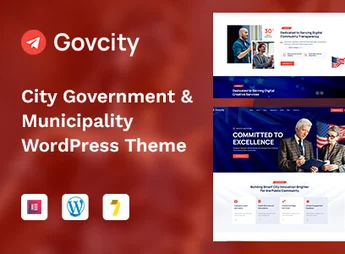
Govcity is a robust and professional WordPress theme, specifically designed for municipal governments, city halls, government agencies, and city portals. Its goal is to facilitate communication with citizens by offering an accessible, organized, and feature-rich platform to publish news, events, public services, and local directories, with a modern design that conveys trust.
Main Features
- Elementor Visual Builder
Create and customize complex pages with an intuitive drag-and-drop interface, without the need for programming knowledge. - Directory and Listings Functionality
Includes a complete system to create directories of departments, services, local businesses, or points of interest with details and maps. - Integrated Event Management
Publish and promote city events, public meetings, and community calendars in a professional and organized way. - Donation Support with GiveWP
Easily integrate the GiveWP plugin to receive donations and manage fundraising campaigns directly on the site. - One-Click Demo Import
Quickly set up your site by importing all demo content, layouts, and settings with just one click. - Responsive Design and Accessibility Ready
Ensures a seamless browsing experience on all devices (desktops, tablets, and smartphones) and follows good accessibility practices.
Benefits of Govcity
- Efficient Communication
Centralize news, alerts, documents, and services in a single portal, improving transparency and access to information for citizens. - Community Engagement
Encourage citizen participation through event calendars, local directories, and easy-to-use contact forms. - Simplified Administration
The theme options panel and integration with Elementor allow the administrative team to update site content without technical difficulties. - Credibility and Professionalism
Present your city or institution with a modern, clean, and professional design that inspires trust and authority.
Who Is It For?
- City Halls and Municipal Administrations
- Government Agencies and Departments
- City Councils and City Portals
- Politicians and Political Campaigns
With Govcity, you establish a complete and functional digital presence for your city or government entity, optimizing service delivery and communication with the community. It is the ultimate solution to modernize public administration online, offering clarity, access, and interactivity for all citizens.
Frequently asked questions
Is GovCity | Elections Campaign & Political WordPress Theme GPL-licensed?
Yes. GovCity | Elections Campaign & Political WordPress Theme is distributed under the GPL (GNU General Public License). You may legally use, modify and redistribute it on as many sites as you want.
Can I use GovCity | Elections Campaign & Political WordPress Theme on multiple sites?
Yes. You can install GovCity | Elections Campaign & Political WordPress Theme on as many sites as you want. Only automatic updates through Ultrapack Auto Updater have a limit: from 3 to 80 sites, depending on the plan.
How much does GovCity | Elections Campaign & Political WordPress Theme cost at Ultrapack?
GovCity | Elections Campaign & Political WordPress Theme costs US$2.99 as a single purchase, and it is also included in the subscription plans starting at US$12/mo (VIP I).
Does GovCity | Elections Campaign & Political WordPress Theme include updates?
Yes. The current version of GovCity | Elections Campaign & Political WordPress Theme is 1.0.0, published at Ultrapack on May 14, 2026. Subscribers update straight from the WordPress dashboard with UAU (Ultrapack Auto Updater).
Is GovCity | Elections Campaign & Political WordPress Theme scanned before publication?
Yes. Every version of GovCity | Elections Campaign & Political WordPress Theme goes through a malware scan (ClamAV and YARA rules, at UltraHub) before it is published.
What are the requirements for the theme GovCity | Elections Campaign & Political WordPress Theme?
Requires PHP 7.4 or higher. Tested up to WordPress 6.7.
How to install
Automatic updates: this item is updated by the Ultrapack Auto Updater. With it installed, the new version shows up in your dashboard like any other WordPress update (how to set it up).
The file on this page is the developer’s full package, with documentation, demos and plugins. Do not upload that file to WordPress. The theme comes ready inside it, as a ZIP of its own, and that is the one you upload.
- Download the file
elements-govcity-elections-campaign-political-wordpress.zipand extract it on your computer. - Look inside the extracted files for the file
GovCity - Political Party & City Government WordPress Theme/govcity.zip. - In the WordPress dashboard, go to Appearance > Themes > Add New > Upload Theme.
- Select that file and click Install Now.
- Click Activate.
Requirements: Requires PHP 7.4 or higher. Tested up to WordPress 6.7.
- There is nothing to zip. The ZIP inside the package is already in the format WordPress accepts.
- Uploading the whole package is the most common mistake when installing a theme: WordPress answers that no valid theme was found, and nothing is installed.
- The rest of the package belongs to the author: documentation, demo files and, in some themes, the plugins it asks for during setup.
- The package also includes the plugin the theme uses, in
redux-framework.zip. Upload this file in Plugins > Add New > Upload Plugin after activating the theme.
Stuck on a step? Open a ticket telling us which one you stopped at.