

 UAU Ready
Description
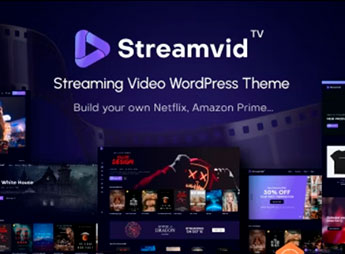
When a video platform needs to publish live and on-demand content with a professional look, StreamVid sets up a complete WordPress portal: embedded players, genre-based categories, video uploads, integration with YouTube and Vimeo, a library of demos for streaming channels, and a search system with tag filters. It serves content creators, streaming channels, and production companies that want to build a professional video site without editing code, with a responsive layout and customization through its own visual builder.
StreamVid Key Features
- Integrated video player
Play videos in HD with support for MP4 formats and embed videos from YouTube and Vimeo. - Category and playlist management
Organize content by genre, series, or tag, with automatic and manual playlists. - Video detail pages
Individual page with player, synopsis, cast, ratings, and sharing buttons. - Front-end video uploads
Let users or administrators upload videos directly from the site, with format validation. - Pre-built demos for video portals
Import ready-made layouts for streaming channels, video clubs, or movie blogs, adjusting colors and typography.
StreamVid Benefits
- Professional site without coding
Build a functional video portal in hours, with no technical knowledge. - Immersive browsing experience
Responsive player and optimized grid keep users engaged for longer. - Monetization and engagement
Add ads, subscriptions, or donations to generate revenue from your content. - SEO and content discovery
Search-engine-friendly structure with schema.org markup for videos.
Who Is StreamVid For?
- Anyone who creates video content and wants their own site to showcase their work.
- YouTube or Vimeo channels that want an independent portal with more control.
- Production companies and studios that need a professional catalog to present an audiovisual portfolio.
How to Download StreamVid
StreamVid is available for download here on Ultrapack. After downloading the .zip file, install it in Appearance > Themes > Add New > Upload Theme, select the .zip, and activate it. The theme is complete and ready for immediate installation.
StreamVid turns WordPress into a complete video platform, combining a robust player, category-based organization, and simplified uploads. Whether for an independent streaming channel or a professional production company, the theme provides the visual and functional foundation needed to highlight audiovisual content on the web.
Frequently asked questions
Is StreamVid – Video Streaming WordPress Theme GPL-licensed?
Yes. StreamVid – Video Streaming WordPress Theme is distributed under the GPL (GNU General Public License). You may legally use, modify and redistribute it on as many sites as you want.
Can I use StreamVid – Video Streaming WordPress Theme on multiple sites?
Yes. You can use StreamVid – Video Streaming WordPress Theme on multiple sites. The number of sites connected to Ultrapack Auto Updater is limited by your plan.
How much does StreamVid – Video Streaming WordPress Theme cost at Ultrapack?
StreamVid – Video Streaming WordPress Theme costs US$2.99 as a single purchase, and it is also included in the subscription plans starting at US$12/mo (VIP I).
Does StreamVid – Video Streaming WordPress Theme include updates?
Yes. The current version of StreamVid – Video Streaming WordPress Theme is 6.5.0, published at Ultrapack on Jul 27, 2026. Subscribers update straight from the WordPress dashboard with UAU (Ultrapack Auto Updater).
Is StreamVid – Video Streaming WordPress Theme scanned before publication?
Yes. Every version of StreamVid – Video Streaming WordPress Theme goes through a malware scan (ClamAV and YARA rules, at UltraHub) before it is published.
How to install
Automatic updates: this item is updated by the Ultrapack Auto Updater. With it installed, the new version shows up in your dashboard like any other WordPress update (how to set it up).
The file on this page is the developer’s full package, with documentation, demos and plugins. Do not upload that file to WordPress. The theme comes ready inside it, as a ZIP of its own, and that is the one you upload.
- Download the file
themeforest-46440024-streamvid-streaming-video-wordpress-theme.zipand extract it on your computer. - Look inside the extracted files for the file
streamvid-streaming-video-wordpress-theme/streamvid theme/streamvid.zip. - In the WordPress dashboard, go to Appearance > Themes > Add New > Upload Theme.
- Select that file and click Install Now.
- Click Activate.
- There is nothing to zip. The ZIP inside the package is already in the format WordPress accepts.
- Uploading the whole package is the most common mistake when installing a theme: WordPress answers that no valid theme was found, and nothing is installed.
- The rest of the package belongs to the author: documentation, demo files and, in some themes, the plugins it asks for during setup.
- The package also includes the plugin the theme uses, in
revslider.zip. Upload this file in Plugins > Add New > Upload Plugin after activating the theme.
Stuck on a step? Open a ticket telling us which one you stopped at.


