

 UAU Ready
Description
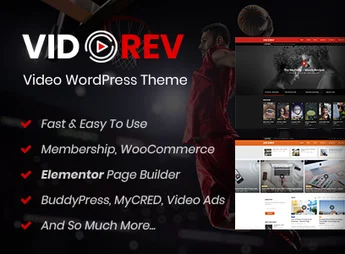
VidoRev is a WordPress theme created for those looking to build complete video platforms, enabling robust multimedia content management with advanced publishing and organization features. It streamlines curation and updates by integrating the automatic import of videos from various popular sources, such as YouTube, Vimeo, and Dailymotion, turning your site into a dynamic and interactive hub for media consumption and sharing.
Main Features of VidoRev
- Automatic Video Import
Fetches and imports metadata (title, description, tags) from videos on YouTube, Vimeo, Dailymotion, Twitch, and Facebook. - Channel and Subscription System
Allows users to create their own channels, organize content, and manage subscriptions. - Playlist and Series Organization
Structures videos into playlists and series with multiple display layouts for better navigation. - Front-end Content Submission
Enables users to submit videos, playlists, and channels directly through the website interface. - Integrated Video Advertising
Supports inserting Pre-Roll ads via Google IMA SDK, VAST, images, or HTML5. - Elementor and WooCommerce Compatibility
Allows you to create flexible page layouts with Elementor and monetize videos or subscriptions via WooCommerce.
Benefits of VidoRev
- Creation of Dynamic Communities
Fosters interaction and engagement with channel systems and user content submission. - Flexible Content Monetization
Allows you to sell access to videos, create subscription plans, and display pre-roll ads in an integrated way. - Simplified Media Management
Streamlines curation with automatic import and intuitive organization into playlists and series. - Immersive Viewing Experience
Offers display modes such as Cinema Mode and Sticky Video, focusing on the quality of the user experience.
Who Is VidoRev For?
- Those looking to build a video portal similar to YouTube, Vimeo, or Dailymotion.
- Content creators who want to centralize and monetize their videos on their own platform.
- Businesses or educators who need to organize and deliver video content in a structured way.
- Developers who need a robust theme for news, entertainment, or video community websites.
How to Download VidoRev
VidoRev is available for download here at Ultrapack. After downloading the .zip file, access your WordPress admin panel, go to Appearance > Themes > Add New > Upload Theme, select the .zip file, and activate it. The theme will be ready for immediate use and configuration.
With VidoRev, you can turn your WordPress site into a complete, self-managed video platform, with features covering everything from importing content from major networks to creating an interactive community. It brings together the necessary tools for anyone looking to build a professional multimedia hub, with a focus on customization and performance.
Frequently asked questions
Is VidoRev – Video WordPress Theme GPL-licensed?
Yes. VidoRev – Video WordPress Theme is distributed under the GPL (GNU General Public License). You may legally use, modify and redistribute it on as many sites as you want.
Can I use VidoRev – Video WordPress Theme on multiple sites?
Yes. You can install VidoRev – Video WordPress Theme on as many sites as you want. Only automatic updates through Ultrapack Auto Updater have a limit: from 3 to 80 sites, depending on the plan.
How much does VidoRev – Video WordPress Theme cost at Ultrapack?
VidoRev – Video WordPress Theme costs US$2.99 as a single purchase, and it is also included in the subscription plans starting at US$12/mo (VIP I).
Does VidoRev – Video WordPress Theme include updates?
Yes. The current version of VidoRev – Video WordPress Theme is 2.9.9.9.9.9.7, published at Ultrapack on Mar 24, 2025. Subscribers update straight from the WordPress dashboard with UAU (Ultrapack Auto Updater).
Is VidoRev – Video WordPress Theme scanned before publication?
Yes. Every version of VidoRev – Video WordPress Theme goes through a malware scan (ClamAV and YARA rules, at UltraHub) before it is published.
How to install
Automatic updates: this item is updated by the Ultrapack Auto Updater. With it installed, the new version shows up in your dashboard like any other WordPress update (how to set it up).
The file on this page is the developer’s full package, with documentation, demos and plugins. Do not upload that file to WordPress. The theme comes ready inside it, as a ZIP of its own, and that is the one you upload.
- Download the file
themeforest-21798615-vidorev-video-wordpress-theme.zipand extract it on your computer. - Look inside the extracted files for the file
vidorev-main-files-ver-2.9.9.9.9.9.7/Installation/vidorev-version-2.9.9.9.9.9.7.zip. - In the WordPress dashboard, go to Appearance > Themes > Add New > Upload Theme.
- Select that file and click Install Now.
- Click Activate.
- There is nothing to zip. The ZIP inside the package is already in the format WordPress accepts.
- Uploading the whole package is the most common mistake when installing a theme: WordPress answers that no valid theme was found, and nothing is installed.
- The rest of the package belongs to the author: documentation, demo files and, in some themes, the plugins it asks for during setup.
Stuck on a step? Open a ticket telling us which one you stopped at.


