

Description
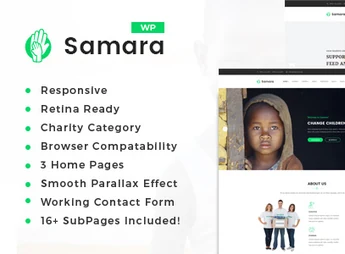
Samara is a WordPress theme designed for NGOs, foundations and social projects, featuring fundraising campaign pages, a goal counter, and a charitable events area. Structured to organize donation campaigns and track collected amounts, it also includes a causes blog, an action gallery, and volunteer showcase, meeting institutions that need to publish stories, report accounts, and receive contributions at a single site.
Key Features of Samara
- Campaign pages
Each cause gets its own page with description, images, and fundraising history. - Fundraising counter
Progress bar compares the amount received with the campaign’s goal. - Contribution form
Donation block with suggested amounts and donor identification fields. - Event agenda
Listing of charitable actions with date, location, and description for each activity. - Visual customization in dashboard
Colors, typography, header and footer adjustable without code editing.
Benefits of Samara
- Transparency with donors
Real-time visible amounts increase the trust of new contributors. - Website launch within hours
Ready layouts reduce time between installation and first published campaign. - Less technical dependency
Institution staff can update causes and events without hiring developers. - Comfortable mobile reading
Responsive design keeps forms and goals readable on small screens.
Who Samara Is For?
- NGOs and associations that run continuous fundraising campaigns.
- Those organizing charitable events who need to advertise dates, locations and results.
- Churches, institutes and social projects that publish cause stories and report to the public.
- Those who want to centralize donations, volunteering and communication in a single site.
How to Download Samara
The Samara is available for download here on Ultrapack. After saving the .zip file, go to Appearance > Themes > Add New > Upload Theme, select the package and activate it. Customization options will appear in the theme panel right after activation.
Institutions that rely on donations need a site that explains the cause and facilitates contribution in the same visit. Samara brings these two roles together: it presents campaigns with context and numbers, and keeps the path to the donation form short. For those managing social projects with a small team, it is a foundation that reduces maintenance work without compromising frequent updates.
Frequently asked questions
Is Samara – Charity Fundraising WordPress Theme GPL-licensed?
Yes. Samara – Charity Fundraising WordPress Theme is distributed under the GPL (GNU General Public License). You may legally use, modify and redistribute it on as many sites as you want.
Can I use Samara – Charity Fundraising WordPress Theme on multiple sites?
Yes. You can install Samara – Charity Fundraising WordPress Theme on as many sites as you want. Only automatic updates through Ultrapack Auto Updater have a limit: from 3 to 80 sites, depending on the plan.
How much does Samara – Charity Fundraising WordPress Theme cost at Ultrapack?
Samara – Charity Fundraising WordPress Theme costs US$2.99 as a single purchase, and it is also included in the subscription plans starting at US$12/mo (VIP I).
Does Samara – Charity Fundraising WordPress Theme include updates?
Yes. The current version of Samara – Charity Fundraising WordPress Theme is 2.7, published at Ultrapack on Aug 15, 2026. Subscribers update straight from the WordPress dashboard with UAU (Ultrapack Auto Updater).
Is Samara – Charity Fundraising WordPress Theme scanned before publication?
Yes. Every version of Samara – Charity Fundraising WordPress Theme goes through a malware scan (ClamAV and YARA rules, at UltraHub) before it is published.
How to install
Updates: manual. When a new version comes out, download it on this same page and upload it over the old one; WordPress asks whether you want to replace the current version.
The file on this page is the developer’s full package, with documentation, demos and plugins. Do not upload that file to WordPress. The theme comes ready inside it, as a ZIP of its own, and that is the one you upload.
- Download the file
elements-samara-charity-fundraising-wordpress-theme.zipand extract it on your computer. - Look inside the extracted files for the file
samara-wp-full/samara.zip. - In the WordPress dashboard, go to Appearance > Themes > Add New > Upload Theme.
- Select that file and click Install Now.
- Click Activate.
- There is nothing to zip. The ZIP inside the package is already in the format WordPress accepts.
- Uploading the whole package is the most common mistake when installing a theme: WordPress answers that no valid theme was found, and nothing is installed.
- The rest of the package belongs to the author: documentation, demo files and, in some themes, the plugins it asks for during setup.
Stuck on a step? Open a ticket telling us which one you stopped at.


