

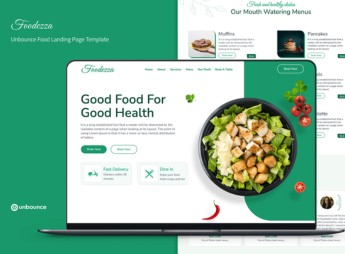
Description
Foodezza builds an Unbounce landing page made for supermarkets and neighborhood grocery stores, with a showcase of discounted products, a category section, a flash sale countdown, and a direct order button for delivery, pickup, or WhatsApp. It’s for anyone who runs a grocery store, produce market, or food distributor and needs a fast page to promote weekly deals without touching the store’s main site for every campaign.
Key Features of Foodezza
- Weekly deals showcase
Displays discounted products with the original price crossed out and the final price. - Flash sale countdown
Tracks the time remaining to encourage an immediate purchase. - Product categories
Separates produce, pantry items, and beverages into blocks that are easy to find. - Direct order button
Takes the customer to WhatsApp or the cart with no extra steps. - Ad-ready responsive layout
Keeps prices and buttons visible on small phone screens.
Benefits of Foodezza
- A campaign ready in hours
Cuts the time between creating the offer and publishing the page. - More orders per promotion
Sends the visitor from the ad straight to the final order. - Real sense of urgency
The countdown timer helps shoppers decide on the spot. - Main site untouched
Keeps the deals page separate from the store’s permanent catalog.
Who Is Foodezza For?
- Anyone who runs a supermarket or neighborhood grocery store.
- Anyone who sells produce or fresh goods with weekly deals.
- Anyone who runs paid campaigns to promote one-off sales.
- Anyone who works with a food distributor and takes orders over WhatsApp.
How to Download Foodezza
Foodezza is available for download here at Ultrapack. You import it under Pages > New Page > Import Template, inside the Unbounce dashboard. After that, just swap in your own products, prices, and order button link.
Updating prices and products doesn’t require touching any code: the blocks come ready to hold the week’s offer, so you only swap images and values for each campaign. The result is a page that’s quick to publish, designed to keep up with the pace of your store’s promotions.
Frequently asked questions
Is Foodezza — Unbounce Food Landing Page Template GPL?
Yes. Foodezza — Unbounce Food Landing Page Template is distributed under the GPL (GNU General Public License). You may legally use, modify and redistribute it on as many sites as you want.
Can I use Foodezza — Unbounce Food Landing Page Template on more than one site?
Yes. You can use Foodezza — Unbounce Food Landing Page Template on as many sites as you want.
How much does Foodezza — Unbounce Food Landing Page Template cost at Ultrapack?
Foodezza — Unbounce Food Landing Page Template costs US$2.99 as a single purchase, and it is also included in the subscription plans starting at US$17/mo (Desenvolvedor I).
Does Foodezza — Unbounce Food Landing Page Template include updates?
When a new version of Foodezza — Unbounce Food Landing Page Template becomes available in the catalog, you can download the file during the access period of your purchase or subscription. To update, follow the installation or import procedure described in the documentation for the item and its platform.
Is Foodezza — Unbounce Food Landing Page Template checked before it is made available for download?
Files for Foodezza — Unbounce Food Landing Page Template are scanned before publication by UltraHub using ClamAV and YARA rules to detect known threats. This check does not guarantee the absence of risks. Check the item requirements, make a backup, and follow the installation or import instructions for its platform.
How to install
Updates: manual. When a new version comes out, download it on this same page and follow the replacement or import process for the platform shown. This item is not updated through WordPress.
Extras gathers what is neither a WordPress theme nor a plugin: templates, scripts, project files and supporting material.
- Download the file
elements-foodezza-unbounce-food-landing-page-template.zipand extract it on your computer. - Open the author documentation that came in the package. It tells you where each file goes.
- When there is a
Como Instalar.txtfile in the main folder of the package, read it first.
Stuck on a step? Open a ticket telling us which one you stopped at.


