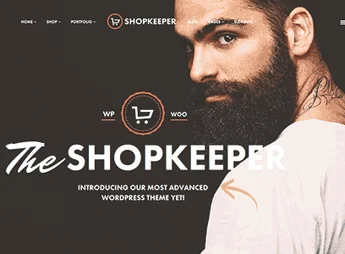
Description
The Hustle enables the creation of WordPress stores for those selling clothes, accessories, and fashion products, organizing storefront, product pages, and checkout flow in a WooCommerce-compatible Woothemes theme. The structure helps set up a coherent visual presence for collections, launches, and seasonal campaigns, maintaining clear navigation between categories, item details, and cart steps.
Key Features of Hustle
- WooCommerce Compatibility
Builts store, product, cart, and checkout pages in WordPress. - Fashion Layout
Organizes images, descriptions, and categories for clothes and accessories. - Product Showcase
Displays items in a browsable catalog with a focus on discovery and purchase. - Woothemes Foundation
Follows traditional Woothemes’ visual and structural standards. - WordPress Configuration
Allows adjusting content, menus, and theme areas via the dashboard.
Hustle Benefits
- Organized Store
Eases navigation between collections, categories, and product pages. - Consistent Presentation
Maintains a uniform structure for catalogs, images, and commercial information. - Clear Checkout Flow
Helps visitors move from the storefront to the cart without confusion. - Appropriate for Fashion
Suits catalogs with clothes, accessories, and seasonal lines.
Who is Hustle For?
- Those selling clothes, accessories, or fashion products in a WooCommerce store.
- Those who need to organize collections, categories, and product pages in WordPress.
- Those looking to set up an online storefront with a retail-like visual layout.
How to Download Hustle
The Hustle is available for download here on Ultrapack. After downloading the .zip file, install in Appearance > Themes > Add New > Upload Theme, select the file, and activate in the WordPress dashboard.
Hustle functions as a visual foundation for stores needing to showcase fashion products with organizational catalog, commercial pages, and integration to the standard WooCommerce checkout flow. For those working with clothes, accessories, or periodic collections, the theme offers the necessary structure to publish products, separate categories, and maintain the store’s navigation aligned with the purchase process.
Frequently asked questions
Is Woothemes Hustle GPL-licensed?
Yes. Woothemes Hustle is distributed under the GPL (GNU General Public License). You may legally use, modify and redistribute it on as many sites as you want.
Can I use Woothemes Hustle on multiple sites?
Yes. You can use Woothemes Hustle on multiple sites. The number of sites connected to Ultrapack Auto Updater is limited by your plan.
How much does Woothemes Hustle cost at Ultrapack?
Woothemes Hustle costs US$2.99 as a single purchase, and it is also included in the subscription plans starting at US$12/mo (VIP I).
Does Woothemes Hustle include updates?
Yes. The current version of Woothemes Hustle is 1.3.15, published at Ultrapack on May 23, 2017. Subscribers update straight from the WordPress dashboard with UAU (Ultrapack Auto Updater).
Is Woothemes Hustle scanned before publication?
Yes. Every version of Woothemes Hustle goes through a malware scan (ClamAV and YARA rules, at UltraHub) before it is published.
What changed in this version
Version 1.3.15 2017.05.22
- Fix - Fix to the WooCommerce featured products query.
- includes/featured-products.php
Version 1.3.14 2017.04.18
- Fix - Fixes the WooCommerce 3.0.0 compatibility for the new product gallery.
- css/woocommerce.css
- includes/theme-woocommerce.php
Version 1.3.13 2016.10.06
- Fix - Fixes PHP7 compatibility.
- template-contact.php
Version 1.3.12 2016.06.02
- Fix - Fixes Sensei videos overflowing into sidebar.
- includes/js/third-party.js
- includes/js/general.js
Version 1.3.11 2016.04.08
- Fix - Fixes pauseOnHover and pauseOnAction slider settings.
- includes/theme-js.php
Release notes published by the developer.
How to install
Updates: manual. When a new version comes out, download it on this same page and upload it over the old one; WordPress asks whether you want to replace the current version.
The file on this page is already the theme, ready to upload to WordPress.
- Download the file
hustle.zip. - In the WordPress dashboard, go to Appearance > Themes > Add New > Upload Theme.
- Select the file
hustle.zipand click Install Now. - Click Activate.
- If WordPress answers that no valid theme was found, the file is the developer’s full package and the theme is in a folder inside it. Extract the file on your computer, look for the folder that has
style.cssandscreenshot.png, zip that folder only and upload it again.
Stuck on a step? Open a ticket telling us which one you stopped at.