

 UAU Ready
Description
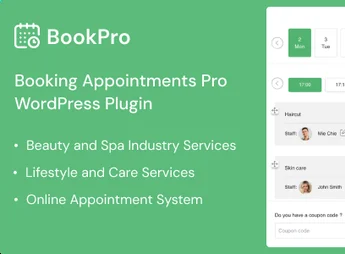
BookPro transforms WordPress into an online scheduling hub, creating service types, linking professionals to available times, and displaying an interactive calendar where the client selects date, time, and completes the reservation directly on the site. The solution serves clinics, salons, consultants, and service providers who need to replace phone or WhatsApp booking with an automated booking flow, with confirmations and centralized agenda control.
Main Features
- Booking calendar: displays available times in an interactive grid, with selection of date, time, and service duration.
- Service and professional registration: creates categories, services, team, and links each professional to the times and services they provide.
- Administrative schedule panel: centralizes viewing, editing, and cancelling appointments, with filters by status, date, and responsible party.
- Automatic notifications: sends confirmations, reminders, and reservation changes by email to client and team.
- Time configuration: defines work hours, breaks, blocked days, and individual days off per professional.
BookPro Benefits
- Reduces manual work: eliminates phone booking by letting the client complete the reservation on the site.
- Avoids schedule conflicts: automatically blocks already occupied times, preventing overbookings between services and professionals.
- Increases attendance rate: automatic email reminders reduce absences and last-minute rescheduling.
- Centralizes operation: brings schedule, clients, and services into one panel, facilitating daily control.
Who Is It Recommended For?
- Medical, dental, aesthetic, and medical offices that accept appointments by the hour.
- Beauty salons, barbershops, spas, and studios that offer services with a defined time.
- Consultants, coaches, private tutors, and self-employed professionals that sell scheduled sessions.
Recommended for service businesses that rely on appointment scheduling and want to automate the entire reservation process directly through the WordPress site.
Frequently asked questions
Is BookPro – Appointment Booking WordPress Plugin GPL-licensed?
Yes. BookPro – Appointment Booking WordPress Plugin is distributed under the GPL (GNU General Public License). You may legally use, modify and redistribute it on as many sites as you want.
Can I use BookPro – Appointment Booking WordPress Plugin on multiple sites?
Yes. You can install BookPro – Appointment Booking WordPress Plugin on as many sites as you want. Only automatic updates through Ultrapack Auto Updater have a limit: from 3 to 80 sites, depending on the plan.
How much does BookPro – Appointment Booking WordPress Plugin cost at Ultrapack?
BookPro – Appointment Booking WordPress Plugin costs US$2.99 as a single purchase, and it is also included in the subscription plans starting at US$12/mo (VIP I).
Does BookPro – Appointment Booking WordPress Plugin include updates?
Yes. The current version of BookPro – Appointment Booking WordPress Plugin is 1.1.2, published at Ultrapack on Aug 24, 2026. Subscribers update straight from the WordPress dashboard with UAU (Ultrapack Auto Updater).
Is BookPro – Appointment Booking WordPress Plugin scanned before publication?
Yes. Every version of BookPro – Appointment Booking WordPress Plugin goes through a malware scan (ClamAV and YARA rules, at UltraHub) before it is published.
How to install
Automatic updates: this item is updated by the Ultrapack Auto Updater. With it installed, the new version shows up in your dashboard like any other WordPress update (how to set it up).
The file on this page is the developer’s full package, documentation included. Do not upload that file through the dashboard: WordPress answers that the package does not contain a valid plugin. The plugin comes ready inside it, as a ZIP of its own, and that is the one you upload.
- Download the file
elements-appointment-booking-wordpress-plugin-bookpro.zipand extract it on your computer. - Look inside the extracted files for the file
ovabookpro.zip. - In the WordPress dashboard, go to Plugins > Add New > Upload Plugin.
- Select that file, click Install Now and then Activate.
- There is nothing to zip. The ZIP inside the package is already in the format WordPress accepts.
- The rest of the package belongs to the author: documentation, license and sometimes sample files. None of that is installed through the dashboard.
Stuck on a step? Open a ticket telling us which one you stopped at.


