Description
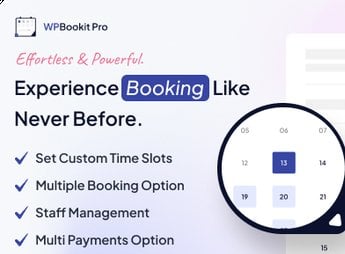
Grow your bookings and optimize the management of your accommodations with WPBookit Pro. This plugin is the ideal tool for owners of hotels, inns, hostels, chalets, and other businesses in the hospitality industry seeking a simple and effective solution to manage their bookings directly on their WordPress websites.
Key Features
- Real-time bookings:
Allows customers to make instant bookings and view availability in real time. - Availability calendar:
Displays a calendar with room availability to make the booking process easier. - Integrated payment system:
Receive payments directly on your website through the most popular payment methods. - Seasonal rate settings:
Adjust your prices according to different seasons or periods of high demand. - Room management system:
Control room availability and the types of rooms offered. - Email notifications:
Send automatic emails to customers when a booking is made, confirmed, or canceled.
Benefits of the WPBookit Pro plugin
- Time optimization: With all booking functions automated, save time and focus on other aspects of your business.
- Greater financial control: By receiving payments directly on your website, keep a detailed record of all transactions.
- Customer satisfaction: Make the booking experience easier for your customers with an intuitive and easy-to-use booking process.
- Flexibility: Customize booking settings to meet the specific needs of your business.
Who Is It For?
- Owners of hotels, inns, and hostels who want to automate and optimize the booking process.
- Accommodation website administrators seeking a complete and easy-to-use booking plugin.
- Accommodation businesses that need an efficient room management system.
WPBookit Pro is not just a booking tool; it is a true accommodation management assistant. With it, you maintain complete control over your bookings, optimize your time, and provide your customers with a more enjoyable booking experience. Make your website your guests’ preferred booking option with WPBookit Pro.
Frequently asked questions
Is WPBookit Pro – Appointment Booking WordPress Plugin GPL-licensed?
Yes. WPBookit Pro – Appointment Booking WordPress Plugin is distributed under the GPL (GNU General Public License). You may legally use, modify and redistribute it on as many sites as you want.
Can I use WPBookit Pro – Appointment Booking WordPress Plugin on multiple sites?
Yes. You can install WPBookit Pro – Appointment Booking WordPress Plugin on as many sites as you want. Only automatic updates through Ultrapack Auto Updater have a limit: from 3 to 80 sites, depending on the plan.
How much does WPBookit Pro – Appointment Booking WordPress Plugin cost at Ultrapack?
WPBookit Pro – Appointment Booking WordPress Plugin costs US$2.99 as a single purchase, and it is also included in the subscription plans starting at US$12/mo (VIP I).
Does WPBookit Pro – Appointment Booking WordPress Plugin include updates?
Yes. The current version of WPBookit Pro – Appointment Booking WordPress Plugin is 1.6.19, published at Ultrapack on Nov 3, 2025. Subscribers update straight from the WordPress dashboard with UAU (Ultrapack Auto Updater).
Is WPBookit Pro – Appointment Booking WordPress Plugin scanned before publication?
Yes. Every version of WPBookit Pro – Appointment Booking WordPress Plugin goes through a malware scan (ClamAV and YARA rules, at UltraHub) before it is published.
How to install
Updates: manual. When a new version comes out, download it on this same page and upload it over the old one; WordPress asks whether you want to replace the current version.
The file on this page is the developer’s full package. Do not upload that file through the dashboard: WordPress answers that the package does not contain a valid plugin. Inside it there are one or more ZIP files, and one of them is what you install.
- Download the file
codecanyon-52836302-wpbookit-appointment-booking-calendar-for-wordpress.zipand extract it on your computer. - Look for the
.zipfiles inside. The plugin is the one named after the product. - In the WordPress dashboard, go to Plugins > Add New > Upload Plugin and upload that ZIP file.
- Click Install Now and then Activate.
- There is nothing to zip. The ZIP inside the package is already in the format WordPress accepts.
- Some packages carry more than one plugin: the main one and its add-ons. Install the ones you are going to use, each one the same way.
- If there is a documentation folder, it is not installed. It is reading material from the author.
Stuck on a step? Open a ticket telling us which one you stopped at.