

 UAU Ready
Description
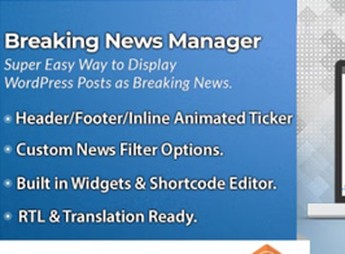
With BWL Post To Breaking News Manager, you can turn WordPress posts into breaking news alerts, marking published content to appear in a news ticker or featured block controlled through the dashboard. The plugin helps those who publish news, announcements, or frequent updates highlight urgent posts without creating a separate content type, maintaining an editorial workflow based on existing posts.
Key Features of BWL Post To Breaking News Manager
- Featured posts
Converts existing posts into breaking news alerts on the site. - Dashboard management
Centralizes control of featured news within WordPress. - Simple editorial workflow
Uses already published posts as the basis for urgent alerts. - News display
Shows important content in a featured format for quick reading. - Content-based organization
Makes it easier to select which posts should receive visual priority.
Benefits of BWL Post To Breaking News Manager
- Greater editorial visibility
Important posts gain prominence without relying on manual theme changes. - Faster publishing
Urgent alerts can be organized from content that has already been created. - More focused reading
Visitors can quickly identify recent news, alerts, or important announcements. - More organized routine
The team maintains featured content without duplicating posts or creating extra pages.
Who Is BWL Post To Breaking News Manager For?
- Those who publish frequent news and need to highlight urgent announcements on the website page.
- News portals, editorial blogs, and digital newspapers that work with updates at a steady pace.
- Those who want to turn regular posts into featured alerts without changing the publishing workflow.
How to Download BWL Post To Breaking News Manager
BWL Post To Breaking News Manager is available for download here on Ultrapack. After downloading the .zip file, go to Plugins > Add New > Upload Plugin, select the package, and activate it through the WordPress dashboard.
BWL Post To Breaking News Manager fits editorial websites that need to highlight recent information without replacing the native post structure. By centralizing the selection of alerts in the dashboard, the plugin reduces layout improvisation and keeps news publishing within a simple, predictable, and easy-to-repeat process.
Frequently asked questions
Is BWL Post To Breaking News Manager GPL-licensed?
Yes. BWL Post To Breaking News Manager is distributed under the GPL (GNU General Public License). You may legally use, modify and redistribute it on as many sites as you want.
Can I use BWL Post To Breaking News Manager on multiple sites?
Yes. You can install BWL Post To Breaking News Manager on as many sites as you want. Only automatic updates through Ultrapack Auto Updater have a limit: from 3 to 80 sites, depending on the plan.
How much does BWL Post To Breaking News Manager cost at Ultrapack?
BWL Post To Breaking News Manager costs US$2.99 as a single purchase, and it is also included in the subscription plans starting at US$12/mo (VIP I).
Does BWL Post To Breaking News Manager include updates?
Yes. The current version of BWL Post To Breaking News Manager is 2.0.0, published at Ultrapack on Dec 29, 2025. Subscribers update straight from the WordPress dashboard with UAU (Ultrapack Auto Updater).
Is BWL Post To Breaking News Manager scanned before publication?
Yes. Every version of BWL Post To Breaking News Manager goes through a malware scan (ClamAV and YARA rules, at UltraHub) before it is published.
How to install
Automatic updates: this item is updated by the Ultrapack Auto Updater. With it installed, the new version shows up in your dashboard like any other WordPress update (how to set it up).
The file on this page is the developer’s full package. Do not upload that file through the dashboard: WordPress answers that the package does not contain a valid plugin. Inside it there are one or more ZIP files, and one of them is what you install.
- Download the file
elements-bwl-post-to-breaking-news-manager.zipand extract it on your computer. - Look for the
.zipfiles inside. The plugin is the one named after the product. - In the WordPress dashboard, go to Plugins > Add New > Upload Plugin and upload that ZIP file.
- Click Install Now and then Activate.
- There is nothing to zip. The ZIP inside the package is already in the format WordPress accepts.
- Some packages carry more than one plugin: the main one and its add-ons. Install the ones you are going to use, each one the same way.
- If there is a documentation folder, it is not installed. It is reading material from the author.
Stuck on a step? Open a ticket telling us which one you stopped at.


