 UAU Ready
Description
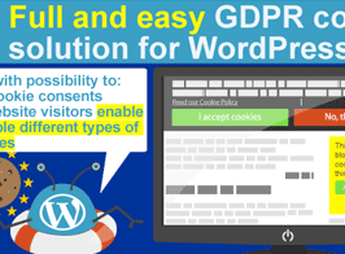
Cookie Info WP – Cookie Law Compliance Script displays a cookie consent banner at the footer of the WordPress site, logging the visitor’s acceptance via its own cookie and blocking repro display while permission is active. It is aimed at those who need to adapt sites to regulations such as GDPR, LGPD, and ePrivacy, showing a visible notice with a link to the privacy policy and an acceptance button on any page accessed by European or Brazilian audiences.
Main Features of Cookie Info WP – Cookie Law Compliance Script
- Configurable notice banner
Displays a fixed message at the footer or top informing about the site’s use of cookies. - Customization of colors and texts
Allows adjusting background, font, message, and button label via the admin panel. - Consent logging through cookie
Saves the visitor’s acceptance in a local cookie with configurable duration in days. - Link to privacy policy
Inserts a clickable anchor within the message itself, directing to the chosen policy page. - Compatibility with any theme
Works by injecting code into the front-end without requiring edits to active theme files.
Benefits of Cookie Info WP – Cookie Law Compliance Script
- Compliance with privacy laws
Supports conformity with European GDPR and Brazilian LGPD by logging visible consent. - Quick implementation on the site
Reduces hours of custom banner development to a direct installation through the panel. - Discreet visitor experience
Shows the notice only once and keeps the site clean after acceptance. - Visual identity preserved
Adjustable colors and typography ensure the banner matches the site’s brand.
Who Is Cookie Info WP – Cookie Law Compliance Script For?
- Those who maintain institutional sites receiving traffic from the European Union and need to comply with GDPR.
- You who need to adapt the Brazilian site to LGPD with a functional cookie notice.
- Developers of sites for clients in legal, medical, or financial areas sensitive to privacy.
- Those who want to replace homemade cookie banner scripts with a solution manageable via the panel.
How to Download Cookie Info WP – Cookie Law Compliance Script
Cookie Info WP – Cookie Law Compliance Script is available for download here on Ultrapack. After saving the .zip file, access Plugins > Add New > Upload Plugin in the WordPress dashboard, select the .zip, install, and activate. Message, colors, and consent cookie options become available in the plugin settings menu immediately after activation.
Cookie Info WP – Cookie Law Compliance Script addresses a recurring legal requirement with a lightweight and straightforward component, without the need for complex consent management packages. It concentrates banner configuration on a single screen, keeps the front-end clean after acceptance, and serves sites that only need to clearly communicate cookie use, keeping the visitor relationship channel aligned with current privacy practices.
Frequently asked questions
Is Cookie Info WP – Cookie Law Compliance Script GPL-licensed?
Yes. Cookie Info WP – Cookie Law Compliance Script is distributed under the GPL (GNU General Public License). You may legally use, modify and redistribute it on as many sites as you want.
Can I use Cookie Info WP – Cookie Law Compliance Script on multiple sites?
Yes. You can use Cookie Info WP – Cookie Law Compliance Script on multiple sites. The number of sites connected to Ultrapack Auto Updater is limited by your plan.
How much does Cookie Info WP – Cookie Law Compliance Script cost at Ultrapack?
Cookie Info WP – Cookie Law Compliance Script costs US$2.99 as a single purchase, and it is also included in the subscription plans starting at US$12/mo (VIP I).
Does Cookie Info WP – Cookie Law Compliance Script include updates?
Yes. The current version of Cookie Info WP – Cookie Law Compliance Script is 1.4, published at Ultrapack on May 30, 2018. Subscribers update straight from the WordPress dashboard with UAU (Ultrapack Auto Updater).
Is Cookie Info WP – Cookie Law Compliance Script scanned before publication?
Yes. Every version of Cookie Info WP – Cookie Law Compliance Script goes through a malware scan (ClamAV and YARA rules, at UltraHub) before it is published.
How to install
Automatic updates: this item is updated by the Ultrapack Auto Updater. With it installed, the new version shows up in your dashboard like any other WordPress update (how to set it up).
- Download the file
codecanyon-4961749-cookie-info-wp-cookie-law-compliance-script-wordpress-plugin.zip. - In the WordPress dashboard, go to Plugins > Add New > Upload Plugin.
- Select the file
codecanyon-4961749-cookie-info-wp-cookie-law-compliance-script-wordpress-plugin.zipand click Install Now. - Click Activate.
Stuck on a step? Open a ticket telling us which one you stopped at.