 UAU Ready
Description
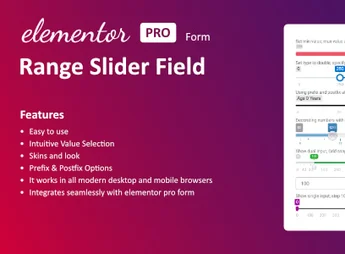
The Range Slider Field for Elementor form adds a new type of sliding slider field to native Elementor Pro forms, allowing visitors to choose numeric values by dragging a control instead of typing. The plugin includes ready visual customization skins, adjustment of minimum, maximum, and step, as well as sending the selected value together with the other form fields.
Key Features
- Native slider field: registers a new type of field within the Form widget of Elementor Pro, without the need for additional code.
- Range configuration: sets minimum, maximum, and increment (step) values directly through the Elementor panel.
- Customization skins: set of ready visual styles for the track, control, and value indicator.
- Live value display: shows the number selected by the visitor in real time while they drag the control.
- Submission compatibility: the chosen value is normally sent together with the other fields via email, webhook, or integrations configured in the form.
Benefits of the Range Slider Field for Elementor form
- More intuitive capture: replaces typing with a visual gesture, reducing entry errors.
- Visually cohesive forms: skins allow the slider to align with the rest of the page design.
- Higher completion rate: visual fields tend to be filled with less friction than traditional numeric inputs.
- Fast implementation: installs as a plugin and appears as an option within Elementor’s visual editor itself.
Who Is It Suggested For?
- Sites built with Elementor Pro that use quotation, price estimate, or simulation forms.
- Agencies and developers who want to offer differentiated fields on landing page capture sites.
- Service, financial, and insurance shops that require selection of value ranges, age, term, or quantity.
Suggested for Elementor Pro professionals who want to make numeric value collection more visual and user-friendly, improving the form filling experience.
Frequently asked questions
Is Range Slider Field for Elementor form GPL-licensed?
Yes. Range Slider Field for Elementor form is distributed under the GPL (GNU General Public License). You may legally use, modify and redistribute it on as many sites as you want.
Can I use Range Slider Field for Elementor form on multiple sites?
Yes. You can install Range Slider Field for Elementor form on as many sites as you want. Only automatic updates through Ultrapack Auto Updater have a limit: from 3 to 80 sites, depending on the plan.
How much does Range Slider Field for Elementor form cost at Ultrapack?
Range Slider Field for Elementor form costs US$2.99 as a single purchase, and it is also included in the subscription plans starting at US$12/mo (VIP I).
Does Range Slider Field for Elementor form include updates?
Yes. The current version of Range Slider Field for Elementor form is 1.3.0, published at Ultrapack on Dec 29, 2025. Subscribers update straight from the WordPress dashboard with UAU (Ultrapack Auto Updater).
Is Range Slider Field for Elementor form scanned before publication?
Yes. Every version of Range Slider Field for Elementor form goes through a malware scan (ClamAV and YARA rules, at UltraHub) before it is published.
How to install
Automatic updates: this item is updated by the Ultrapack Auto Updater. With it installed, the new version shows up in your dashboard like any other WordPress update (how to set it up).
The file on this page is the developer’s full package, documentation included. Do not upload that file through the dashboard: WordPress answers that the package does not contain a valid plugin. The plugin comes ready inside it, as a ZIP of its own, and that is the one you upload.
- Download the file
elements-range-slider-field-for-elementor-form.zipand extract it on your computer. - Look inside the extracted files for the file
Main/WordPress/range-slider-for-elementor-forms.zip. - In the WordPress dashboard, go to Plugins > Add New > Upload Plugin.
- Select that file, click Install Now and then Activate.
- There is nothing to zip. The ZIP inside the package is already in the format WordPress accepts.
- The rest of the package belongs to the author: documentation, license and sometimes sample files. None of that is installed through the dashboard.
Stuck on a step? Open a ticket telling us which one you stopped at.