 UAU Ready
Description
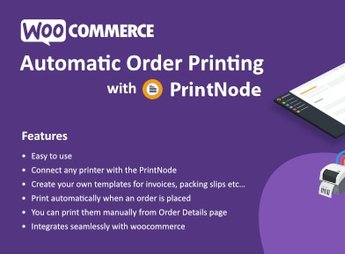
Boost the efficiency of your online store with the Automatic Order Printing for WooCommerce plugin. This powerful addon is designed to automate the order printing process, turning it into a background task. Perfect for online stores of any size, this plugin eliminates the need to constantly monitor new orders and automatically prints them as soon as they are placed.
Main Features
- Automatic Order Printing:
Orders are automatically printed as soon as they are received, saving time and eliminating the possibility of human errors. - Compatible with any printer:
The plugin works with any printer configured on your system. - Customizable settings:
Configuration options allow you to determine when and how orders should be printed. - Compatible with multiple stores:
If you have more than one online store, the plugin can manage and print orders from all of them. - Support for multiple print formats:
Print receipts, invoices, shipping labels, and more. - Customizable invoice design:
Customize the printed invoice design to match your brand identity.
Benefits of Automatic Order Printing for WooCommerce
- Increased Efficiency: Reduce the time spent on manual order printing.
- Error Reduction: The automated process decreases the chance of human errors.
- Customization: Adapt print settings and invoice design to your style and needs.
Who Is It For?
- Online stores of small, medium, and large scale
- Online businesses with multiple stores
- Stores that require different print formats
No matter the size or nature of your online business, automation is always a key to success. With the Automatic Order Printing for WooCommerce, you can transform the way you handle order printing, boosting your business’s efficiency and accuracy. This plugin is more than a tool; it is a complete solution to enhance your e-commerce operation.
Frequently asked questions
Is Automatic Order Printing for WooCommerce – ( PrintNode ) GPL-licensed?
Yes. Automatic Order Printing for WooCommerce – ( PrintNode ) is distributed under the GPL (GNU General Public License). You may legally use, modify and redistribute it on as many sites as you want.
Can I use Automatic Order Printing for WooCommerce – ( PrintNode ) on multiple sites?
Yes. You can install Automatic Order Printing for WooCommerce – ( PrintNode ) on as many sites as you want. Only automatic updates through Ultrapack Auto Updater have a limit: from 3 to 80 sites, depending on the plan.
How much does Automatic Order Printing for WooCommerce – ( PrintNode ) cost at Ultrapack?
Automatic Order Printing for WooCommerce – ( PrintNode ) costs US$2.99 as a single purchase, and it is also included in the subscription plans starting at US$12/mo (VIP I).
Does Automatic Order Printing for WooCommerce – ( PrintNode ) include updates?
Yes. The current version of Automatic Order Printing for WooCommerce – ( PrintNode ) is 1.5.0, published at Ultrapack on May 19, 2025. Subscribers update straight from the WordPress dashboard with UAU (Ultrapack Auto Updater).
Is Automatic Order Printing for WooCommerce – ( PrintNode ) scanned before publication?
Yes. Every version of Automatic Order Printing for WooCommerce – ( PrintNode ) goes through a malware scan (ClamAV and YARA rules, at UltraHub) before it is published.
How to install
Automatic updates: this item is updated by the Ultrapack Auto Updater. With it installed, the new version shows up in your dashboard like any other WordPress update (how to set it up).
The file on this page is the developer’s full package, documentation included. Do not upload that file through the dashboard: WordPress answers that the package does not contain a valid plugin. The plugin comes ready inside it, as a ZIP of its own, and that is the one you upload.
- Download the file
elements-automatic-order-printing-for-woocommerce-print.zipand extract it on your computer. - Look inside the extracted files for the file
Main/WordPress/automatic-order-printing-for-woo.zip. - In the WordPress dashboard, go to Plugins > Add New > Upload Plugin.
- Select that file, click Install Now and then Activate.
- There is nothing to zip. The ZIP inside the package is already in the format WordPress accepts.
- The rest of the package belongs to the author: documentation, license and sometimes sample files. None of that is installed through the dashboard.
Stuck on a step? Open a ticket telling us which one you stopped at.