Description
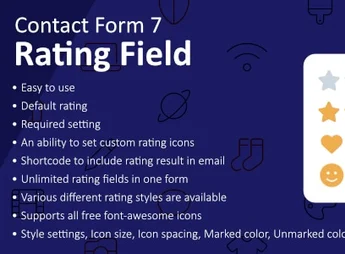
The Rating Field for Contact Form 7 adds a star rating field to Contact Form 7, allowing visitors to register ratings within any existing plugin form. With it, you collect quantitative feedback, testimonials, and satisfaction surveys directly in the existing forms, leveraging the native email notifications and submission flow of CF7 without the need to install a separate reviews plugin.
Key Features
- Dedicated rating field: inserts a star selector as a new type of field for Contact Form 7, configurable from the form edit screen.
- CF7 flow integration: the selected rating is treated as any other field, being sent in email notifications and logged in form submissions.
- Adjustable number of stars: define the rating scale according to the needs of the questionnaire or satisfaction survey.
- Optional field validation: require the user to choose a rating before submitting the form, preventing empty submissions.
- Customizable appearance: adjust the color and style of the component to match the site and theme’s visual identity.
Benefits of the Rating Field for Contact Form 7
- Structured feedback collection: turns common forms into satisfaction research channels with quantitative ratings.
- CF7 plugin reuse: avoids adding another reviews plugin when the site is already using Contact Form 7.
- Quick implementation: just drag the new field type into the form and publish.
- Context-rich responses: receives with the visitor’s comment an objective score, simplifying message analysis.
For Whom is it Suitable?
- Sites and blogs that already use Contact Form 7 and need to collect visitor ratings.
- Service companies that wish to measure customer satisfaction in contact and post-service forms.
- Professionals applying feedback surveys, quizzes, and ratings directly in WordPress.
Suitable for those who keep Contact Form 7 as the base for their site forms and want to add star ratings without switching plugins or setting up a parallel review structure.
Frequently asked questions
Is Rating Field for Contact Form 7 GPL-licensed?
Yes. Rating Field for Contact Form 7 is distributed under the GPL (GNU General Public License). You may legally use, modify and redistribute it on as many sites as you want.
Can I use Rating Field for Contact Form 7 on multiple sites?
Yes. You can install Rating Field for Contact Form 7 on as many sites as you want. Only automatic updates through Ultrapack Auto Updater have a limit: from 3 to 80 sites, depending on the plan.
How much does Rating Field for Contact Form 7 cost at Ultrapack?
Rating Field for Contact Form 7 costs US$2.99 as a single purchase, and it is also included in the subscription plans starting at US$12/mo (VIP I).
Does Rating Field for Contact Form 7 include updates?
Yes. The current version of Rating Field for Contact Form 7 is 1.4.0, published at Ultrapack on Mar 13, 2026. Subscribers update straight from the WordPress dashboard with UAU (Ultrapack Auto Updater).
Is Rating Field for Contact Form 7 scanned before publication?
Yes. Every version of Rating Field for Contact Form 7 goes through a malware scan (ClamAV and YARA rules, at UltraHub) before it is published.
How to install
Updates: manual. When a new version comes out, download it on this same page and upload it over the old one; WordPress asks whether you want to replace the current version.
The file on this page is the developer’s full package, documentation included. Do not upload that file through the dashboard: WordPress answers that the package does not contain a valid plugin. The plugin comes ready inside it, as a ZIP of its own, and that is the one you upload.
- Download the file
elements-rating-field-for-contact-form.zipand extract it on your computer. - Look inside the extracted files for the file
Main/WordPress/contact-form-7-rating-field.zip. - In the WordPress dashboard, go to Plugins > Add New > Upload Plugin.
- Select that file, click Install Now and then Activate.
- There is nothing to zip. The ZIP inside the package is already in the format WordPress accepts.
- The rest of the package belongs to the author: documentation, license and sometimes sample files. None of that is installed through the dashboard.
Stuck on a step? Open a ticket telling us which one you stopped at.