

 UAU Ready
Description
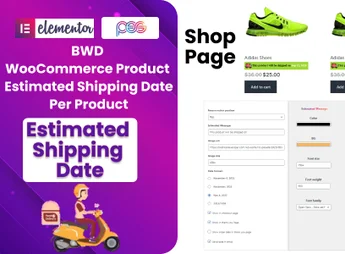
BWD WProduct Estimated Shipping Date is a cutting-edge plugin designed to optimize the online shopping experience by providing customers with an estimated delivery date for each product. An essential tool for virtual stores aiming to offer transparency and trust to their customers.
Main Features
- Custom shipping date configuration:
Allows setting specific shipping dates for each product or product category. - WooCommerce compatibility:
Works perfectly with your WooCommerce virtual store. - Dynamic shipping estimate:
Delivery dates are automatically adjusted based on the customer’s location. - Holiday and weekend settings:
You can configure the plugin to prevent delivery dates from falling on holidays or weekends. - User-friendly interface:
Easy to use and configure, requiring no advanced technical knowledge. - Compatible with various themes:
Flexibility to work with a wide range of WordPress themes.
Benefits of the BWD WProduct Estimated Shipping Date plugin
- Customer transparency: Customers appreciate transparency and predictability when shopping online.
- Reduction of customer inquiries: Decreases the number of questions about delivery times.
- Improves user experience: Offers a more pleasant and informative shopping experience.
Who Is It For?
- Virtual stores seeking to offer an improved shopping experience.
- Companies aiming to increase customer satisfaction.
- Website owners wanting to reduce the number of questions about delivery times.
BWD WProduct Estimated Shipping Date plugin is a robust and easy-to-use solution that goes beyond customer expectations, providing accurate information about delivery times. It is the ideal choice for those looking to optimize their virtual store and gain customer trust.
Frequently asked questions
Is BWD Product Estimated Shipping Date Plugin For WooCommerce GPL-licensed?
Yes. BWD Product Estimated Shipping Date Plugin For WooCommerce is distributed under the GPL (GNU General Public License). You may legally use, modify and redistribute it on as many sites as you want.
Can I use BWD Product Estimated Shipping Date Plugin For WooCommerce on multiple sites?
Yes. You can install BWD Product Estimated Shipping Date Plugin For WooCommerce on as many sites as you want. Only automatic updates through Ultrapack Auto Updater have a limit: from 3 to 80 sites, depending on the plan.
How much does BWD Product Estimated Shipping Date Plugin For WooCommerce cost at Ultrapack?
BWD Product Estimated Shipping Date Plugin For WooCommerce costs US$2.99 as a single purchase, and it is also included in the subscription plans starting at US$12/mo (VIP I).
Does BWD Product Estimated Shipping Date Plugin For WooCommerce include updates?
Yes. The current version of BWD Product Estimated Shipping Date Plugin For WooCommerce is 1.5, published at Ultrapack on Apr 12, 2025. Subscribers update straight from the WordPress dashboard with UAU (Ultrapack Auto Updater).
Is BWD Product Estimated Shipping Date Plugin For WooCommerce scanned before publication?
Yes. Every version of BWD Product Estimated Shipping Date Plugin For WooCommerce goes through a malware scan (ClamAV and YARA rules, at UltraHub) before it is published.
How to install
Automatic updates: this item is updated by the Ultrapack Auto Updater. With it installed, the new version shows up in your dashboard like any other WordPress update (how to set it up).
The file on this page is the developer’s full package, documentation included. Do not upload that file through the dashboard: WordPress answers that the package does not contain a valid plugin. The plugin comes ready inside it, as a ZIP of its own, and that is the one you upload.
- Download the file
elements-product-estimated-shipping-date-plugin-for-woocomm.zipand extract it on your computer. - Look inside the extracted files for the file
product-estimated-shiping-date-main/wproduct-estimated-shiping-date.zip. - In the WordPress dashboard, go to Plugins > Add New > Upload Plugin.
- Select that file, click Install Now and then Activate.
- There is nothing to zip. The ZIP inside the package is already in the format WordPress accepts.
- The rest of the package belongs to the author: documentation, license and sometimes sample files. None of that is installed through the dashboard.
Stuck on a step? Open a ticket telling us which one you stopped at.


