UAU Ready
Description
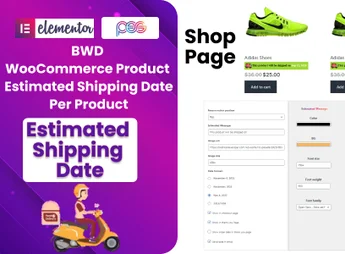
The Estimated Delivery Date – WooCommerce shows the delivery estimate on each product and at checkout of your WooCommerce store, adding to the admin panel a field per product to set deadlines and personalized messages, as well as a general date displayed during checkout. The plugin also allows registering different shipping options, such as express or standard, adjusting what the customer sees before finalizing the order.
Main Features of Estimated Delivery Date – WooCommerce
- Product-wise estimate
Adds a field in the product editor to set the individual delivery deadline. - General estimate at checkout
Displays a consolidated delivery estimate on the checkout completion page. - Customizable messages
Allows editing the text shown next to the date to align with the store’s voice. - Shipping methods
Configures options like express and standard shipping, each with its own deadlines. - Native integration with WooCommerce
Connects to the default product and checkout flow of WooCommerce without manual template edits.
Benefits of Estimated Delivery Date – WooCommerce
- Fewer questions before purchase
The customer sees the deadline already on the product page, reducing pre-sale inquiries and abandonment. - More transparent checkout
Delivery information appears at checkout time, supporting the purchase decision. - Aligned expectation
Reduces the volume of post-sale support calls related to delivery deadlines. - Quick setup
Deadlines are set directly in the product panel, without editing theme files.
Who is the Estimated Delivery Date – WooCommerce recommended for?
- Those who sell physical products on WooCommerce and want to provide shipping deadlines for each listing.
- Those who work with differentiated shipping (express and standard) and need to display different deadlines.
- Those who want to reduce the number of messages asking for delivery estimates before order completion.
How to download Estimated Delivery Date – WooCommerce
The Estimated Delivery Date – WooCommerce is available for download here on Ultrapack. After saving the .zip file, install it in Plugins > Add New > Upload Plugin, select the package and activate. The deadline fields appear in the editor of each product and the general estimate becomes visible on the checkout page.
Designed for those who run WooCommerce stores and want to communicate delivery deadlines clearly, Estimated Delivery Date – WooCommerce works on two critical points of the purchase journey: the product page, where the information helps persuade, and checkout, where it reinforces the estimate before payment. The product-by-product configuration preserves the flexibility needed for catalogs with items having varied deadlines.
Frequently asked questions
Is Estimated Delivery Date – WooCommerce GPL-licensed?
Yes. Estimated Delivery Date – WooCommerce is distributed under the GPL (GNU General Public License). You may legally use, modify and redistribute it on as many sites as you want.
Can I use Estimated Delivery Date – WooCommerce on multiple sites?
Yes. You can install Estimated Delivery Date – WooCommerce on as many sites as you want. Only automatic updates through Ultrapack Auto Updater have a limit: from 3 to 80 sites, depending on the plan.
How much does Estimated Delivery Date – WooCommerce cost at Ultrapack?
Estimated Delivery Date – WooCommerce costs US$2.99 as a single purchase, and it is also included in the subscription plans starting at US$12/mo (VIP I).
Does Estimated Delivery Date – WooCommerce include updates?
Yes. The current version of Estimated Delivery Date – WooCommerce is 1.0.1, published at Ultrapack on Oct 30, 2016. Subscribers update straight from the WordPress dashboard with UAU (Ultrapack Auto Updater).
Is Estimated Delivery Date – WooCommerce scanned before publication?
Yes. Every version of Estimated Delivery Date – WooCommerce goes through a malware scan (ClamAV and YARA rules, at UltraHub) before it is published.
What changed in this version
Version 1.0.1 16 December 2014
- Changed the way class is loaded for settings api
Version 1.0.0 02 December 2014
- Initial release
Release notes published by the developer.
How to install
Automatic updates: this item is updated by the Ultrapack Auto Updater. With it installed, the new version shows up in your dashboard like any other WordPress update (how to set it up).
- Download the file
codecanyon-9695630-woocommerce-estimated-delivery-date-wordpress-plugin.zip. - In the WordPress dashboard, go to Plugins > Add New > Upload Plugin.
- Select the file
codecanyon-9695630-woocommerce-estimated-delivery-date-wordpress-plugin.zipand click Install Now. - Click Activate.
Stuck on a step? Open a ticket telling us which one you stopped at.