 UAU Ready
Description
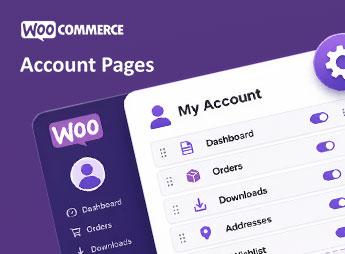
Custom My Account Pages for WooCommerce lets you create custom tabs in the WooCommerce “My Account” area, adding dedicated endpoints and customized content for each customer logged in to the store. Designed for store owners who need to expand the standard account page with exclusive information, loyalty programs, private downloads, or support areas, the plugin organizes everything through the admin dashboard without requiring template editing or PHP code.
Main Features
- Unlimited tab creation
Adds as many tabs as needed within the WooCommerce My Account menu. - Native content editor
Uses the standard WordPress editor to build the content of each created tab. - Drag-and-drop reordering
Visually reorganizes the sequence of tabs displayed to customers directly from the dashboard. - Custom endpoints
Generates dedicated URLs for each tab, making indexing and direct links in the account menu easier. - User role restriction
Defines which customer profiles can view each specific tab in the logged-in area.
Benefits of Custom My Account Pages for WooCommerce
- Enhanced customer experience
Transforms the standard account page into a complete customer relationship portal. - Code-free setup
Eliminates the need to modify template files or custom WooCommerce hooks. - Targeted communication
Lets you display different content based on the customer type or access group. - Clear visual organization
Keeps all customer information grouped into structured, navigable tabs.
Who Is It For?
- WooCommerce store owners who need to expand the My Account area with their own information.
- Members of loyalty programs, subscription clubs, or communities with exclusive content.
- Agencies and developers who deliver customized stores to end clients.
By centralizing customer-area customization in a single dashboard, Custom My Account Pages for WooCommerce addresses one of the most common limitations of native WooCommerce: the rigidity of the account page. It is ideal for stores that treat post-purchase service as an essential part of the experience, offering additional information, support materials, or customer relationship areas without relying on custom development.
Frequently asked questions
Is Custom My Account Pages for WooCommerce GPL-licensed?
Yes. Custom My Account Pages for WooCommerce is distributed under the GPL (GNU General Public License). You may legally use, modify and redistribute it on as many sites as you want.
Can I use Custom My Account Pages for WooCommerce on multiple sites?
Yes. You can install Custom My Account Pages for WooCommerce on as many sites as you want. Only automatic updates through Ultrapack Auto Updater have a limit: from 3 to 80 sites, depending on the plan.
How much does Custom My Account Pages for WooCommerce cost at Ultrapack?
Custom My Account Pages for WooCommerce costs US$2.99 as a single purchase, and it is also included in the subscription plans starting at US$12/mo (VIP I).
Does Custom My Account Pages for WooCommerce include updates?
Yes. The current version of Custom My Account Pages for WooCommerce is 1.0.0, published at Ultrapack on May 22, 2026. Subscribers update straight from the WordPress dashboard with UAU (Ultrapack Auto Updater).
Is Custom My Account Pages for WooCommerce scanned before publication?
Yes. Every version of Custom My Account Pages for WooCommerce goes through a malware scan (ClamAV and YARA rules, at UltraHub) before it is published.
How to install
Automatic updates: this item is updated by the Ultrapack Auto Updater. With it installed, the new version shows up in your dashboard like any other WordPress update (how to set it up).
The file on this page is the developer’s full package, documentation included. Do not upload that file through the dashboard: WordPress answers that the package does not contain a valid plugin. The plugin comes ready inside it, as a ZIP of its own, and that is the one you upload.
- Download the file
elements-custom-my-account-pages-for-woocommerce.zipand extract it on your computer. - Look inside the extracted files for the file
Main/WordPress/hulk-account-pages-for-woocommerce.zip. - In the WordPress dashboard, go to Plugins > Add New > Upload Plugin.
- Select that file, click Install Now and then Activate.
- There is nothing to zip. The ZIP inside the package is already in the format WordPress accepts.
- The rest of the package belongs to the author: documentation, license and sometimes sample files. None of that is installed through the dashboard.
Stuck on a step? Open a ticket telling us which one you stopped at.