UAU Ready
Description
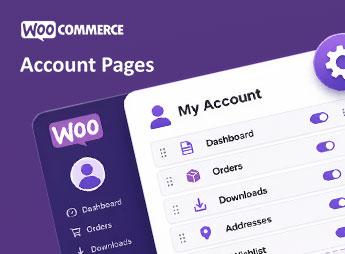
The My Account Page Plugin, Edit & Customize Account Page WooCommerce redesigns the WooCommerce my-account page with a visual builder that lets you reorder tabs, rename endpoints, and add new sections with custom content, icons, and visibility rules by user role. Ideal for store owners who want to turn the customer area into a more informative relationship panel, aligned with the brand identity and post-purchase workflows.
Key Features
- Visual tab editor: reorder, rename, hide, or create new tabs within the my-account page without editing theme templates.
- Custom endpoints: add your own sections with HTML content, shortcodes, or existing pages linked to friendly URLs.
- User role control: show or hide each tab based on the customer’s role, enabling different experiences for wholesale, retail, or subscribers.
- Tab icons and styles: associate icons, colors, and individual styles with each item in the side menu to reinforce visual hierarchy.
- Dynamic content via shortcode: embed forms, listings, and panels from external plugins directly into the configured tabs.
Benefits of the My Account Page Plugin, Edit & Customize Account Page WooCommerce
- Consistent identity: aligns the customer’s logged-in area with the rest of the store, avoiding the generic WooCommerce look.
- More post-purchase retention: centralizes useful information in a clear dashboard, reducing recurring support questions.
- Profile-based segmentation: delivers different content for B2B, B2C, or partner customers without needing additional plugins.
- No-code implementation: eliminates the need to edit templates or custom hooks to adjust what appears in my-account.
Who Is It For?
- WooCommerce store owners who want to deeply customize the experience of logged-in customers.
- Agencies and developers delivering projects with differentiated member areas, wholesale, or post-purchase.
- Operations with multiple customer profiles that need to segment tabs and content by user role.
Built for those who see the my-account page as a strategic relationship touchpoint, the plugin replaces the standard WooCommerce layout with a configurable tab-by-tab panel. The practical advantage shows up in the centralization of relevant content, profile-based segmentation, and visual consistency between the store and the customer area, without requiring theme customization.
Frequently asked questions
Is My Account Page Plugin, Edit & Customize Account Page WooCommerce GPL-licensed?
Yes. My Account Page Plugin, Edit & Customize Account Page WooCommerce is distributed under the GPL (GNU General Public License). You may legally use, modify and redistribute it on as many sites as you want.
Can I use My Account Page Plugin, Edit & Customize Account Page WooCommerce on multiple sites?
Yes. You can install My Account Page Plugin, Edit & Customize Account Page WooCommerce on as many sites as you want. Only automatic updates through Ultrapack Auto Updater have a limit: from 3 to 80 sites, depending on the plan.
How much does My Account Page Plugin, Edit & Customize Account Page WooCommerce cost at Ultrapack?
My Account Page Plugin, Edit & Customize Account Page WooCommerce costs US$2.99 as a single purchase, and it is also included in the subscription plans starting at US$12/mo (VIP I).
Does My Account Page Plugin, Edit & Customize Account Page WooCommerce include updates?
Yes. The current version of My Account Page Plugin, Edit & Customize Account Page WooCommerce is 1.0.2, published at Ultrapack on May 23, 2022. Subscribers update straight from the WordPress dashboard with UAU (Ultrapack Auto Updater).
Is My Account Page Plugin, Edit & Customize Account Page WooCommerce scanned before publication?
Yes. Every version of My Account Page Plugin, Edit & Customize Account Page WooCommerce goes through a malware scan (ClamAV and YARA rules, at UltraHub) before it is published.
How to install
Automatic updates: this item is updated by the Ultrapack Auto Updater. With it installed, the new version shows up in your dashboard like any other WordPress update (how to set it up).
- Download the file
codecanyon-23964952-woocommerce-my-account-page-plugin-customize-customer-account-page-wordpress-plugin.zip. - In the WordPress dashboard, go to Plugins > Add New > Upload Plugin.
- Select the file
codecanyon-23964952-woocommerce-my-account-page-plugin-customize-customer-account-page-wordpress-plugin.zipand click Install Now. - Click Activate.
Stuck on a step? Open a ticket telling us which one you stopped at.