UAU Ready
Description
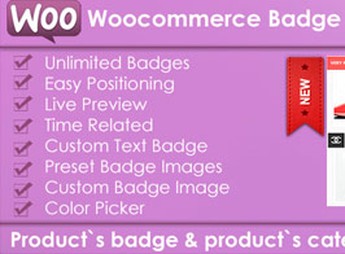
The DH Woocommerce Product Labels adds customizable visual labels to WooCommerce products, allowing you to apply promotion, free shipping, limited edition, or sold-out stamps on product images via configurable rules in the admin panel. Designed for WooCommerce store owners who want to highlight specific campaigns, the plugin supports corner placement, varied shapes, and conditions based on category, stock, or product tag.
Key Features of DH Woocommerce Product Labels
- Visual label editor
Configure label appearance, text, and colors directly from the admin panel. - Conditional application rules
Show labels based on category, stock, promotional price, or product tag. - Flexible positioning
Set the label position on the four corners of the product image. - Various formats and styles
Includes rectangular, circular, banner, and flag templates for different visual contexts. - Bulk application
Assign the same label to multiple products at once, speeding up seasonal campaigns.
Benefits of DH Woocommerce Product Labels
- Visual highlight for campaigns
Grabs attention for promotions and launches without editing images in Photoshop. - Store operation speed
Reduce time spent reworking product art with each offer change. - Higher conversion in storefront
Visual stamps help communicate urgency and value directly in listings. - Brand consistency
Maintain a uniform label style across the catalog, reinforcing the brand.
Who Should Use DH Woocommerce Product Labels?
- Shop owners selling fashion, accessories, or electronics on WooCommerce who need to clearly signal promotions.
- You who manage seasonal campaigns (Black Friday, Christmas, clearance) and want to apply stamps quickly.
- Those who want to highlight pre-sale, limited edition, or low-stock products on the store’s storefront.
- Those who need to standardize catalog visual communication without relying on external graphic editors.
How to Download DH Woocommerce Product Labels
The DH Woocommerce Product Labels is available for download here on Ultrapack. After obtaining the .zip file, install by navigating to Plugins > Add New > Upload Plugin, select the file and activate. The configuration options for the labels appear in the WooCommerce menu once activation is complete.
Combining conditional rules, a visual editor, and a variety of formats, The DH Woocommerce Product Labels solves a common bottleneck in WooCommerce stores: communicating status and offers directly on product images without graphic rework. It is a practical layer of digital merchandising, aimed at those who want to test campaigns quickly and keep the storefront always updated according to stock, seasonality, or current commercial strategy.
Frequently asked questions
Is DH Woocommerce Product Labels GPL-licensed?
Yes. DH Woocommerce Product Labels is distributed under the GPL (GNU General Public License). You may legally use, modify and redistribute it on as many sites as you want.
Can I use DH Woocommerce Product Labels on multiple sites?
Yes. You can install DH Woocommerce Product Labels on as many sites as you want. Only automatic updates through Ultrapack Auto Updater have a limit: from 3 to 80 sites, depending on the plan.
How much does DH Woocommerce Product Labels cost at Ultrapack?
DH Woocommerce Product Labels costs US$2.99 as a single purchase, and it is also included in the subscription plans starting at US$12/mo (VIP I).
Does DH Woocommerce Product Labels include updates?
Yes. The current version of DH Woocommerce Product Labels is 2.1.1, published at Ultrapack on Oct 14, 2016. Subscribers update straight from the WordPress dashboard with UAU (Ultrapack Auto Updater).
Is DH Woocommerce Product Labels scanned before publication?
Yes. Every version of DH Woocommerce Product Labels goes through a malware scan (ClamAV and YARA rules, at UltraHub) before it is published.
How to install
Automatic updates: this item is updated by the Ultrapack Auto Updater. With it installed, the new version shows up in your dashboard like any other WordPress update (how to set it up).
- Download the file
codecanyon-6463262-dh-woocommerce-product-labels-wordpress-plugin.zip. - In the WordPress dashboard, go to Plugins > Add New > Upload Plugin.
- Select the file
codecanyon-6463262-dh-woocommerce-product-labels-wordpress-plugin.zipand click Install Now. - Click Activate.
Stuck on a step? Open a ticket telling us which one you stopped at.