 UAU Ready
Description
The Empty Cart Button Pro for WooCommerce adds an empty cart button on the WooCommerce cart page, allowing customers to remove all items at once without having to delete products one by one manually. Geared toward stores that sell extensive catalogs or configurable items, the plugin reduces the friction for those who redo their purchase selection and speeds up the flow to checkout.
Main Features
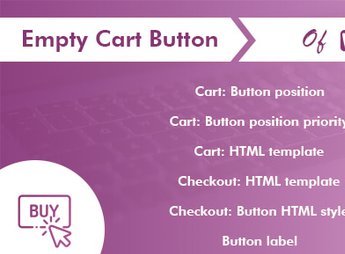
- Cart Clearing Button: inserts a dedicated button on the cart page that removes all products in a single action.
- Customizable Text: allows editing the button label to match the store’s language and the audience’s language.
- Flexible Styling: offers control over colors, borders, typography, and hover states to match the store’s theme.
- Configurable Positioning: adjusts where the button appears relative to other elements on the cart page.
- Pre-Clear Confirmation: displays an optional confirmation alert to prevent the customer from emptying the cart accidentally.
Benefits of the Empty Cart Button Pro for WooCommerce
- Reduced Cart Abandonment: by simplifying the reset, the customer reorganizes the purchase and proceeds to checkout instead of abandoning it.
- Fluid Purchase Experience: eliminates the repetitive task of removing items one by one in orders with many products.
- Reduced Support Requests: decreases customer confusion about how to empty the cart of the store.
- Native WooCommerce Integration: works within the standard cart template without requiring theme rewrites.
Who Is It Recommended For?
- WooCommerce retailers with extensive catalogs or products with many variations.
- Wholesalers and B2B who receive long and frequently revised orders.
- Developers and agencies that customize the cart page for end customers.
For stores that rely on a fast cart and a frictionless purchase journey, the Empty Cart Button Pro for WooCommerce delivers precise control that often lacks in WooCommerce’s standard. The practical benefit shows up in large orders, where saving clicks translates to fewer seconds until conversion and fewer reasons for customers to abandon the site midway.
Frequently asked questions
Is Empty Cart Button Pro for WooCommerce GPL-licensed?
Yes. Empty Cart Button Pro for WooCommerce is distributed under the GPL (GNU General Public License). You may legally use, modify and redistribute it on as many sites as you want.
Can I use Empty Cart Button Pro for WooCommerce on multiple sites?
Yes. You can install Empty Cart Button Pro for WooCommerce on as many sites as you want. Only automatic updates through Ultrapack Auto Updater have a limit: from 3 to 80 sites, depending on the plan.
How much does Empty Cart Button Pro for WooCommerce cost at Ultrapack?
Empty Cart Button Pro for WooCommerce costs US$2.99 as a single purchase, and it is also included in the subscription plans starting at US$12/mo (VIP I).
Does Empty Cart Button Pro for WooCommerce include updates?
Yes. The current version of Empty Cart Button Pro for WooCommerce is 1.3.7, published at Ultrapack on May 19, 2025. Subscribers update straight from the WordPress dashboard with UAU (Ultrapack Auto Updater).
Is Empty Cart Button Pro for WooCommerce scanned before publication?
Yes. Every version of Empty Cart Button Pro for WooCommerce goes through a malware scan (ClamAV and YARA rules, at UltraHub) before it is published.
What are the requirements for the plugin Empty Cart Button Pro for WooCommerce?
Requires WordPress 4.4 or higher. Tested up to WordPress 6.8.
What changed in this version
Version 1.3.7 Apr 15, 2025
- Latest WordPress 6.8 compatibility Check
Version 1.3.6 Nov 27, 2024
- WP tested up to: 6.7.1
- WC tested up to: 9.4.1
Version 1.3.5 Sep 2, 2024
- Dev - Support for WooCommerce's High-Performance Order Storage (HPOS) added.
- WP tested up to: 6.6.1
- WC tested up to: 9.0.2
Version 1.3.4 Sep 1, 2023
- Fix - Disable Rating Notice.
- WP tested up to: 6.3
Version 1.3.3 Apr 10, 2023
- WP tested up to: 6.2
Release notes published by the developer.
How to install
Automatic updates: this item is updated by the Ultrapack Auto Updater. With it installed, the new version shows up in your dashboard like any other WordPress update (how to set it up).
- Download the file
elements-empty-cart-button-pro-for-woocommerce.zip. - In the WordPress dashboard, go to Plugins > Add New > Upload Plugin.
- Select the file
elements-empty-cart-button-pro-for-woocommerce.zipand click Install Now. - Click Activate.
Requirements: Requires WordPress 4.4 or higher. Tested up to WordPress 6.8.
Stuck on a step? Open a ticket telling us which one you stopped at.