 UAU Ready
Description
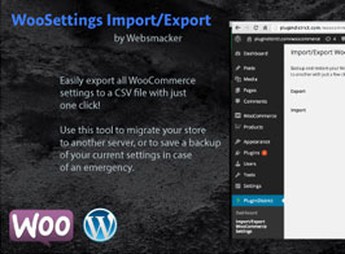
The Settings Backup and Migration – WooCommerce exports the entire WooCommerce store settings to portable files, enabling the replication of product configurations, gateways, shipping zones, and taxes on another installation without having to redo each settings screen manually. It is aimed at users who keep staging and production environments in sync or need to migrate the store between servers without losing the accumulated settings over months of operation.
Key Features of Settings Backup and Migration – WooCommerce
- Exporting settings
Generates a portable file with the adjustments saved in the WooCommerce panel. - Importing to a new installation
Loads the exported package and applies the settings to another WooCommerce store. - Store options backup
Retains copies of the settings to revert changes when necessary. - Migration across environments
Replicates the staging setup to production without having to redo screens manually. - Comprehensive checkout coverage
Includes payment gateways, shipping zones, taxes, and general options.
Benefits of Settings Backup and Migration – WooCommerce
- Time savings on configuration
Avoids manually repeating each settings screen when launching a new store. - Consistency across environments
Ensures that staging and production run with the same configuration base. - Safe rollback
Allows reverting to a previous configuration state when something goes wrong. - Accelerated deployment
Launches new stores from a pre-validated configuration template.
For Whom is the Settings Backup and Migration – WooCommerce Recommended?
- Users who maintain a separate staging environment and need to mirror WooCommerce settings to the final store.
- Agencies that deliver multiple WooCommerce stores and reuse a standardized configuration base across projects.
- Those who will migrate the store between servers or hosts without reopening each settings tab in the panel.
How to Download Settings Backup and Migration – WooCommerce
The Settings Backup and Migration – WooCommerce is available here on Ultrapack. After obtaining the .zip file, go to Plugins > Add New > Upload Plugin, select the file and activate; after activation, the export and import options become available within the WooCommerce menu in the admin panel.
Working as a transport layer for WooCommerce settings, the Settings Backup and Migration – WooCommerce reduces friction when maintaining multiple stores on the same configuration base. By treating the configuration as a versionable file, it brings the store workflow closer to controlled deployment practices, with clear restore points and reproducible migrations between different servers, domains, and hosting accounts.
Frequently asked questions
Is Settings Backup and Migration – WooCommerce GPL-licensed?
Yes. Settings Backup and Migration – WooCommerce is distributed under the GPL (GNU General Public License). You may legally use, modify and redistribute it on as many sites as you want.
Can I use Settings Backup and Migration – WooCommerce on multiple sites?
Yes. You can install Settings Backup and Migration – WooCommerce on as many sites as you want. Only automatic updates through Ultrapack Auto Updater have a limit: from 3 to 80 sites, depending on the plan.
How much does Settings Backup and Migration – WooCommerce cost at Ultrapack?
Settings Backup and Migration – WooCommerce costs US$2.99 as a single purchase, and it is also included in the subscription plans starting at US$12/mo (VIP I).
Does Settings Backup and Migration – WooCommerce include updates?
Yes. The current version of Settings Backup and Migration – WooCommerce is 1.1, published at Ultrapack on Sep 7, 2016. Subscribers update straight from the WordPress dashboard with UAU (Ultrapack Auto Updater).
Is Settings Backup and Migration – WooCommerce scanned before publication?
Yes. Every version of Settings Backup and Migration – WooCommerce goes through a malware scan (ClamAV and YARA rules, at UltraHub) before it is published.
How to install
Automatic updates: this item is updated by the Ultrapack Auto Updater. With it installed, the new version shows up in your dashboard like any other WordPress update (how to set it up).
- Download the file
codecanyon-8790106-woocommerce-settings-backup-and-migration-wordpress-plugin.zip. - In the WordPress dashboard, go to Plugins > Add New > Upload Plugin.
- Select the file
codecanyon-8790106-woocommerce-settings-backup-and-migration-wordpress-plugin.zipand click Install Now. - Click Activate.
Stuck on a step? Open a ticket telling us which one you stopped at.